

Managing projects in remote work can be difficult since most of the employees reside in different locations. That’s where project management software comes into play.
Moreover, a proper digital tool helps remote employees to assign, track, and manage project tasks for a streamlined workflow. Making project management easy and boosting remote productivity.
Now, as remote work is gradually gaining traction, more and more tools are popping up. Among these, Notion and Trello are currently dominating the market.
Even though they are both project management tools, they share many differences. Confusing workers about which one to choose.
So, in this blog, I am going to delve into the diverse aspects of Notion vs Trello, highlighting—
- What these tools are,
- Their core differences,
- How to choose the right one for remote productivity, and more.
So, come dive right in!
What Is Notion And Trello?
First things first, Notion is a comprehensive tool that offers an all-in-one solution for managing various projects in a remote setting.
Comparatively, Trello is a task management tool that offers visual Kanban boards for tracking task progress. So, it is easier to manage the projects and deliver them on time.
Moreover, both tools help remote employees to organize projects, delegate tasks, collaborate with cross-functional teams, and provide flexible workspaces.
Notion vs Trello: Key Differences Between The Two
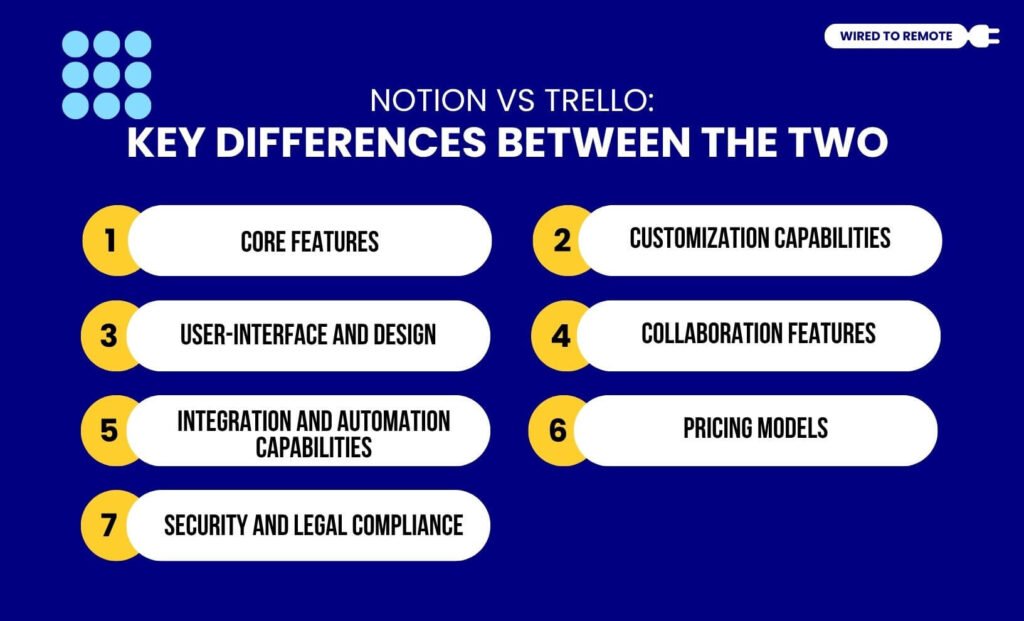
Although both Notion and Trello work as project management tools, they have a lot of dissimilarities. So, some of their key differences include—
1. Core Features
There is a striking difference between the core features of Notion and Trello. That is, Notion offers a more comprehensive set of features that help in managing multiple workspaces for multiple projects.
Moreover, it comes with features like note-taking, task tracking, and database management. So, remote employees can easily track the project progress and manage the files shared in the database.
Unlike Notion, Trello offers a more visually appealing project tracking system. So, through its Kanban boards, calendars, timelines, and dashboards, it allows employees to monitor the project progress.
As the report from Cloudwards states about Trello—
Trello offers customizable dashboards with widgets that provide visual snapshots of project information, such as tasks by status or assignments by team member. While not as robust as dedicated reporting tools, these dashboards give managers a quick overview of project progress without having to dig through individual boards.
2. Customization Capabilities
Apart from the core features, Notion and Trello offer varied customization capabilities.
That is, Notion comes with a wide range of customization options for its Kanban boards, database management, task tracking, and more. So, employees can create personalized timelines with task delegation, based on their project requirements.
But Trello comes with comparatively fewer customization capabilities. Since it is a simple and straightforward tool, it has limited customization options for its features.
Moreover, it is fundamentally structured around the Kanban board. So, it lacks dynamic customization options for designing the timeline boards.
3. User-Interface And Design
Even though both tools are designed for ease of use, their user interfaces are quite different.
For instance, Notion comes with massive customization capabilities. So, its flexibility can at times feel overwhelming for most users.
Moreover, users usually need more time to understand and learn how the variety of features works in Notion. So, it might take more time to adopt the tool within the workplace.
As the report from Cloudwards claims—
Notion isn’t far behind, but because it has more ready-to-use features, it takes a little more time to familiarize yourself with the platform.
On the contrary, Trello has a simple, minimalistic, and straightforward interface. So, it is easier for users to navigate through the tool and use it for project management.
Additionally, Trello is designed as a Kanban-centric tool. So, users can easily visualize the task progress, deadlines, and task delegations. This makes the tool easy to use.
4. Collaboration Features
Since fostering collaboration in remote work setups is quite difficult, both Trello and Notion offer collaborative features.
Generally, Notion provides a comprehensive set of collaboration features — real-time editing, comments, team wikis, and task blocks. So, employees can easily communicate and collaborate on various projects in diverse workspaces.
Contrarily, Trello provides a simpler platform for remote collaboration. That is, it makes team collaborations easy with visually appealing task progress reports and dashboards.
Moreover, it comes with diverse collaborative features within the tool — comments, tagging, file uploads, and power-ups. So, employees can have a simple task-based collaboration.
5. Integration And Automation Capabilities
What makes Notion and Trello stand out amidst the countless project management software is their massive integration capabilities and AI automation.
Generally, both Notion and Trello readily integrate with third-party tools, but there are a few exceptions.
For instance, Trello comes with a built-in integration ecosystem, PowerUps, which enables it to integrate Google Workspace, Zapier, and other major tools.. Also, it allows the native Atlassian integrations.
Unlike Trello, Notion’s integration system is comparatively weak. But it is slowly building its API models and creating an ecosystem for countless integration tools.
In addition to this, it has a built-in AI system for automating tasks, analyzing data, searching workspaces, and summarizing chat contexts.
So, it provides a complete AI-powered productivity tool to remote workers. But Trello has no built-in AI features. Making it a simple tool in comparison to Notion.
6. Pricing Models
Both Notion and Trello are semi-paid platforms. That is, they both offer free as well as paid plans. So here is a simple breakdown of their pricing models.
- Notion
| Plan | Monthly Price | Features Available |
|---|---|---|
| Free | $0 | Most core features — 5MB file upload, 7 days of page history, collaboration features, and database sync. |
| Plus | $10 per user | Unlimited pages, blocks, and core elements – over 30 days of history, database sync, and collaboration. |
| Business | $15 per user | Advanced features — SAML, SSO, unlimited file upload, 90 days of page history, unlimited database sync, and collaboration. |
| Enterprise | Custom Pricing | Customized features for enterprises. |
- Trello
| Plan | Monthly Price | Features Available |
| Free | $0 | Limited features with up to 10 Kanban boards per workspace. |
| Standard | $5 per user | Unlimited Kanban boards and advanced checklists for project tracking. |
| Premium | $10 per user | Advanced features — Timeline designs, Kanban boards, calendars, and dashboards. |
| Enterprise | $17.50 per user | Customized features for enterprises. |
According to the report of UseMotion on the pricing of Trello and Notion—
Trello and Notion’s free plans are only really suitable for individuals and personal use — and if you’re looking for advanced features and more control options, you’ll have to upgrade to a premium plan.
7. Security And Legal Compliance
Since remote teams store and organize sensitive company files in project management tools, these need to provide security and legal compliance.
Comparatively, Trello comes with a strong data encryption model to manage access to files and information shared on the platform. So, employees can securely share and collaborate.
In addition to this, it provides data protection by complying with the GDPR and CCPA data governance policies. Also, it allows users to back up files and recover them whenever they need.
As the Digital Project Manager reports—
Trello and Notion both offer strong security and compliance features, but Trello’s comprehensive access controls may be more suitable for teams with strict data governance needs.
On the other hand, Notion has an AES-256 bit data encryption model that protects stored data. Also, it has TLS data encryption to protect data while sharing sensitive files.
Moreover, it also complies with the GDPR and CCPA data governance policies. So, users get data privacy and protection from data breaches.
Notion vs Trello: How To Choose The Right Tool For Productivity?
Choosing between Notion and Trello can be difficult, since both tools offer different types of benefits. So, based on your needs, you can decide which tool will help your productivity more.
For instance, if you are looking for a project management tool for personal use, Notion can be your best buddy. So, with its dynamic features and centralized platform, you can manage complex tasks easily.
But, if you need a more visual project management tool, Trello should be your no.1 choice. With its simple and clean Kanban boards, you can easily track the task progress and plan the project deadlines accordingly.
Now, with this simple comparison guide on Notion vs Trello, choosing the right tool is quite easy. So, what’s the wait for? Go ahead and use them to skyrocket your productivity today!
FAQs
Here are some common questions around Notion and Trello as productivity tools for remote work.
Technically, both Trello and Notion have mobile apps as well as web portals. So, remote employees can simply download the APK files on their mobile devices and sync data to create, organize, and manage tasks easily.
Between Trello and Notion, Notion appears to be more suitable for personal use. Since it provides a wide range of features under its free plan, provides data security, and helps with managing complex projects, it is the perfect tool for personal use.
Since both Trello and Notion are project management tools, they have native migration features to import data from one tool to the other seamlessly. So, employees can use their built-in data importing feature to sync or transfer the project information smoothly.


Leave A Comment