

Working as a remote employee or a digital nomad in a different country is not an easy task. Apart from living on your own, you need to efficiently handle the federal and state tax filings.
And, most of the time, there is no one around to help you through the complex processes. Making the procedure hard to understand and harder to process.
Moreover, questions like — “Where do I file taxes working remotely?”, or “Which state am I taxed in for remote work?” — make it even more confusing.
That’s where personal tax preparation software comes into play. Their easy guides and pre-built calculation models simplify tax filing.
Now, among the countless ones online, TurboTax and FreeTaxUSA have remained in the spotlight for quite a while.
But the real question is— “Which one is a better remote-fit tax filing tool?”
Well, that’s exactly what I am going to debunk today. In this TurboTax vs FreeTaxUSA blog, I will be discussing their differences in various aspects—
- Guided workflows and form supports,
- Pros and cons of each tool,
- Suitability with different situations, and more.
So, come dive right in!
TurboTax vs FreeTaxUSA: Key Features Comparison
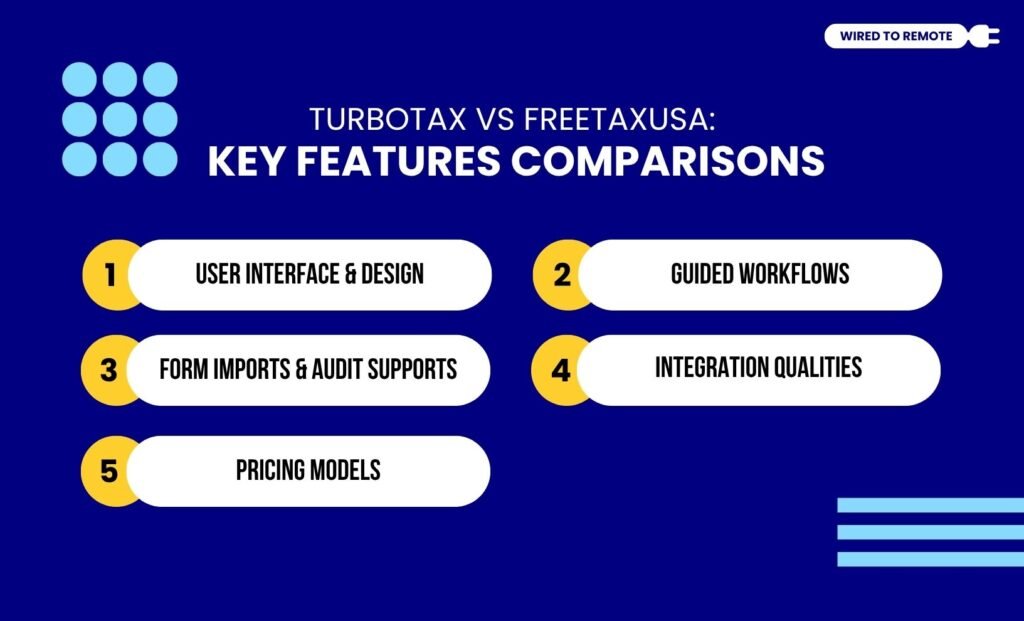
First things first, TurboTax and FreeTaxUSA are both online tax preparation tools. That is, they offer tax filing services for individuals and businesses in the USA.
Between the two, TurboTax offers a more comprehensive model with massive built-in features, live support, and tax-related guidance.
But its services are only free for federal taxes. So, users need to pay the extra charges for filing state tax returns.
Contrarily, FreeTaxUSA is a basic and free tool that enables users to file both federal and state tax returns at absolutely no cost. But it has limited live support or guidance.
Even though both are tax-filers, they are not the same. That is, they share a lot of dissimilarities. Some of these include—
1. User Interface And Design
In comparison, TurboTax has a more professional and guided interface than the other. Moreover, it offers polished, conversationally guided, and aesthetic design. So, users can smoothly navigate through the platform.
On the other hand, FreeTaxUSA comes with a faster and simpler interface. That is, it has a direct and basic design with minimal promotions. So, it is much easier to navigate through the platform.
As the Reddit user comments on their differences—
TurboTax heavily advertises. FreeTaxUSA does not. More people are aware of TurboTax, but the difference in the actual products is minimal.
2. Guided Workflows
As a guided tax preparation software, TurboTax offers a comprehensive guided workflow for filing tax returns.
Moreover, it comes with live support from professionals to help users audit and check errors. So, they can smoothly navigate the process.
Also, it offers context-sensitive explanations and an AI assistant to clearly guide users through the complex tax situations. So, they can get real-time tailored responses for their issues.
On the other hand, FreeTaxUSA works on a DIY approach. That is, it expects users to navigate through the complex tax situations by themselves.
So, its guidance models are more generic without any tailored or contextual responses.
Moreover, it has a basic platform with only the essential elements for filing tax in federal or state forms. So, it is harder to use if you are not seasoned with the calculation process or tax filing situations.
3. Form Imports And Audit Supports
One of the core functions of tax preparation tools is form importing and auditing.
Moreover, between the two, TurboTax provides a more automated form import capability, along with its multi-tiered audit system.
That is, it can seamlessly import W-2 forms, 1099 forms, and other important taxation forms. So, users can relax while the automated process imports the form from diverse partnered financial institutions.
But, on the other hand, FreeTaxUSA relies on data import. That is, users need to manually upload the data file of the form, previous years’ returns, and other documents.
Moreover, its audit system is limited compared to the robust tax auditing of TurboTax. And, TurboTax offers a better guided auditing of the tax returns.
As the Reddit user highlights their differences—
FreeTaxUSA doesn’t handle some forms (nonresident returns, foreign tax credit, etc). But mostly the difference in market share comes down to TurboTax having a much bigger budget for ads.
4. Integration Qualities
Unlike other tax preparation models, TurboTax seamlessly integrates with other financial institutions and ecosystems. So, users can automatically import the forms from them without manually uploading the data.
But, on the other hand, FreeTaxUSA has limited integration capabilities with other financial institutions or ecosystems. So, apart from the basic forms, there is no tax coverage for diverse forms.
Moreover, for other forms, users usually need to manually import the financial data into the software. So, they can include it in the tax returns.
5. Pricing Models
Finally, both TurboTax and FreeTaxUSA are semi-paid platforms. That is, they offer both free and paid plans. So, here is a breakdown of their pricing models—
- TurboTax
| Plan | Pricing Rates | Features |
|---|---|---|
| Free | $0 | Basic Form 1040 tax filings and error checks or dependent deductions. |
| Deluxe | $39 – federal $25 – state $20 – state E-file | Common tax filing features with added elements like charitable donations calculations. |
| Premier | $105 – federal $25 – state $20 – state E-file | Tailored tax filing features for investors and property owners with stock reporting and rental income rates.. |
| Home & Business | $120 – federal $25 – state $20 – state E-file | Especially designed for small business owners and entrepreneurs who have tax experts and business deduction tools. |
- FreeTaxUSA
| Plan | Pricing Rates | Features |
|---|---|---|
| Basic | $0 | Common tax filing features with a wide variety of form support. |
| Deluxe | $7.99 | Assists property owners and investors in filing their taxes with live chat options for guidance and amended returns. |
| Pro Support | $39.99 | Access to an expert for personal tax advice and form filing issues. |
TurboTax vs FreeTaxUSA: Suitability With Different Users
Since both the tools are technically different, they are suitable for a diverse users. For instance, TurboTax is best suited for calculating complex tax returns.
So, users who are looking for complex calculation simplification, a comprehensive audit system, and proper guidance systems should choose TurboTax.
On the contrary, FreeTaxUSA offers an affordable model with basic to simple tax return calculations. So, it is better suited for cost-conscious users or W-2 employees, who need straightforward tax returns.
TurboTax vs FreeTaxUSA: Pros And Cons Of Each Tool

As tax filing tools, both TurboTax and FreeTaxUSA come with their own set of benefits and challenges. So, here is a clear breakdown of the pros and cons of each tool—
- TurboTax
| Pros | Cons |
|---|---|
| 1. Offers an intuitive interface with step guidance for tax filings. | 1. Limited complex return calculations. |
| 2. Provides accurate tax calculations guaranteed. | 2. Additional charges for premium tax filing features. |
| 3. Data automation and record keeping from previous years’ filing details. | 3. Potential for security risk with the sensitive tax data. |
| 4. Support options and error checking from professionals. | 4. Lack of personalized professional tax guidance or advice. |
- FreeTaxUSA
| Pros | Cons |
|---|---|
| 1. Offers completely free tax filing options for federal taxes | 1. State tax filing is chargeable. |
| 2. Provides multi-factor authentication and data encryption for sensitive data security. | 2. Lack live support options for users. |
| 3. Supports over 250 different types of federal and state tax forms. | 3. Limited tax situations covered. |
| 4. Offers unlimited amended returns with zero additional costs. | 4. No mobile app for on-the-go tax filing. |
Tips To File Your Taxes The Right Way While Working Remotely
Having the tax preparation tools is not enough. That is, knowing how to file your taxes the right way is vital to becoming a digital nomad. So, here are some tips—
- Gathering the financial documents before filing the tax returns.
- Checking the deadlines for both federal and state tax filing.
- Double-checking the information on the forms before submitting.
- Using premium tax prep services to manage multi-state tax issues.
Now, with this simple guide on remote taxation, anyone can get started with filing the tax returns.
So, if you haven’t tried these apps, it’s high time to try them out. Go ahead and simplify the tax filing process with the right tax preparation tool today!
FAQs
Here are some common questions users ask about the TurboTax vs FreeTaxUSA dilemma.
Even though both TurboTax and FreeTaxUSA offer immense financial services, among the two, TurboTax is better at supporting cryptocurrencies. Moreover, it comes with high automation and direct integration capabilities, which enable it to handle complex crypto transactions. But FreeTaxUSA has less automation. So, users need to manage the processes manually.
If you need a professional review of your tax filings, you can avail TurboTax’s comprehensive audit services. Moreover, it offers a full auditing and reviewing of your tax filing through professionals, but at an expensive rate. But, on the other hand, FreeTaxUSA comes with its Pro Support upgrade, which is cheaper and offers more involved professional services. So, based on your budget, you can choose between them.
Since TurboTax and FreeTaxUSA are not the same tools or have a centralized database, switching from one to another will affect your previously stored data. That is, your previous year’s tax data will be stored in TurboTax. So, you will need to manually transfer the data from there to FreeTaxUSA for tax filings. That is why you should always keep a soft copy of your completed tax filings. Then, you can switch smoothly.
Yes, absolutely. Some of the common alternatives to TurboTax and FreeTaxUSA include—
• Cash App Taxes — Free federal and state tax filings.
• TaxSlayer — Affordable tax filer for various tiers and situations.
• TaxAct — Strong accuracy in tax filing with a simple interface.
• Jackson Hewitt — Flat fee for the federal taxes and unlimited state tax filings from multiple states.



Leave A Comment