
In the remote landscape of the corporate world, miscommunication and collaboration issues have always been a barrier to effective workflow.
But with video communication tools, it has become a tad bit easier to stay connected with both the internal members and external clients.
Specifically, the new and improved video tools help streamline team communication by recording meeting videos. Making it simpler to follow the meeting details without missing the important points.
Now, among the countless tools, Loom and Vidyard have found their place in the spotlight.
Since both tools offer diverse features to simplify complex communications and automate repetitive tasks, they are preferred over simple communication tools.
But the real question is — “Which one is better for remote teams?” Well, no need to look any further, your remote buddy’s got your back.
In this Loom vs Vidyard blog, I am going to explore the differences between the tools by highlighting—
- What each tool is used for,
- Key features of them,
- Pros and cons of each tool, and more.
So, come dive right in!
Loom vs Vidyard: What Are They Used For?
Before jumping right into the differences between the two, it’s vital to understand what each one is truly used for.
For instance, Loom is designed with a core focus on collaboration. So, its features allow remote workers to record the screen and camera for asynchronous communication.
Moreover, it helps users to explicate complex concepts, collaborate with external clients, and provide quick team updates without complicated processes.
On the other hand, Vidyard is a versatile video creation tool. That is, its main focus is to manage the video engagement with detailed analytics on the personalized brand videos.
In addition to this, it allows users to seamlessly integrate other popular CRM tools for managing customer engagement, campaign tracking, and generating leads. Making it an all-in-one tool for video hosting.
Loom vs Vidyard: Key Features Comparison
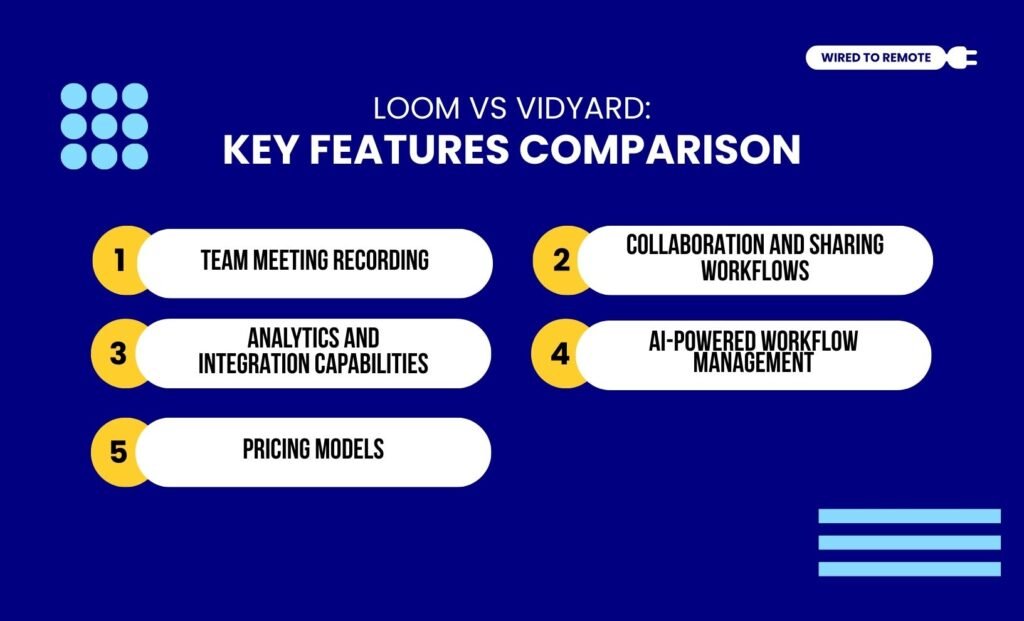
Even though both tools belong to the same family of video communication tools, they share many dissimilarities. Some of these key differences include—
1. Team Meeting Recording
In comparison, Loom provides a better platform for remote team communication. That is, it allows users to record the browser, screen, and user camera with useful editing and trimming features. So, it helps in clearing the barriers of communication.
As the report from Zight highlights—
“Loom is packed with tools designed to make asynchronous video communication straightforward and efficient. It lets users record their screen and webcam at the same time, creating videos that seamlessly combine visual content with personal touches. This makes it an excellent choice for tutorials, feedback, or team updates.”
But Vidyard is more tailored for businesses to create and engage external clients with their videos. So, it allows users to record and edit videos in high quality with advanced interactive features.
According to the report from Arcade Software on Loom and Vidyard—
“Vidyard, on the other hand, provides more editing flexibility when you try to add components like interactive elements, making it particularly useful for sales and marketing.”
2. Collaboration And Sharing Workflows
Between the two, Loom provides simple and quick communication for internal teams. That is, it allows workers to share the meeting recordings, team updates, and AI transcripts that help in streamlining the workflow.
But, on the other hand, Vidyard is best suited for marketing and sales management. So, its link sharing has customization options. So, this makes collaboration with external clients easy peasy with advanced sharing features.
As the Zight report points out about Vidyard—
“Vidyard Hub acts as a centralized library, organizing and indexing video content so teams can easily search and access materials. On the analytics side, Vidyard provides more than just view counts. Users can dive into detailed viewer engagement data, lead scoring, and heatmaps that highlight which parts of a video grab the most attention.”
3. Analytics And Integration Capabilities
Comparatively, Vidyard’s analytics and integration capabilities exceed the simple features of Loom. That is, it offers advanced analytics on the engagement. So, businesses can view the performance of the marketing campaigns.
In addition to this, it allows remote workers to seamlessly integrate the CRM tools and marketing software for a more streamlined workflow. So, users can incorporate external tools for better tracking and efficiency.
But, on the other hand, Loom comes with a simpler set of analytics. So, small teams can better use it for internal communication without indulging in critical analytics.
Moreover, Loom readily integrates with Slack, Notion, and other collaborative tools to enhance remote team collaboration. Simplifying the team communication.
4. AI-Powered Workflow Management
Unlike other tools, both Loom and Vidyard offer AI features for managing workflows.
For instance, Loom’s AI features allow users to automate repetitive tasks, remove filler words, rewind live videos, and generate live transcripts. So, providing AI summaries for simplified internal communication.
Contrarily, Vidyarad is designed for sales and marketing management. So, its AI features offer customization options, automated video scheduling, and deeper engagement tools like AI avatars and voice cloning.
5. Pricing Models
Both Loom and Vidyard are semi-paid platforms. That is, they offer both free and paid plans with different sets of features. So, here is a simple breakdown of their pricing models—
- Loom
| Plan | Pricing | Features |
|---|---|---|
| Free | $0 | Basic video recording features with 25 videos per person and a 5-minute video limit. |
| Business | $15 per month | Advanced video recording features with unlimited videos, length, and no AI features. |
| Business + AI | $20 per month | Advanced features with unlimited videos, length, and AI features for filler word removal and live rewinding. |
| Enterprise | Custom pricing | Customized set of features based on the needs of the enterprise. |
- Vidyard
| Plan | Pricing | Features |
|---|---|---|
| Free | $0 | Basic features with a longer video length (30 minutes) and up to 5 videos per month for storage. |
| Plus | $59 per month | Advanced features with detailed analytics, deeper CRM integrations, and better video quality for recordings. |
| Business | Custom pricing | Customized set of features for business needs. |
Loom vs Vidyard: Pros And Cons Of Each Tool
Even though both Loom and Vidyard are used for team communication by remote teams, they come with different sets of benefits and challenges. So, here is a breakdown of the pros and cons of each tool.
- Loom
| Pros | Cons |
|---|---|
| 1. Offers a user-friendly interface with collaborative features for remote team communication. | 1. Lacks advanced features and sales tools for analytics and lead capture. |
| 2. Provides AI features for automating repetitive tasks, streamlining tasks, and composing messages. | 2. No detailed engagement metrics covered. |
| 3. Supports seamless integration with both native and external tools. | 3. Higher-quality videos are expensive with the paid plans. |
- Vidyard
| Pros | Cons |
|---|---|
| 1. Offers massive tools and features for improving the sales and marketing powerhouse. | 1. Might be difficult to learn how to use its complex features. |
| 2. Provides advanced analytics with detailed tracking, heatmaps, and deep engagement insights. | 2. Paid plans are comparatively more expensive for small teams. |
| 3. Allows users to customize the features with AI-powered features like voice cloning, avatars, and scriptors. | 3. Free plan is limited and restricted to only 5 videos per month. |
How To Choose Between Loom And Vidyard For Remote Teams?
Just having these video communication tools is not enough. Knowing which one to choose for your remote team is the key. So, here are some tips to choose the right one for different types of remote teams—
- If you need a video tool for creating tutorials, feedback loops, and easier remote onboarding, then Loom is the best buddy.
- But if your focus is on customer analytics, choosing Vidyard can help with strong analytics and advanced customization features.
- Moreover, if you are working with a small team and a limited budget, Loom’s free service is more effective compared to Vidyard.
Now, based on what you need, you can choose between the tools. But if you are someone who has never used any video tool for remote team communication, maybe give Loom or Vidyard a shot today!
FAQs
Here are some of the common questions around Loom and Vidyard that most users look for.
Unlike other communication tools, Loom is specifically designed for handling external-client video outreach. That is, it enables remote teams to improve sales prospecting and customer success communications. So, businesses can easily connect with the external clients in a personalized and engaging manner.
Both Loom and Vidyard offer limited storage under their free plans and unlimited storage under their paid plans.
That is, with the free trial of Loom, users can store 25 videos with a limitation of about 5 minutes per video. But with its paid plans, they can upload videos up to 4 GB storage with unlimited length and number.
Similarly, Vidyard’s free plan allows its users to record 5 videos of 30 minutes each per month. But with its paid plan, the time limit extends up to 24 hours for each video recording, and users can embed unlimited videos on the platform.
Yes, absolutely. Vidyard allows users to seamlessly integrate its capabilities with Teams or Slack. So, remote workers can share the video recordings with the team through either Slack or Microsoft Teams. Moreover, this helps users to enhance the overall workplace communication and automate repetitive tasks.



Leave A Comment