

Remote work requires both telecommuting and virtual IT support. So, having a desktop sharing app to manage the remote workflow is vital.
Mostly, these tools allow users to share their desktops with workers while choosing the right remote solution. That is, they offer data security, file transfer options, live remote collaboration, and multi-device functionalities.
In addition to this, these tools help in sharing the desktop for technical support and remote system management.
So, users can simply share their screen with the IT support to resolve the issue with efficiency.
Now, among the countless options, TeamViewer and AnyDesk are hailed as the two giants under the spotlight. Making remote workers confused about which one to choose.
So, if you are also confused about these two, your remote buddy’s got you covered.
In this TeamViewer vs AnyDesk blog, I have delved into the diverse aspects of these tools by focusing on their—
- Company and platform positioning,
- Key features comparison,
- Pros and cons of each tool, future trends, and more.
So, come dive right in!
TeamViewer vs AnyDesk: A Quick Look At Their Company And Platform Positioning
First things first, both TeamViewer and AnyDesk are remote desktop management apps. That is, they allow users to manage remote access to their desktops for technical support, maintenance, and collaboration needs.
Now, between the two, TeamViewer is mostly preferred for its wide range of features and high compatibility capabilities with diverse operating systems.
So, users can readily incorporate it within their systems operating on leading OS — Linux, macOS, Android, Windows, and iOS.
On the other hand, AnyDesk is generally preferred for its flexible remote access options and cross-platform compatibility. Making it a versatile solution for different kinds of businesses.
TeamViewer vs AnyDesk: Key Features Comparison
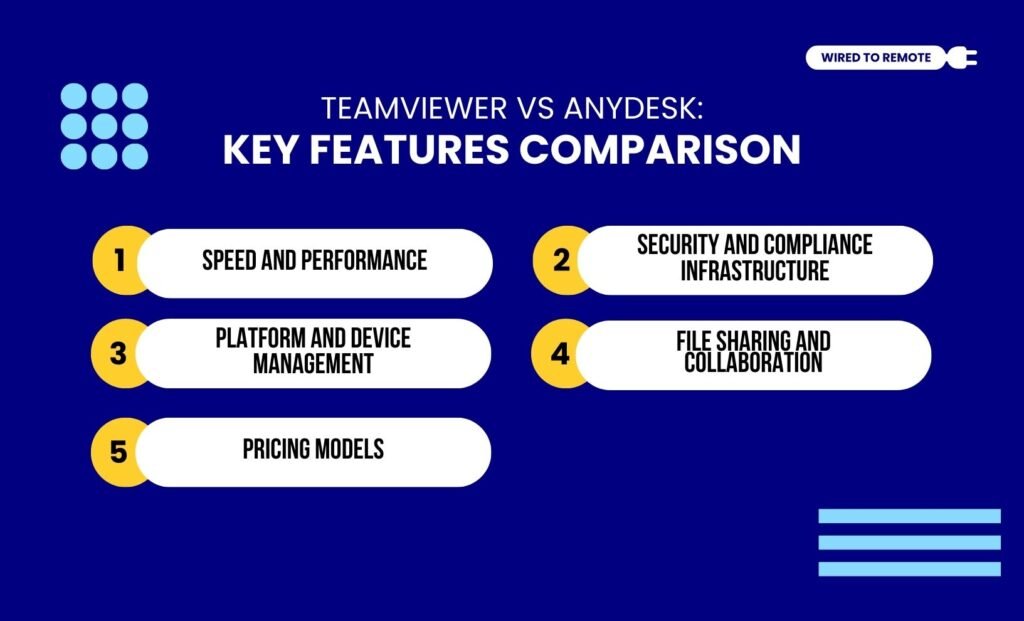
Given that both tools offer different features, choosing between them can be quite challenging.
So, here is a breakdown of their key features comparison to help you choose the right one for your remote team.
1. Speed And Performance
In comparison, AnyDesk offers low latency and faster response while sharing the desktop remotely. Moreover, it employs DeskRT for more efficient desktop sharing sessions for remote teams.
On the contrary, TeamViewer is a robust tool that offers features that are suitable for enterprise needs.
So, with it, users get long performance with endurance and a comprehensive set of features for remote sharing and collaboration.
According to the report from Appvizer— “AnyDesk is very solid on performance (DeskRT) and customization, perfect for companies that want a tool that reflects their image. TeamViewer remains more complete for large teams, notably in terms of fine-tuned user management (RBAC) and collaborative tools (native videoconferencing, recording).”
2. Security And Compliance Infrastructure
As an enterprise-friendly desktop sharing tool, TeamViewer provides a more advanced security solution with customized access controls.
Moreover, it uses 256-bit AES session data encryption for securing the data transfers.
In addition to this, it offers multi-factor authentication (MFA) and SSO to allow users to securely use the platform.
This offers users customization options for managing the access controls, device logins, and other authorization logs. Making it a secure desktop sharing tool.
Contrarily, AnyDesk offers simple security and data protection for users with TLS 1.2 technology and 256-bit AES encryption.
Additionally, it provides MFA for users to securely manage access. This way, they can manage the remote controls of their desktops.
3. Platform And Device Management
Unlike other tools, both TeamViewer and AnyDesk provide comprehensive platforms that readily support cross-platform integrations. That is, both of them can be used in almost all the leading operating systems.
But, between the two, AnyDesk readily supports all Linux servers. Making it a preferred choice for handling Linux OS devices.
Moreover, its portable and lightweight version allows users to manage the remote controls easily.
As the report from Zoho highlights— “AnyDesk is a quick and lightweight remote desktop application that is ideal for low-bandwidth environments. While it performs well, it lacks advanced functionality found in competitors such as TeamViewer.”
Contrarily, TeamViewer is more suited for managing complex and multiple remote devices. So, it is used for its support for wide operating systems, mobile devices, and IoT devices.
4. File Sharing And Collaboration
Between the two, TeamViewer provides a more robust file-sharing and collaboration platform. That is, it allows users to manage remote collaboration with session logging, remote printing, and file transfers.
On the other hand, AnyDesk offers a less comprehensive collaborative platform. So, users might not get the robust features and customization options like TeamViewer.
5. Pricing Models
Both TeamViewer and AnyDesk are semi-paid platforms. That is, both tools offer free as well as paid plans. So, the pricing model of each tool is depicted as—
- TeamViewer
| Plan | Pricing | Features |
|---|---|---|
| Free | $0 | Basic features with restrictions on remote access and viewing. |
| Single User | $24.90 per month | Allows a single user to have 1 connection, up to 3 concurrent sessions from multiple devices. |
| Multi-User | $50.90 per month | Offers features and tracking tools for multiple users to manage and share files with unlimited access options. |
| Remote Teams | $112.90 per month | Provides advanced reporting tools and unlimited sessions for managing remote teams with over 200 members. |
| Corporate | $229.90 per month | Customized features based on the enterprise requirements. |
- AnyDesk
| Plan | Pricing | Features |
|---|---|---|
| Free | $0 | Basic features with limited access to tools and remote management. |
| Solo | $22.90 per month | Allows 1 user with unlimited devices access to its limited file sharing and collaboration features. |
| Standard | $35.90 per month | Offers moderate connection features with remote workflow management for 20-member teams. |
| Advanced | $79.90 per month | Allows unlimited users to access the tools and features to manage remote workflows. |
TeamViewer vs AnyDesk: Pros And Cons Of Each Tool

Even though both TeamViewer and AnyDesk allow users to support remote workflow, they come with their own set of benefits and challenges. So, here is a breakdown of the pros and cons of each tool—
- TeamViewer
| Pros | Cons |
|---|---|
| 1. Offers advanced remote workflow management features for enterprises. | 1. Higher pricing tiers are expensive. |
| 2. Provides massive security features for running sensitive remote operations. | 2. Might incur compatibility issues with older machines and legacy systems. |
| 3. Supports complex tasks with high stability and seamless performance. | 3. Free version has limitations and restrictions. |
- AnyDesk
| Pros | Cons |
|---|---|
| 1. Offers low latency and high-speed performance for controlling remote work. | 1. Lack of advanced features. |
| 2. Provides a simple and portable version that helps in managing remote workflow. | 2. Limited mobile device support. |
| 3. Offers affordable plans for running diverse sensitive operations virtually. | 3. Lack of high integration capabilities. |
Tips To Choose Between TeamViewer And AnyDesk
Having either TeamViewer or AnyDesk is not enough. Rather, knowing which one to choose is the key. So, here are some tips to employ the right tool for managing the remote controls of your desktop—
- If you need a simple and low-latency remote access to desktops, using AnyDesk can help you get the expected performance and speed.
- But if you are working with a team and need a multi-user supportive tool, choosing TeamViewer is safer due to its robust features.
- Moreover, if you need a budget-friendly option for managing remote desktop access, AnyDesk’s pricing plans are quite affordable.
Now, based on your needs, choose the tool. But if you haven’t really tried any remote desktop sharing tool, it’s high time to choose one and take the remote collaboration to the next level.
FAQs
Here are some of the common questions around the TeamViewer and AnyDesk remote software.
Generally, AnyDesk is a native supporter of Linux servers. That is, it allows users to access the Linux servers through its simple and easy features. But TeamViewer comes with a set of robust features and advanced technicalities that help enterprise-level workflow management. So, for solely supporting Linux servers, AnyDesk is usually preferred.
Since neither TeamViewer nor AnyDesk is dependent on the other, switching between them is quite feasible. Moreover, they can even be used simultaneously for managing remote workflow. But while switching from one tool to the other, users need to re-grant permissions, connect the devices, and adjust the features as required. So, they can easily uninstall one and install the other app.
The number of concurrent sessions or users completely depends on the pricing plan availed by the remote team. That is, the higher the plan tier, the more concurrent sessions are supported. Moreover, between the two tools, TeamViewer supports more numbers of concurrent sessions than AnyDesk for their pricing plans.



Leave A Comment