
As remote work tiptoes into the corporate culture, unique challenges arise for cross-team collaboration. Affecting the overall work productivity.
And to overcome these issues, a proper communication system is the need of the hour.
Moreover, with its dynamic features and unique capabilities, the communication tool can remarkably flip the picture. Making remote teams efficient with streamlined communication and enhanced productivity.
Now, there are many communication tools in the market, but Microsoft Teams and Slack are literally the talk of the corporate town. But the real dilemma is deciding between them — choosing which one is better for team collaboration.
Well, look no further. Your remote buddy is here to save the day. With this Microsoft Teams vs Slack blog, I am going to explore the various differences between them by comparing—
- Their key features,
- Pros and cons,
- Security system, and more.
So, come dive right in!
Microsoft Teams vs Slack: Key Features Comparison
Before jumping into their key differences, you need to have a little idea about what these communication tools are actually used for.
First things first, both Microsoft Teams and Slack are chat-based communication and collaboration tools.
That is, they facilitate collaboration and workplace communication via instant messages, video conferencing, and secure file sharing options.
Now, even though both are similar tools, they are not the same.
For instance, they have different priorities. Microsoft Teams prioritizes integration capabilities for enterprise needs, and Slack prioritizes flexibility and versatility in remote communication.
So, naturally, they share a variety of dissimilarities, some of which include—
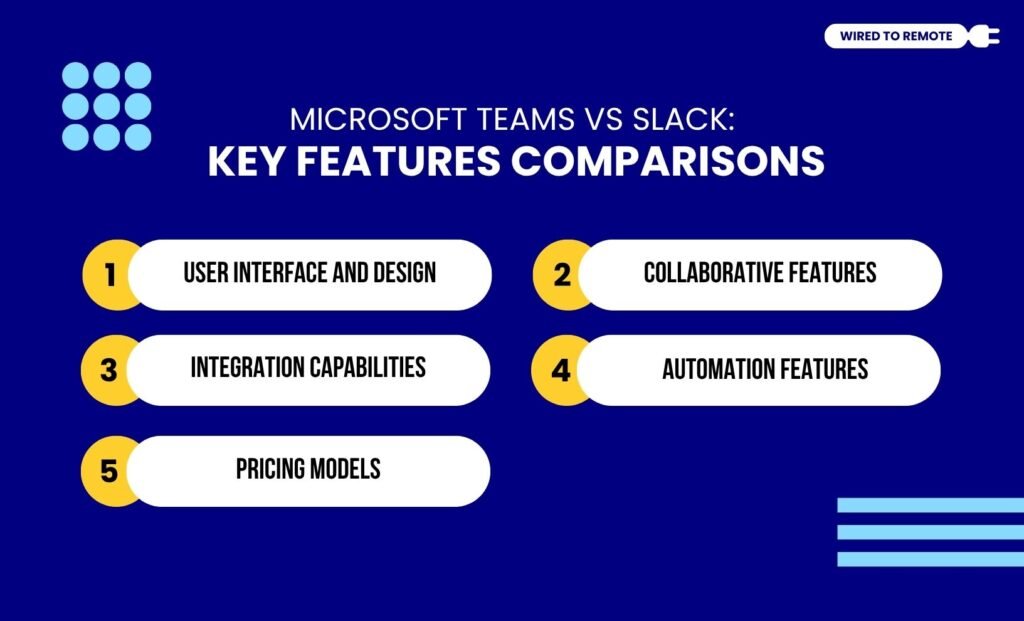
1. User Interface And Design
In comparison, Slack’s user interface is designed for flexibility. So, it comes with an intuitive design and a user-friendly interface. Moreover, it has a minimalist structure, which makes navigation easy for most users.
But, on the contrary, Microsoft Teams is designed for professional needs. So, naturally, it has a more complicated look.
Moreover, the interface is filled with diverse features and customization options. Making it look cluttered and complex to navigate for beginners.
As the report from Zapier on their comparison points out—
Microsoft Teams, on the other hand, is a lot more streamlined. The design feels generic and a bit more corporate, but it’s clean.
According to this Reddit user’s comment—
Teams UI is god awful. Forcing threads is a moronic idea and makes it a nightmare in highly active channels. Slack is clean and easy to read a lot of text at once without scrolling and interacting with the UI to “See more”.
2. Collaborative Features
As Microsoft Teams is designed professionally, it offers high-quality options for video conferencing. That is, it supports large-scale video calls among team members located diversely
So, it is the perfect tool for hosting professional meetings.
But on the other hand, Slack’s video conferencing features are limited. It doesn’t offer advanced options for either video call quality or screen sharing.
However, unlike Teams, Slack has a more advanced design for mobile messaging and group chat channels. That is, users can easily add someone to a Slack conversation or move messages from one channel to another.
Moreover, its dynamic search features and real-time chatting topple the mediocrity in Teams’ chat features. Also, Slack Hurdles allow users to connect in a quick, real-time, informal call without scheduling a professional video conference.
3. Integration Capabilities
Apart from these, both tools provide massive integration capabilities. That is, they can seamlessly integrate over 2500 third-party apps and productivity tools.
But, in comparison, Slack needs to externally integrate Microsoft tools for boosting productivity. Whereas Microsoft Teams can easily integrate with other tools in the Microsoft 365 ecosystem.
According to the Reddit user’s comment on Slack vs Teams—
Slack is great for real-time chats, Teams is great for long-lived info (the key is to realize it’s a front end for OneDrive for Business / SharePoint, which uses the same back-end storage provider. I also think Teams is good as a conference service. Really, it is 3 products in one.
4. Automation Features
Both Microsoft Teams and Slack offer customization and automation features for remote teams to easily streamline their workflows.
For instance, Microsoft Teams comes with built-in automation options for notifications and workflow management.
So, users can simplify the notifications and create multi-step workflow plans without coding like a developer.
But Slack’s automation features are on another level. That is, it comes with the option of creating a Slack bot. So, users can literally build their own bot to manage the conversation threads, notifications, and workflows.
In addition to this, it also allows users to customize the workflow as per the project’s needs. Giving them the space to create their customized versions easily.
5. Pricing Models
Finally, both the communication tools are semi-paid in nature. Offering users both free and paid plans with different access to features.
On one hand, Microsoft Teams can be used for free to connect to video calls and access the basic communication features. But if you are purchasing only Teams, then the paid plan starts at $4 per month.
But if you are buying the entire Microsoft 365 ecosystem, the pricing ranges from $6 to $8 per month. Moreover, under this plan, users get access to almost all the tools and features of Microsoft.
On the other hand, Slack’s free plan is highly limited. Offering less than the basic range of features and integration options. But under its Pro plan, starting at $8.75 per month, all its dynamic features and unique capabilities can be accessed.
Are These Communication Tools Secure And Safe To Use?
Since both the tools — Microsoft Teams and Slack — are digitally accessed, there is a daunting concern about their security protocols.
In comparison between the two, Teams offers a stronger and superior security system for communication and collaboration. That is, it comes with end-to-end encryption for conversation threads, file sharing, and video calls.
In addition to this, it also offers Advanced Threat Protection (ATP) and multi-factor authentication (MFA). So, users can securely use the platform without stressing about data breaches or unauthorized account access.
On the other end, Slack has a basic DLP security system and end-to-end encryption. But users can boost the security barrier by integrating third-party software — SIEM or CASB. Making it a tad bit difficult to securely share files.
According to the report from Zapier on the security of both tools—
While both Slack and Teams are ISO certified, Slack can only be configured for HIPAA compliance on the more expensive Enterprise Grid plan. Teams, on the other hand, can be configured to be HIPAA-compliant on any paid plan.
Microsoft Teams vs Slack: Pros And Cons Of Each Tool
Even though both Microsoft Teams and Slack are communication tools, they have their own set of benefits and challenges. So, here is a clear breakdown of the pros and cons of each tool.
- Microsoft Teams
| Pros | Cons |
|---|---|
| 1. Allows users to seamlessly integrate other Microsoft tools. | 1. Feature-rich interface might feel overwhelming and complex. |
| 2. Offers a strong security system with end-to-end encryption for file sharing. | 2. Lack of flexible customization options. |
| 3. Provides a centralized communication channel to manage all kinds of communication in remote teams. | 3. Requires a stable internet to properly function. |
| 4. Offers high-quality audio and video call options for superior video conferencing. | |
| 5. Comes as a cost-effective tool for teams using Microsoft 365. |
- Slack
| Pros | Cons |
|---|---|
| 1. Has a simple and intuitive user interface that is more chat-centric. | 1. Overloading of notifications. |
| 2. Allows users to seamlessly integrate third-party tools for boosting productivity. | 2. Extensive limitations of the free plan. |
| 3. Offers a flexible channel to create the communication structure for remote teams. | 3. Lacks high-quality video conferencing features. |
| 4. Allows users to connect with external customers and clients through direct messaging. | |
| 5. Provides a channel structure that works best for remote and agile teams. |
Tips For Maximizing Productivity With Microsoft Teams And Slack

Just having the communication tools is not enough. Knowing how to use them for maximum productivity is the key. So, here are a few tips to maximize your productivity with Teams and Slack—
- Customizing notifications on them can help in mitigating the notification overload.
- Integrating key third-party apps within the tools to boost productivity.
- Training employees to use the tools efficiently without feeling overwhelmed.
- Creating clear and simple conversation threads for streamlined workflows.
Now, the Slack and Microsoft Teams dilemma will probably never end. Where Slack rocks, Teams fail, and vice versa. So, there’s no single winner in this tech battle.
But choosing the right one for your team based on your needs and budget is the key.
So, if you have a small team, use Slack. But if your team is growing with a robust Microsoft 365 ecosystem, it’s generally logical to stick to Teams.
And, if you haven’t tried either of the apps, it’s high time to experience them. So, grab this chance to skyrocket your remote productivity with the right collaboration tool.
FAQs
Here are some of the common questions that users often look for regarding Microsoft Teams and Slack.
Even though both Slack and Teams have limited AI features, in comparison, Teams’ AI is better. Since it is built-in and comes with the advanced features of Copilot, it offers better functionalities and generative capabilities. So, naturally, it enhances productivity more than Slack.
Firstly, Microsoft Teams offers unlimited message history in both its free and paid plans. But Slack’s message history is limited in the free version to up to 90 days at most. Moreover, both Teams and Slack offer 5 GB and 1 TB with free and paid plans, respectively.
Since Slack is primarily designed for mobile messaging, it offers an intuitive and highly customized mobile app compared to Teams. But users report facing issues with its productivity, sudden glitches, and fewer dynamic features.


Leave A Comment