

Remote teams face two major challenges — team collaboration and workflow management.
And, both issues can combine to immensely affect the productivity of the teams. Making them inefficient in handling projects and meeting deadlines.
That’s where a workflow management tool comes into play.
With their dynamic features and unique capabilities, they ensure that team collaboration is smooth, while task management is streamlined.
So, it is easier for remote teams to boost their productivity, work efficiency, and workplace communication without breaking a sweat.
Among the countless workflow management tools, Wrike and Monday are topping the charts for their distinctive features. Becoming the fan favorites of most corporate teams.
But the real dilemma is — “Which one is a better remote-fit tool?” Well, that’s exactly what I am going to delve into today.
In this Wrike vs Monday blog, I am going to discuss the diverse aspects of both tools, exploring their key differences in—
- Task and project management,
- Workflow automation and team collaboration,
- Pros and cons of each tool, and more.
So, come dive right in!
Wrike vs Monday: Key Features Comparison
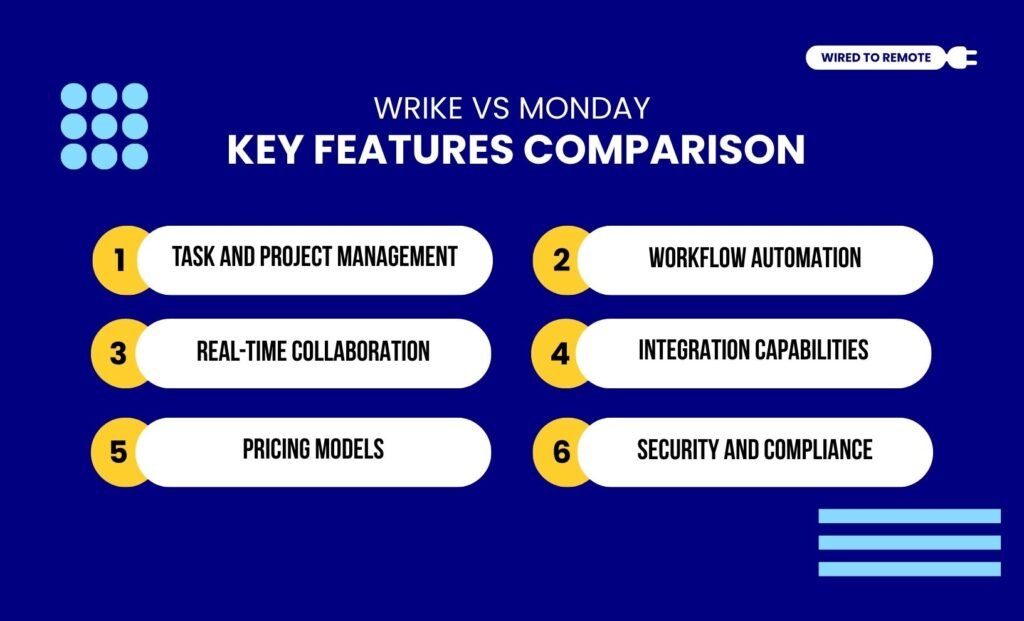
First things first, both Wrike and Monday are workflow management tools. That is, they offer a combined platform for project handling and workplace communication.
For instance, Wrike is designed for complex projects. So, it offers a comprehensive suite of advanced features and task management tools. Making it a strong app for managing remote teams.
But Monday is a moreflexible and simplified project management tool.
With its highly intuitive interface and simple task management, it offers a versatile platform for handling multiple projects. So, users can easily adopt the tool for managing the workplace.
As the report from the Digital Project Manager states—
“Wrike offers a robust solution for managing complex projects with ease, while Monday.com provides a flexible platform that adapts to your team’s unique workflows. Both tools are powerful, but they differ in usability and customization options, which could be crucial for your choice.”
Even though they are both project or task management tools, Wrike and Monday are not the same. That is, they share a lot of dissimilarities. So, some of these include—
1. Task And Project Management
In comparison, Wrike is better suited to handling complex projects, while Monday’s tools can manage simple projects. Moreover, Wrike offers a feature-rich platform with advanced capabilities for organizing and managing the complexities.
That is, its custom task management features, work planning, and timeline boards help streamline the workflows. So, it is easier to monitor the project progress and adjust the deadlines.
On the other hand, Monday offers basic project management features, timeline boards, and project tracking systems. So, for small teams and simple projects, it is better suited.
2. Workflow Automation
Both Wrike and Monday come with workflow automation. But the features are not the same.
That is, Wrike has an advanced automation system that tracks resources, allocates tasks, and creates insightful reports from the project data.
Also, it allows users to automate repetitive tasks — task delegation, approvals, and request management. So, users can easily manage complex projects with its automation.
Contrarily, Monday has limited workflow automation. That is, it can simply automate the repetitive tasks for streamlining the workflow. But it lacks the advanced qualities of Wrike.
Moreover, it has automation for customizing the dashboards and viewing the real-time project data. So, users can simply manage the workflow with the basic automations.
As the Digital Project Manager reports on the two tools—
“With Wrike’s resource management feature, you can efficiently allocate team resources and track workloads, making it invaluable for managing complex projects with tight deadlines. Monday.com’s automations are great for simplifying repetitive tasks and enhancing productivity, especially in dynamic environments where quick adaptation is key.”
3. Real-Time Collaboration
Firstly, both Wrike and Monday offer real-time team collaboration, but on different levels. That is, Wrike’s collaborative model is designed to generate advanced reports and insightful dashboards.
Moreover, it provides a proper cloud-based file-sharing and commenting system. So, team members can collaborate with other cross-functional teams without a third-party integration.
But, on the other hand, Monday’s collaboration tools are more efficient than Wrike. They offer powerful real-time commenting features, file sharing, and whiteboards for collaboration.
So, the team can collaborate and manage the projects with much efficiency. As the report from Forbes highlights—
“Monday.com wins the collaboration tools section. While remote teams can get by with the collaboration tools in Wrike, distributed teams using monday.com will be more productive, thanks to the live nature of the tools.”
4. Integration Capabilities
Between the two tools, Wrike comes with better integration capabilities. That is, it can seamlessly integrate over 400 native and third-party tools, including major tools like — Google Sheets, Slack, Microsoft Teams, Drive, or Dropbox.
Apart from these, it also allows integration of other workflow management tools — Power BI, Tableau, and Adobe Creative Cloud. So, users can tweak the productivity of the teams.
But Monday’s integration capabilities are comparatively limited.
Given its simple interface, integrating a complex tool can complicate the navigation of both tools simultaneously. So, choosing Wrike for integration is a safer option.
5. Pricing Models
Although both Wrike and Monday are semi-paid platforms, offering free and paid plans, their pricing ranges are different. So, here is a breakdown of their pricing models—
- Wrike
| Plan | Pricing | Features |
|---|---|---|
| Free | $0 | Basic features with unlimited user access. |
| Team | $10 per month | Moderately advanced features with around 50 automation and unlimited task management. |
| Business | $24.80 per month | Advanced project management features, 200 automation, and project tracking. |
| Enterprise | Custom pricing | Customized features and tools based on the enterprise’s needs. |
| Pinnacle | Custom pricing | Highly advanced features customization with team planning and data visualization. |
- Monday
| Plan | Pricing | Features |
|---|---|---|
| Free | $0 | Basic features with access to only 2 users. |
| Basic | $9 per month | Moderately advanced features and project management tools for small teams. |
| Standard | $12 per month | Standard project tracking, task management, and limited automation. |
| Pro | $19 per month | Advanced tools and features with real-time collaboration with automation. |
| Enterprise | Custom pricing | Customized features and tools for a minimum of 40 users per quote. |
6. Security And Compliance
Finally, with project management tools, data security and encryption are vital. So, both tools offer moderate to high security protocols.
That is, Wrike offers customizable options for managing the access controls for project data. Moreover, it employs the AES-256 data encryption system to protect the files.
On the other hand, Monday employs TLS encryption for data transfers and AES-256 for data storage. So, it offers a robust data security system for protecting the project data.
According to the Digital Project Manager—
“Wrike and Monday.com both offer strong security and compliance features, but Wrike’s HIPAA support might be more appealing for healthcare-focused teams. To evaluate these tools, consider your industry’s specific compliance needs and review user permissions, encryption standards, and uptime guarantees to prioritize what matters most for your team.”
Wrike vs Monday: Pros And Cons Of Each Tool
Even though both Wrike and Monday are project management tools, they come with their own set of benefits and challenges. So, here is a breakdown of the pros and cons of each tool.
- Wrike
| Pros | Cons |
|---|---|
| 1. Offers advanced project management tools and features to handle complex projects efficiently. | 1. Complex and difficult to understand. |
| 2. Provides insightful analytics and reports from the data. | 2. Might be complex for beginners. |
| 3. Allows customized integrations and up to 400 native tool integrations. | 3. Limited features under its free plan. |
- Monday
| Pros | Cons |
|---|---|
| 1. Highly user-friendly and intuitive interface with a drag-and-drop feature. | 1. Difficult to manage complex and large spreadsheets. |
| 2. Offers customization options, project visualizations, and strong automation features. | 2. Limited ability to put the same task on multiple boards. |
| 3. Provides a strong team collaboration system with diverse built-in communication tools. | 3. Limited features under its free plan. |
Tips To Choose Between Wrike And Monday
Having the tools is not enough. Knowing when to use them is the key to managing complex projects without losing your mind in a remote team. So, here are some tips—
- If you have a small team with simple projects, using Monday can efficiently handle the tasks and collaborations.
- But if you work with large teams and on complex projects, you need a more secure and dynamic tool to handle them. So, Wrike is the best buddy.
Now, choosing the right tool can significantly improve the dynamics of your remote teams. So, if you haven’t tried them yet, it’s high time to employ them and boost productivity instantly.
FAQs
Here are some of the common questions around the dilemma of Wrike vs Monday that most users look for.
Yes, absolutely. Migrating from Monday to Wrike or vice versa is quite simple. Generally, there are two methods to transfer the data files from one platform to another — automated and manual.
That is, for the automated method, users need to integrate a third-party tool and sync the data between the two platforms through an external link.
But for the manual method, users can simply download the CSV files from one platform and import them into the next one. So, by following either of these methods, you can migrate from Monday to Wrike seamlessly.
Unlike other project management tools, Monday and Wrike offer a robust collaboration system for guests and external collaborators. But their access scope and permissions are differently categorized.
For instance, Monday allows 4 guests under 1 bill, giving them access to only “shareable boards”. So, they can add ideas, view updates, and share new information.
But Wrike segregates external collaborators into three types—
• Collaborators: Limited access and task approving authority.
• External Users: Similar access and permissions to regular users. But they cannot share files and company data externally.
• Guest Review: Allows external stakeholders to view certain files shared directly with them through a secure link.
Even though both Wrike and Monday offer diverse features and tools under their free plans, Wrike is more suitable for small teams.
Unlike Monday’s free plan, Wrike provides core project management features, task management tools, activity visualization boards, and external collaboration for unlimited users.
Moreover, it provides cloud storage up to 2 GB per user. So, for small teams, it is a fair option for managing the workflow.



Leave A Comment