
The contemporary workplace is no longer tethered to a physical building. We’ve exchanged the dull cubicles for a virtual workspace encompassing over 50 countries through digital nomad visas.
And while the idea of a portable office was more of a luxury – a utopic dream – at present times, it has become indispensable.
However, as many remote work experience professionals would agree, “working from anywhere” is really just a trap without proper tools to support that location independence.
Without those tools, what began as your ideal coastal coding dream could instead turn into a very painful reality, thanks to dead batteries, increased risk via poor security, and a huge deal of daily aches in your back due to poor posture.
If you are looking to build a professional-grade portable office from scratch, this guide will walk you through the essential infrastructure, the gear benchmarks, and the “survival” tips used by top-tier remote professionals.
What is a Portable Office?
There is not much suspense to the definition of a portable office; it is exactly what it sounds like.
A portable office is a compact, mobile workplace that lets you work efficiently from everywhere. It is all about creating a lightweight setup that is organized and equipped with the right tools to keep you productive.
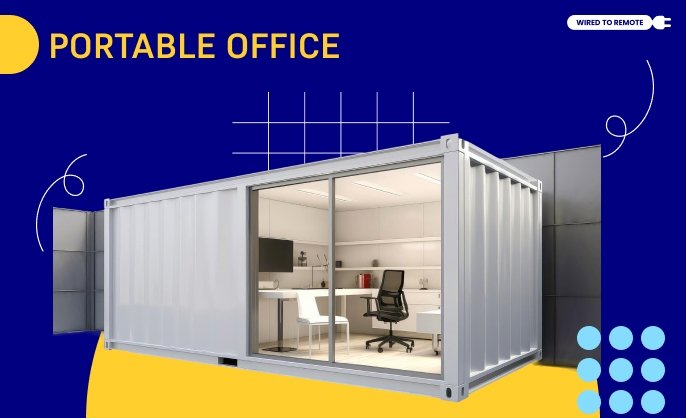
If you search things online, you will see that potable offices are generally of two types: a portable, easy-to-carry setup with everything you need for your office work and a physical office pod that you can shift/relocate.
A portable office should have all the essentials: a laptop, a reliable internet connection, and a power source. However, it does not stop there! You can add as many things as possible to ensure your working experience is 10 times better.
The ultimate goal of building a portable office is to strike the perfect balance between convenience and efficiency.
Additionally, the best thing about having a mobile workspace is the flexibility it provides. You can customize it as many times and however you want.
Apart from that, you can also fit all your specific needs. It does not matter whether you are a writer, a designer, or a project manager— a portable office can be YOUR place.
Factors to Consider When Building a Portable Office
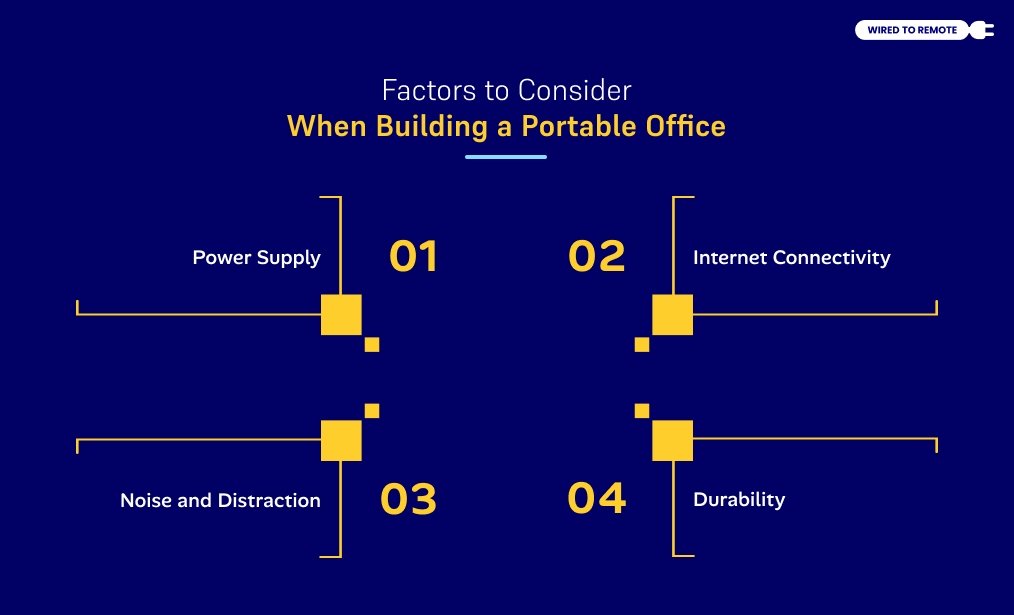
When you are planning to create a portable workspace for yourself, there are a few things that you must keep in mind. Here are the factors that you should consider:
1. Power Supply
The first and most important factor when getting a portable office is its power supply.
If you plan to have a portable working setup, invest in a portable charger or power bank with a very high capacity. Solar power chargers can also be an excellent option for off-the-grid locations.
However, if you plan to have a mobile physical space for your work, you must ensure enough power outlets to keep everything connected to electricity.
2. Internet Connectivity
If you are always working with your team remotely, isn’t having strong internet connectivity one of your top priorities? You must ensure a stable internet connection, no matter where you are heading.
If you are traveling, research the co-working spaces with Wi-Fi connection at your destination before you reach. Invest in a good Wi-Fi router if you are building an office pod.
If you are a digital nomad who is always on the run and carrying a portable setup, investing in a mobile hotspot is best. Additionally, a global SIM card for consistent internet access will significantly help.
3. Noise and Distraction
Distractions are the biggest enemy of remote workers. According to a recent study by TSheets, 66% of remote workers have reported being distracted, leading to inefficiency and lesser work productivity.
So, now you know why most remote working mothers prefer building an office pod in the backyard. In this way, they can stay undisturbed during work yet connected in a way that would let her manage her house.
4. Durability
It is only evident that ensuring your portable office is durable enough to stand any scenario is one of the top things on the list! Your mobile workplace must be able to withstand any form of wear and tear that is a result of all the traveling.
So, if you plan for a portable setup, always opt for a sturdy case and protective laptop sleeves. Additionally, having waterproof bags is necessary to keep all your belongings safe.
However, if you plan for a portable pod, you must ensure the material you use can withstand storms, rain, snow, and the scorching sun.
How to Build a Portable Office: A Step-by-Step Guide!
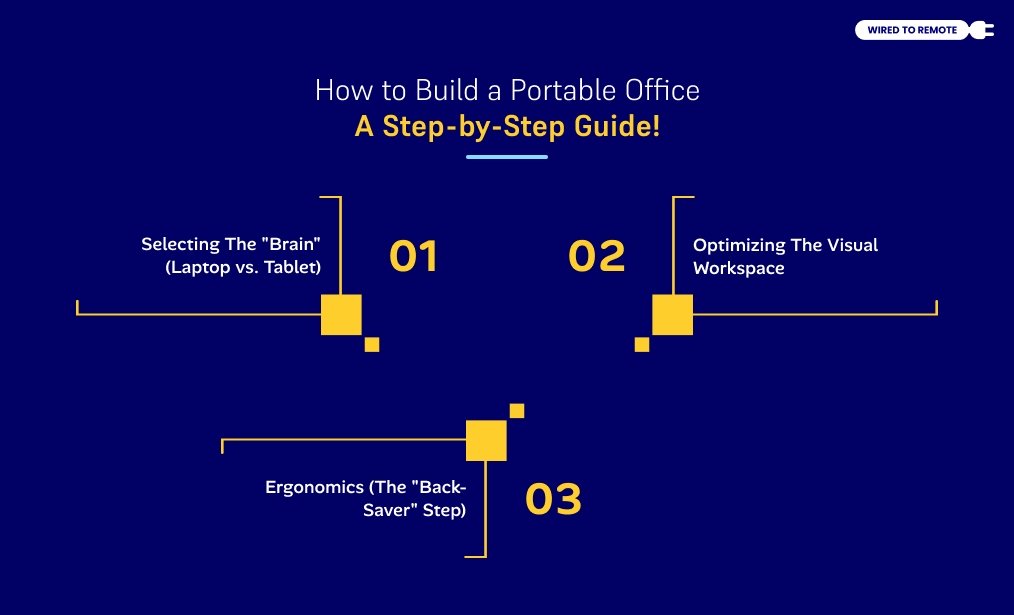
Now that you know what you need to consider while building yourself a portable office, it is time to know about the most important things. And that is creating a portable office space.
So, without further ado, let us get started:
Step 1: Selecting The “Brain” (Laptop vs. Tablet)
Your primary device should be selected based on your “Compute Ceiling.”
- For Creatives: If you run Adobe Premiere or CAD, don’t settle for less than 16 GB of RAM and a dedicated GPU. The MacBook Pro or Dell XPS series are industry favorites.
- For Administrators: If you live in Google Workspace or Notion, a 2-in-1 like the Microsoft Surface Pro or an iPad Pro with a Magic Keyboard offers superior portability without sacrificing speed.
Step 2: Optimizing The Visual Workspace
One screen is rarely enough for professional multitasking. Portable monitors (like the ASUS ZenScreen) have become incredibly slim, fitting right alongside your laptop in a standard bag.
If a second screen is too bulky, utilize “Sidecar” features to turn your tablet into an extra display.
Step 3: Ergonomics (The “Back-Saver” Step)
The biggest mistake nomads make is typing on a flat laptop for hours. This leads to “Tech Neck.”
- The Roost Stand: A lightweight, foldable stand that elevates your screen to eye level.
- Peripherals: Combine your stand with a compact mechanical keyboard and a travel mouse (like the Logitech MX Anywhere). This setup mimics a desktop experience, protecting your posture.
Cost Of Having a Portable Office
Building a reliable setup is an investment in your career. While you can start cheaper, a professional-grade kit that lasts 3+ years typically falls into the $1,000–$2,500 range.
| Essential Item | Budget Range | Premium/Professional Range |
|---|---|---|
| Primary Device (Laptop) | $600 – $900 | $1,200 – $2,200 |
| Connectivity (Hotspot/SIM) | $50 – $100 | $150 – $300 |
| Power Bank (20k+ mAh) | $40 – $70 | $100 – $180 |
| Ergonomic Gear (Stand/Keys) | $30 – $60 | $120 – $200 |
| Noise-Canceling Audio | $50 – $150 | $250 – $400 |
| Technical Backpack | $60 – $100 | $180 – $300 |
| TOTAL ESTIMATE (approx.) | $830 – $1,380 | $2,000 – $3,580 |
Apart from this, there’s something that we would want you to know – the hidden cost.
To keep your portable office operational, you must factor in recurring Operational Expenses (OpEx). These “hidden costs” ensure you stay secure and connected globally:
- Connectivity: Global eSIMs or hotspot data plans ($30–$70/mo) provide the reliability that public Wi-Fi lacks.
- Digital Security: A high-tier VPN ($5–$12/mo) is non-negotiable for protecting sensitive client data in public spaces.
- Travel Insurance: Specialized nomadic coverage (like SafetyWing) typically starts at $45/mo.
- Cloud Redundancy: Automated backups ($6–$10/mo) protect your work if hardware is lost or stolen.
Tip: Expect an additional $90–$180 monthly overhead to maintain a professional, secure workspace on the move.
The Right Portable Office Is About Functionality Over Aesthetics
The “Instagrammable” version of a portable office is a laptop on a beach. The real version is a sturdy backpack, a reliable power bank, and a pair of noise-canceling headphones in a busy train station.
Prioritize gear that solves a problem rather than gear that just looks good. Your portable office should be an invisible assistant – something that stays out of your way and allows your best work to shine through, no matter where in the world you happen to be.



Leave A Comment