
Remote work is all about working online. Since the entire team is located in different places, the digital space is the only place to come together for work.
Now, working online means protecting your work from hackers and scammers. And a strong password provides exactly the right kind of shield from digital threats.
But remembering all the complex passwords for different sites and apps can be difficult. That’s where a password manager comes into play.
With its huge storage space and dynamic security, it generates secure and unique passwords, stores the complex ones, and autofills them, so the users don’t have to stress over it.
Among the countless options available online, 1Password and LastPass are taking the internet by storm. Moreover, they have been popular for their security features and password management systems.
But the real question is — “Which one is more remote-friendly?” Well, that’s exactly what I am going to debunk today.
In this 1Password vs LastPass blog, I am going to explore the diverse aspects of password managers by focusing on—
- Key features of the two tools,
- Pros and cons of each tool,
- Tips to choose between the two, and more.
So, come dive right in!
1Password vs LastPass: Company Background
As a password manager company, reputation matters more than it seems.
Now, between these two tools — 1Password and LastPass — the former holds a better reputation with no significant cases of data breaches in the last decade.
But, on the other hand, LastPass has a history of data breaches due to compromised security protection.
Specifically in 2022, LastPass experienced multiple breaches with weak security, internal leaks, and cyber attacks. As the report from Zapier highlights—
“In August 2022, LastPass disclosed that a hacker had compromised a developer account and gained access to its development environment. It claimed that it had contained the breach and had taken mitigation measures. In September, it declared that its investigation was complete and all was well, and that there was no evidence that any customer data or encrypted vaults had been compromised.”
Unlike LastPass, 1Password has a strong security system that comes with a dual-layer protection. That is, it has a Secret Key and Master Password model. So, data breaching is not that easy with the double lock system.
Related: Airtable vs Notion: Which Productivity Tool Is More Remote-Fit
1Password vs LastPass: Key Features Comparison
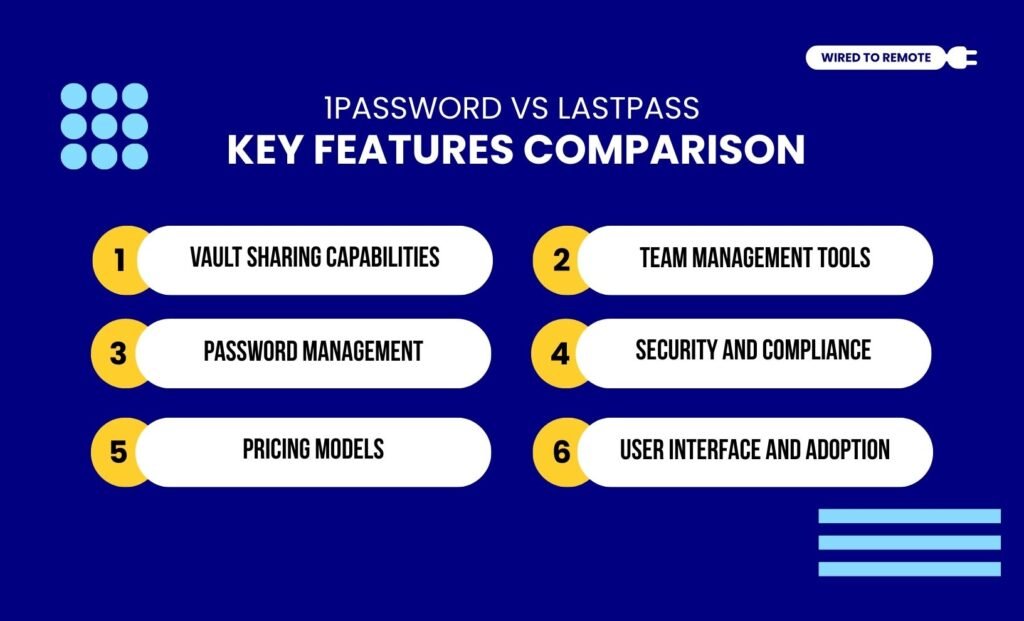
Even though both LastPass and 1Password are password managers, they are not the same. That is, they share many dissimilarities. Some of these key differences of their features include—
1. Vault Sharing Capabilities
Firstly, both tools allow users to share the password vaults with guests and team members through a secure system.
For instance, 1Password uses its Secret Key feature to dually protect the shared vault’s access.
Moreover, it allows users within the flexible sharing plans to access the vaults. Making the security top-notch.
But, on the contrary, LastPass allows anyone with the secure link to access the vault.
That is, even non-users and team members can access the password vaults as long as they have the link. Making a compromised security system.
2. Team Management Tools
As password managers, these tools allow users to control access to the password vaults and secure data.
Now, 1Password is specifically designed for teams that prioritize advanced security measures and audit trails.
That is, it provides support with security for teams to manage how the password vaults will be accessed.
Unlike 1Password, LastPass has simple tools for managing access to the password vaults in teams. That is, it prioritizes easy onboarding and simplicity over robust security.
So, small teams with a budget constraint can easily adopt LastPass as a password manager.
Related: Smartsheet vs ClickUp: Which Project Management Tool Is Remote-Fit
3. Password Management
One of the core functionalities of password managers is to store, manage, and autofill passwords for users.
Now, 1Password provides strong security for password management. That is, it checks the strength of the passwords, suggests better ones, and manages the stored ones.
Moreover, it streamlines the autofilling of passwords. So, be it the credit card information or the login addresses for diverse sites, it fills them smoothly.
As the report from Password Manager highlights—
“1Password’s form filling is straightforward, with an easy method for prepopulating forms. You can turn automatic form filling on or off on Android or iOS, although full form filling requires Android 8.0 and the latest version of Apple iOS.”
On the other hand, LastPass has a slightly complicated password management system. That is, it specifically asks users to categorize the passwords for different sites.
Also, it faces slight issues with autofilling the passwords for multiple sites. Making it difficult to keep track of the different passwords.
4. Security And Compliance
Since security and compliance features play the primary role in determining which password manager is better, both LastPass and 1Password offer a robust security architecture.
That is, both of them predominantly offer a zero-knowledge security architecture. So, these tools store the users’ passwords in their servers and have no access to read them or know exactly what they are.
As Security.org points out about the security architecture of these tools—
“LastPass and 1Password both have a zero-knowledge security architecture. That means although your passwords are technically stored on their servers, they have no way of reading them. That’s because passwords are encrypted on your device, and the master password — the key that unlocks the encryption — is not accessible to them.”
But between the two, 1Password comes with a dual-security system. That is, a Secret Key and a Master Password.
So, to access the vaults, users need to provide the master password and the Secret Key, which was generated when the user created the account.
5. Pricing Models
Between the two, 1Password is a paid tool, and LastPass is a semi-paid tool. That is, it offers both free and paid plans, unlike 1Password. So, their pricing models can be broken down as below.
- 1Password
| Plan | Pricing | Features |
|---|---|---|
| Trial | $0 | Offers a free trial period for 14 days. |
| Individual | $2.99 per month | Basic features with unlimited password storage and 1 GB file storage, and two-factor authentication. |
| Family | $4.99 per month | Advanced security features with unlimited password storage and control on shared vaults for up to 5 users. |
- LastPass
| Plan | Pricing | Features |
|---|---|---|
| Free | $0 | Basic features with unlimited password storage for each user. |
| Personal | $3 per month | Moderate features with unlimited password storage, 1 GB secure file storage, and dark web monitoring. |
| Family | $4 per month | Advanced security features with unlimited password storage, AES-256 data encryption, and zero-knowledge security architecture for up to 6 users. |
6. User Interface And Adoption
Finally, LastPass offers a simple and user-friendly interface. So, whether beginners or non-technical users, all can access the tool and store their passwords.
But, contrarily, 1Password is designed for advanced users. That is, it comes with a feature-rich interface. So, users might need some technical knowledge to use the tool properly.
Moreover, due to the difference in their user interface, LastPass is readily adopted by most teams. Whereas, large organizations and remote teams needing high security adopt 1Password.
1Password vs LastPass: Pros And Cons Of Each Tool
Even though both 1Password and LastPass are password managers, they have their own set of benefits and challenges. So, here is a clear breakdown of the pros and cons of each tool.
- 1Password
| Pros | Cons |
|---|---|
| 1. Provides superior security with a clean and strong Secret Key feature. | 1. Offers no free plan. |
| 2. Offers diverse advanced features to securely remove vaults from devices that are used temporarily. | 2. Limited customization options. |
| 3. Allows users to seamlessly integrate various tools and software for improved performance. | 3. Premium plans are expensive. |
- LastPass
| Pros | Cons |
|---|---|
| 1. Offers a simple and robust security for managing passwords. | 1. Security concerns with previous incidents of data breaches. |
| 2. Comes with a generous free plan that offers unlimited password storage for each user. | 2. Business plans are expensive. |
| 3. Provides customer support to help users troubleshoot issues easily. | 3. Issues with syncing between multiple devices. |
Tips To Choose The Right Password Manager Between The Two — 1Password And LastPass
Just having the password management tools is not enough. Knowing how to use them is the key. So, here is how to choose the right tools between 1Password and LastPass.
- If your team is working with clients where asset sharing is a daily task, then something simple like LastPass will be the best choice.
- But if you are working in the IT field with sensitive data, it is better to choose a more secure password manager like 1Password.
- Moreover, small teams and startups with limited funds and budgets can choose LastPass for its free plan option.
Now, with the right security tool, you can securely protect your passwords from the clutches of hackers. So, give these tools a shot to keep your data protected with their robust security today!
FAQs
Here are some of the common questions around the two password managers — 1Password vs LastPass — that you can check out.
Yes, absolutely. Switching from LastPass to 1Password or vice versa is quite simple. So, you can use the built-in feature to import the CSV file with the data from one tool to another. Moreover, you can sync the two tools and transfer the files and password data automatically.
Unlike 1Password, LastPass offers a comprehensive set of features and tools under its free plan. Moreover, it allows users to store unlimited passwords without paying a single penny. So, naturally, it is a better choice for remote teams with limited funds or small teams.
If you are leaving your employer, your employer will immediately revoke access to the security password vaults for the teams. This way, they can prevent unintentional breaches. Moreover, the stored passwords will be transferred into your teams’ password vaults through an official offboarding process. So, the passwords are not lost and can be accessed later on by the team.



Leave A Comment