

Among the unique challenges of remote work, managing multiple projects at the same time is a major one.
That is, managing back-to-back deadlines with team members from different countries is not only difficult. It is next to impossible.
That’s where project management tools come into play. With their organizing and collaborative features, they make managing varied projects a piece of cake.
And, among the countless options available online, Basecamp and Asana are the most viral ones in the remote work community.
While one automates tasks and provides advanced reports, another organizes the projects, so nothing slips your mind. Naturally, they are the worker-favorites.
But the real dilemma is — “Which one is better for remote teams?”
Well, that’s what I am going to debunk today. In this Basecamp vs Asana blog, I am going to discuss the diverse aspects of both the tools, comparing their—
- Task and project management features,
- Pros and cons for different scenarios,
- Pricing models for other teams, and more.
So, come dive right in!
Basecamp vs Asana: Key Features Comparison
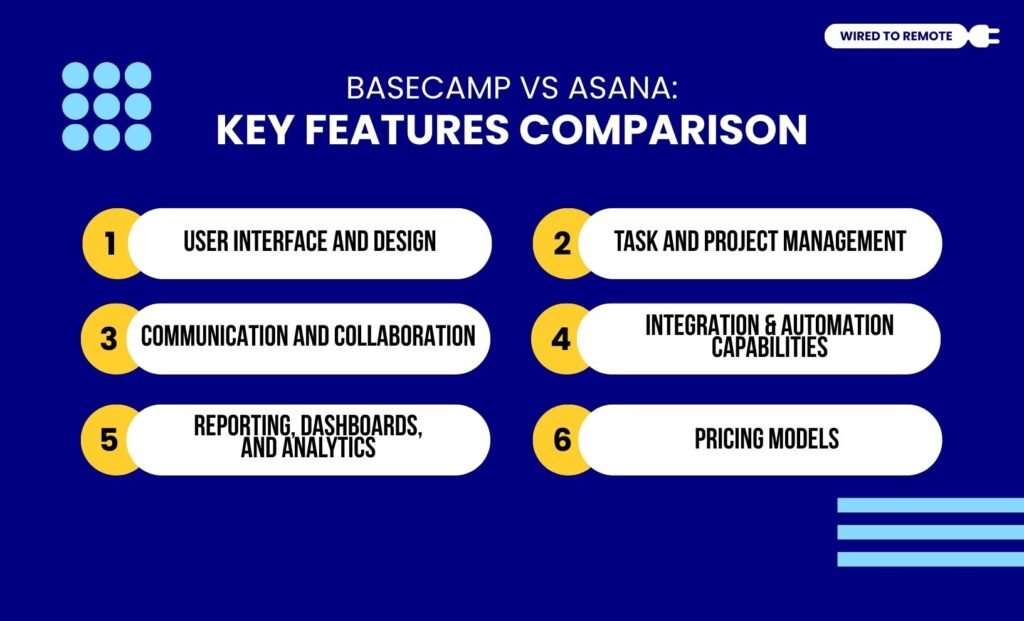
Firstly, both Basecamp and Asana are project management tools. But they do not come with the same features or models.
That’s why users are confused about which one is more efficient. And for that, a complete comparison between them is vital.
For instance, Asana is designed for larger organizations to manage tasks and meet project deadlines without losing their cool. So, it offers an advanced set of features and automotive services for repetitive tasks.
Contrarily, Basecamp is a simple platform for organizing tasks and sharing updates with other teammates. So, it lacks the advanced and complex feature-rich design of Asana.
Just like this, both tools share many dissimilarities, some of which include—
1. User Interface And Design
In comparison, Basecamp’s platform is easier to use for its user-friendly interface and intuitive design. Moreover, it has a straightforward model. Making it easier for users to navigate without losing their way.
On the other hand, Asana has a robust, feature-rich design and complex interface.
That is, its diverse customization options and advanced features make the design overwhelming for users.
As the report from the Digital Project Manager highlights—
Asana’s detailed interface makes it great for managing complex projects, but it can be overwhelming for new users. Basecamp is easier to grasp quickly, making it ideal for teams that want to dive into projects without a steep learning curve.
2. Task And Project Management
Unlike other project management tools, Asana provides a comprehensive suite of project management tools.
That is, from task allocation and filters to diverse visualization, it allows users to streamline the workflow for the projects.
Contrarily, Basecamp comes with a simple project management system. So, users get only basic task tracking and time block delegation features on it.
According to the Digital Project Manager—
With Asana’s task management, you can streamline project planning and execution using its Gantt view, which is invaluable for visualizing timelines and managing dependencies in complex projects. Basecamp’s to-do lists and message boards are great for teams that need a centralized communication hub, simplifying project tracking and reducing the need for multiple external tools. While Asana excels at detailed task management, Basecamp offers a more straightforward approach to project visibility and team collaboration.
3. Communication And Collaboration
Apart from the project tracking, both tools offer some form of team collaboration. That is, Asana has team chatrooms, workload planners, and smooth file-sharing features.
Making it easy for remote teams to collaborate with cross-functional teams and members. This way, they can easily track and manage the project progress.
On the other hand, Basecamp has limited communication and collaborative tools. So, users can use the basic team chats and file sharing features to coordinate the workflow.
4. Integration And Automation Capabilities
A crucial part of project management is integrating other tools and automating repetitive tasks. And, between the two, Asana offers better integration and automation capabilities.
For instance, Asana can seamlessly integrate over 200 native and third-party apps. Whereas Basecamp has a limited integration capability, ranging from 30 to 100 native integrations.
Moreover, Asana comes with AI-driven features. Offering a flexible automation system for handling repetitive tasks.
But Basecamp has zero AI features or automation abilities. So, it is difficult to manage multiple projects on Basecamp than on Asana.
As one Reddit user comments about the use of different project management tools—
I use Asana, Slack, and Monday.com. That’s all. Slack makes sense for active communications. Asana and Monday are used for different clients. (depending on their needs). Can’t stand Trello. Mostly use Asana for most things. Must have Slack.
5. Reporting, Dashboards, And Analytics
As for Asana, reporting and dashboards are some of its superpowers. With AI technology, the tool creates simple but insightful reports from raw data.
Moreover, these reports help remote workers to view the data and make informed decisions about project management. So, it is one of the best analytical tools out there.
On the other side, Basecamp’s reporting and dashboards have fewer options and less customization capabilities. But the only good point is that its simple reports make it easier to check the progress.
6. Pricing Models
Finally, both Asana and Basecamp are semi-paid platforms. So, they offer a limited free plan and feature-rich paid plans. Here are their pricing models.
- Basecamp
| Plan | Pricing | Features |
|---|---|---|
| Free | $0 | Basic project management features for only one project. |
| Pro Unlimited | $15 per month | Simple and easy-to-use project management tools and features. |
| Pro Unlimited Annual | $299 per year | Comprehensive suite of all the features and tools for a month. |
- Asana
| Plan | Pricing | Features |
|---|---|---|
| Free | $0 | Allows up to 10 users to manage one project. |
| Starter | $10.99 per month | Basic project management tools with insightful reportings and analytics. |
| Advanced | $24.99 per month | Advanced features, automation, integration, and other project management tools. |
| Enterprise | Custom pricing | Customized set of tools, automation features, and more based on the enterprise needs. |
Basecamp vs Asana: Pros And Cons Of Each Tool

Even though both Basecamp and Asana are project management tools, they have their own set of benefits and challenges. So, here is a breakdown of the pros and cons of each tool.
- Basecamp
| Pros | Cons |
|---|---|
| 1. Offers a simple and intuitive platform for managing diverse projects. | 1. Lack of advanced project management features. |
| 2. Prioritizes communication and collaboration in the remote teams. | 2. Less scalable capabilities. |
| 3. Support cost-effective plans of large organizations with premium paid offers. | 3. Basic reports and limited customization features. |
- Asana
| Pros | Cons |
|---|---|
| 1. Offers advanced project management features for efficiently handling multiple projects. | 1. Limited features under the free version. |
| 2. Allows users to view the data simply and flexibly. | 2. Might be complex for beginners. |
| 3. Provides massive automation and integration capabilities with third-party apps. | 3. Pricing per user can be expensive for larger teams. |
Choosing The Right Tool For Remote Project Management
Simply having the tools is not enough. Knowing which one to choose for your team is the key. So, here are a few tips to choose the right project management tool for remote teams—
- If you have a creative team, marketing firm, or tech start-ups with complex and multiple projects, Asana should be your go-to buddy.
- But if you have a small business, remote teams with few participants, and freelancers who are working on simple projects, then Basecamp can do the wonders.
Now, choosing the right project management tool can massively impact your overall team productivity.
And, if you haven’t tried either of these tools, it’s high time to give them a chance to simplify your projects and help you meet deadlines fast!
FAQs
Here are some of the common questions around the dilemma of Basecamp vs Asana that most users often look for.
Yes, absolutely. There is no hard and fast rule that if you start with one, you cannot migrate to another project management tool.
But if you are migrating from Basecamp to Asana, you need to create a CSV file, exporting all your data files from Basecamp. Then, you need to manually import the CSV file into Asana, and all the data files will be migrated to the designated storage.
Since Asana’s free plan allows up to 10 users to manage their projects, it is suitable for small teams to keep track of their project progress and manage tasks efficiently.
Moreover, it offers unlimited task scheduling, messaging, and diverse data viewing features under its free plan. So, it is also budget-friendly for a small remote team.
Since both the mobile apps of Basecamp and Asana are built differently, they cater to a diverse user base. For instance, Basecamp’s mobile app is functional and intuitive. So, making it an easy choice for beginners and users who want simplicity.
But on the other hand, Asana’s mobile app is detailed and advanced with project management features. So, it caters to teams looking for a more feature-rich platform.



Leave A Comment