

Diverse clients come with diverse project proposals. And, managing them simultaneously in a remote team is not a piece of cake.
In fact, without task organization, workflow planning, and time tracking, it is not only difficult to manage multiple projects. Rather, it is next to impossible.
Moreover, in a remote team, employees reside in diverse locations. Making it hard to collaborate and harder to meet deadlines.
That’s where a highly equipped project management tool comes into play.
With its dynamic features, it simplifies complex projects by organizing, automating, and streamlining the workflow. That is, tweaking the team’s efficiency and productivity up by a notch.
Moreover, with its built-in collaboration tools, remote teams can track and communicate with other cross-functional teams. Eliminating the workplace miscommunication issue.
Now, among the countless tools available online, Smartsheet and ClickUp are the fan favorites of most corporate teams. But the real dilemma is — “Which one is a better remote-fit?”
Well, no need to worry, your remote buddy is here to save the day. In this Smartsheet vs ClickUp blog, I will be discussing the diverse differences by exploring their—
- Project visualization and workflow automation,
- Integration and collaboration capabilities,
- Pros and cons of each tool, and more.
So, come dive right in!
Smartsheet vs ClickUp: Key Features Comparison
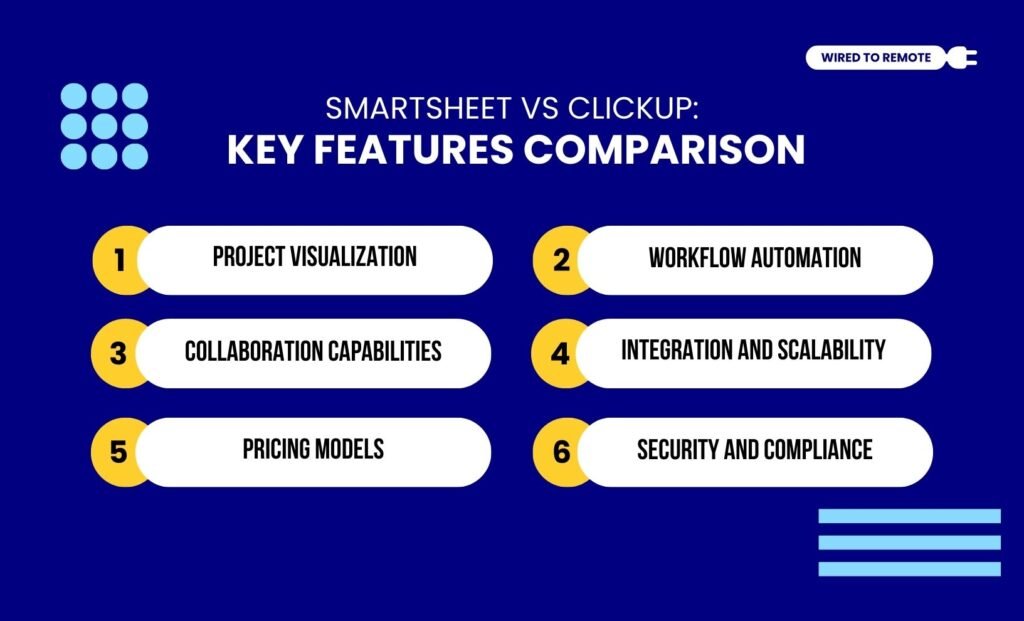
Firstly, both Smartsheet and ClickUp are project management tools. That is, their sole purpose is to help remote teams organize tasks, track progress, and streamline the workflow. Making multiple project management easy peasy.
For instance, Smartsheet is a morphed version of an Excel spreadsheet. That is, it has a similar interface but with more fine-tuned features and unique functionalities.
Moreover, it is designed for managing diverse projects at the enterprise level. So, it allows users to handle large datasets, complex functions, and task timelines without breaking a sweat.
Contrarily, ClickUp is a complete package. That is, it offers an all-in-one project management tool, designed for flexibility and customization. So, small teams and individuals can manage their daily projects with customized designs.
According to the report from TechRepublic—
“Smartsheet is popular among project managers for its familiar spreadsheet-based design, offering features for team collaboration and streamlining work processes. ClickUp is known for its customizable interface, allowing users to personalize their workspace and adapt it to their specific workflow.”
Even though both Smartsheet and ClickUp are from the same family of tools, they share many dissimilarities. So, some of these key differences are listed below.
1. Project Visualization
One of the key aspects of efficient project management is project visualization. This not only shows the project progress but also highlights the bottlenecks within the workflows.
So, both Smartsheet and ClickUp provide interactive project visualization tools.
For instance, Smartsheet comes with built-in data-driven reporting tools. That is, it offers dynamic dashboards with real-time data from multiple sheets to help teams visualize the structure of the task progress.
On the other hand, ClickUp has flexible and customizable dashboards for interactive reporting. So, users can navigate through the filters to check specific project progress in real-time.
As the report from the Digital Project Manager highlights—
“Smartsheet provides extensive reporting capabilities for data-driven projects. ClickUp includes basic reporting with a focus on customizable dashboards.”
2. Workflow Automation
As Smartsheet is more professional and structured in design, it offers better workflow automation for large organizations with complex datasets.
Moreover, its automation for updates, notifications, and reminders makes project management a tad bit simpler.
Along with this, it allows users to automate repetitive tasks — approvals, request management, and recurring proposals.
Contrarily, ClickUp comes with built-in AI-driven functionalities that automate assigning and sending reminders for task management.
In addition to this, it allows users to custom-build the AI agents for decoding the natural language commands and automating simple tasks. Making the process super easy.
3. Collaboration Capabilities
As a comprehensive project management tool, ClickUp offers massive collaboration capabilities for remote teams to manage their tasks.
That is, it comes with built-in chatrooms for real-time texting between teammates, commenting features, mentions, and assigning details for tasks.
So, users can easily collaborate and manage the task delegation.
On the other hand, Smartsheet is a structured spreadsheet-like tool. So, it allows users to share sheets, manage controls, and collaborate smoothly.
But it has no built-in communication features. So, users need to integrate other communication tools for managing workplace communication.
4. Integration And Scalability
Between the two tools, Samrtsheet offers vast integration with other third-party tools and apps seamlessly. Whereas ClickUp comes with more varied integration options for diverse kinds of tools.
So, integrating with Smartsheet is seamless, and with ClickUp is flexible. And, based on the needs of the team, the right tool can be chosen.
In addition to this, Smartsheet comes with a robust scalability option. Allowing enterprises to integrate new tools and upgrade their model with business growth.
Contrarily, ClickUp is flexible but lacks in providing business-specific features. So, it can be difficult to scale the tool along with the business growth. Making it a not-so-fair option.
5. Pricing Models
Unlike the semi-paid platform of ClickUp, Smartsheet is a fully paid platform, offering its features at an expensive rate. So, here is a breakdown of their pricing models.
- Smartsheet
| Plan | Pricing | Features |
|---|---|---|
| Trial | $0 | Allows users to try its diverse features for 30 days. |
| Pro | $9 per month | Offers basic features, task management, and data management tools. |
| Business | $25 per month | Advanced features with automation, data management, and project tracking. |
| Enterprise | Custom pricing | Customized features and advanced tools based on enterprise needs. |
- ClickUp
| Plan | Pricing | Features |
|---|---|---|
| Free | $0 | Offers most of its features for all users at a zero-cost plan. |
| Unlimited | $7 per month | Moderate features for managing the workflows and tracking task progress. |
| Business | $12 per month | Advanced features with high integration, automation, and task management tools. |
| Enterprise | Custom pricing | Customized features and advanced tools based on enterprise needs. |
6. Security And Compliance
Finally, both tools offer massive data security features. That is, Smartsheet offers AES-256 for data encryption. So, users can securely store and manage the sensitive data from the projects.
In comparison, ClickUp has a limited data security system. Although it also uses AES-256 data encryption for data in transit or in storage, it is not advanced.
So, it is comparatively less reliable than Smartsheet in terms of data security and safety.
As the Digital Project Manager advises—
“To evaluate these tools, assess each feature’s direct impact on your data security needs, prioritize compliance with industry regulations, and review uptime guarantees to ensure consistent access for your team.”
Smartsheet vs ClickUp: Pros And Cons Of Each Tool
Although ClickUp and Smartsheet are both project management tools, they have both advantages and disadvantages. So, here are the pros and cons of each tool.
- Smartsheet
| Pros | Cons |
|---|---|
| 1. Offers high-end data handling and reporting in an Excel spreadsheet-like interface. | 1. Limited mobile accessibility of the features. |
| 2. Provides data linking capabilities across multiple sheets for complex project management. | 2. Lagging with real-time data editing. |
| 3. Comes with robust integration and advanced reporting features built within the platform. | 3. Lack of time-tracking features. |
- ClickUp
| Pros | Cons |
|---|---|
| 1. Offers a massively customizable tool with comprehensive features for project handling. | 1. Might be complex for beginners. |
| 2. Comes with an intuitive interface and user-friendly design for agile workflow management in teams. | 2. Lack of large organization-focused features. |
| 3. Allows users to integrate both native and third-party tools and apps within the platform seamlessly. | 3. Needs technical knowledge for better handling of its features. |
Tips To Choose The Right Tool Between Smartsheet And ClickUp
Now, just having the tools is not enough if you don’t know which one to use. So, here are some tips to choose between these two tools —
- If you are working with an enterprise or large organization, handling complex projects, Smartsheet is the best buddy you can have.
- But if you’re working with a small team and managing creative projects that need no high-end data management systems, then ClickUp is a better choice.
So, based on your needs, you have to choose between Smartsheet and ClickUp. And, if you are one of those who haven’t tried either of the tools, it’s high time to get on track.
Just choose the right tool and see how your productivity skyrockets instantly!
FAQs
Here are some of the common questions around the dilemma of Smartsheet vs ClickUp that users look for.
Yes, absolutely. Given that neither ClickUp nor Smartsheet is dependent on the other, users can switch from one to another. But while switching, users need to migrate their data files by exporting the CSV file from the one they are using and importing it into the one they are switching to. This way, they can still have access to their data files.
Between Smartsheet and ClickUp, the latter provides better mobile accessibility with its feature-rich and user-friendly mobile app. Moreover, it comes with a more comprehensive set of functional tools. So, compared to Smartsheet, it allows users to access multiple advanced features from its mobile app.
As project management tools, both ClickUp and Smartsheet offer external guest contributors and collaborators. But they have different accessibility and permission options. For instance, ClickUp provides granular permissions that allow users to customize how the external guest or collaborator can access the files. But Smartsheet’s focus is more on the viewing and editing of the shared items with the external collaborators.


Leave A Comment