

One of the greatest challenges in remote work setups is keeping the employees engaged. That is, connecting a distributed team is not a piece of cake.
That’s where virtual hangouts come into play.
These simple yet effective online events enable remote employees to engage beyond daily work meetings. So, they can build social connections irrespective of their locations.
Now, as a remote team manager, it is vital to choose the right type of virtual hangout. So that the teammates can be inspired and engaged at the same time.
So, here in this blog, I have brought you a complete guide on virtual hangouts, focusing on—
- Their basic features and benefits,
- Best hangout ideas for remote teams,
- Steps to host them, common challenges, and more.
So, come dive right in!
What Are Virtual Hangouts?
Unlike the regular hangouts, virtual hangouts are specially designed for remote employees.
These create the perfect space for socializing, playing games, and sharing experiences that help remote employees to build connections beyond work meetings.
Moreover, these simple virtual events help in fostering communities irrespective of physical distance. So, remotely situated employees can build an online community.
Now, the best part of Virtual Hangouts is that they allow users to converse, play games, and share their experiences in real-time. Making it easier to strengthen their social bonds.
Benefits Of Virtual Hangouts
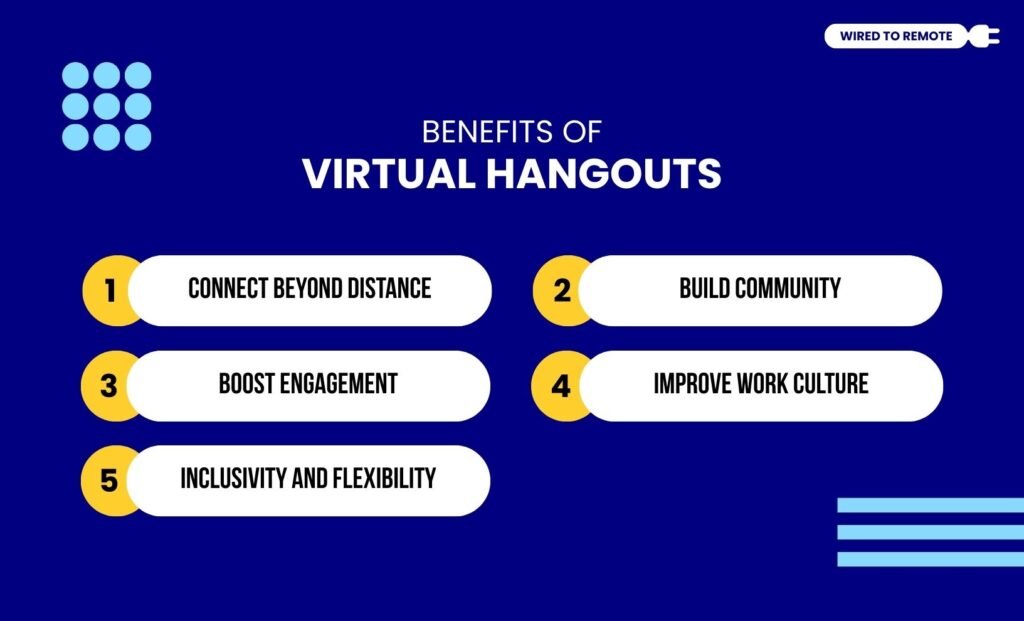
Now, virtual hangouts are gaining massive traction for their countless benefits. So, here are some of their benefits—
- Connect Beyond Distance: Allows users to connect and engage with each other in virtual spaces, irrespective of their geographic location.
- Build Community: Enables the remote employees to build community through shared interests and socializing events, beyond work communications.
- Boost Engagement: Encourages remote workers to collaborate, think creatively, and share ideas and innovation, which boosts engagement among teammates.
- Improve Work Culture: Helps organizations to enhance their work culture with a collaborative and emotionally nurturing virtual space.
- Inclusivity and Flexibility: Allows users to access the platforms and participate in the events irrespective of their location and schedules.
Best Virtual Hangout Ideas For Remote Teams

Now, there are countless ways to create the perfect virtual hangout plan. So, here I have curated some of the best ways for remote teams to connect online—
1. Classic And Fun Activities
Firstly, remote teams can indulge in fun games and classic activities that help in strengthening team bonds. Some of these include—
- Online Games: Employees can play classic games like board games, trivia, escape rooms, and other online games to build social connections.
- Movies or Watch Parties: Additionally, they can plan out watch parties for famous or trendy movies to bring together the team for a casual event.
- Virtual Happy Hours: Also, remote teams can come together to share their experiences and socialize in a virtual cocktail party or happy hour events.
2. Creative And Shared Interests
But employers level up the activities by hosting creative or shared-interest events. That is, they can create sessions and clubs to allow employees from across departments to bond.
- Shared-Interest Sessions: Hosting sessions for employees sharing similar interests to come together, get involved in activities, and share their experiences.
- Open Mic Events: Moreover, employers can host open mic events to support employees in showcasing their diverse talents and having a fun virtual event.
- Clubs / Discussion Hubs: Also, the employees can take part in clubs and discussion hubs to share their experiences in similar niches.
3. Learning And Growing Hangouts
Apart from these, hosting virtual hangouts to help employees learn and grow can be a win-win for both the team and the employees.
That is, they can upskill themselves while having a fun event to socialize with other members.
- Linguistic Sessions: Given that remote teams have people from multiple cultures, they can have linguistic sessions to learn about each other’s cultures and languages.
- Workshops: Finally, employers can host various workshops for employee fitness, painting classes, and wellness programs to support the remote employees.
How To Host An Engaging Virtual Hangout?
If you are curious about hosting a virtual hangout that brings together all of the remote employees, I have got you covered. So, here are the steps to do that—
- Define the goals for hosting the social virtual hangout.
- Then, choose the right platform based on the type of event and participant numbers.
- After that, plan the elements of the virtual hangout — activities, games, and sessions.
- Then, encourage the remote employees to join the virtual hangouts with icebreakers, polls, and rewards for the games.
- Finally, measure the performance of the event from employee feedback and improve the planning accordingly.
Common Challenges And Overcoming Tips For Virtual Hangouts

Even though hosting a virtual hangout for remote teams is quite easy, employers can face some challenges. So, here are some tips and best practices to overcome them—
- Session Fatigue: Long sessions can make it boring and tiresome. So, keeping it short and purposeful is the key to creating an effective virtual hangout session.
- Tech Issues: Not everyone has advanced tech items. So, providing clear instructions on what tech they need for the session can improve its performance.
- Participation Gaps: The same activities can make it boring and discourage employees from joining. So, keeping them fresh and new can keep the interest high.
Now, with this comprehensive guide, you can create the perfect virtual hangouts for your remote teams. So, what’s the wait for? Take this chance to encourage them and stay connected beyond the digital boundaries.
FAQs
Now, I have curated some common questions around the virtual hangouts for remote teams that most people look for.
Generally, virtual hangouts use online platforms to allow users to connect in real-time. That is, they help remote teams to connect and share their experiences through fun and casual activities.
So, users play games, conduct virtual events, and interact together through video chats. Ensuring employees from around the world can come together to connect with each other.
Given that virtual hangouts allow remote employees to connect without physically meeting the team, they use diverse platforms. So, the best virtual hangout tools include —
• Zoom: Offers a versatile platform to conduct virtual meetings and games with screen sharing, breakout rooms, and background changing options.
• Google Meet: Provides a free space for all Google Workspace users to connect online to conduct group activities, host meetings, and conduct events for a large community.
• Discord: Allows video and textual chats with invitation entry into various gaming communities and online fun activity hubs.
• Microsoft Teams: Provides a professional platform to manage both work and team connecting meetings with robust chat and screen sharing features.
• Skype: Offers the perfect space for casual and fun virtual hangouts over voice, text, and video chats with over 100 participants.
• Kumospace: Provides an interactive online platform to host customized virtual events, games, and screen-sharing with up to 25 users in group events.
Generally, the number of people who can join a virtual hangout completely depends on the online platform. But on average, around 10 to 15 people can connect over a virtual hangout.
Now, if you want to know the exact number of people allowed by the online platforms, you need to check the specific platforms.
For instance, both Google Meet, Zoom, and Teams allow 100 participants at a time for hosting a virtual hangout. But Kumospace allows only 25 participants.
So, it is better to check the specifications of the digital platform to know the exact participant capacity.


Leave A Comment