
- Pomodoro apps help in managing tasks by setting a focused 25-minute time slot and a 5-minute break.
- These apps help in improving productivity and work efficiency in a remote work culture. So, it is used massively by them.
- The best Pomodoro apps include— Toggl Track, Pomodor, Otto, Forest, and Session.
Remote working is the new norm in the corporate world. However, with more and more companies shifting to this remote culture, keeping the workforce efficient and productive is a growing challenge.
And that’s where Pomodoro apps come to play. With their dynamic features and time management techniques, they are gaining popularity among remote workers.
Using the Pomodoro technique, these apps help manage daily tasks, track time spent, and deliver projects on time. So, naturally, it is the hero of the hour.
However, there are countless time management apps. So, it is natural to be confused about which one to choose.
Well, no need to worry, your remote buddy is here to save the day!
To give the most accurate recommendations, I have spent over 4 months testing these applications across different operating systems such as iOS, Android, macOS, and Windows.
I have evaluated them based on their features, flexibility, and how effectively they can block real-world digital distractions.
In this blog, I have curated the best Pomodoro apps that help with delegating tasks, tracking time, and smoothing the project progress.
By delving into—
- What they are,
- Why remote workers need them,
- A list of the best ones available, and more.
Stay tuned!
The Science Behind Time-Blocking: What Is A Pomodoro App?

Before jumping right into the list, let’s understand what a Pomodoro app is. It is a time management app that utilizes the Pomodoro technique to design its features.
The Pomodoro technique is one of the simplest time management techniques that has been popularized for its high effectiveness.
Basically, it divides a period of 30 minutes into two parts— 25 minutes and 5 minutes.
So, you get the work done in the first 25-minute slot and take a 5-minute break. This way, you don’t feel drained out after completing your task. So, you remain productive throughout the day.
And, this is exactly how the Pomodoro apps are designed. In the apps, you can set the timer for 25 minutes to have a focused work-time block and then take a 5-minute break.
Why Remote Teams and Freelancers Need Pomodoro Trackers?
Unlike a simple time management tool, the Pomodoro apps offer countless benefits to remote workers. Some of these benefits include:
- Improves focus and concentration on work.
- Helps in efficiently managing work hours.
- Reduces exhaustion and burnout in employees.
- Helps with tracking project progress.
- Increases workers’ motivation and productivity.
Pros And Cons Of Pomodoro Apps
| Pros | Cons |
|---|---|
| 1. Increased focus and concentration. | 1. Can disrupt deep creative flow states. |
| 2. Improved time management. | 2. Strict countdowns can induce workplace anxiety. |
| 3. Reduced exhaustion and frustration. | 3. Fails to accommodate unpredictable, reactive job roles. |
Buyer’s Guide: How To Choose The Perfect Pomodoro App?

Primarily, Pomodoro apps help with time management. So, it is essential that they offer a simple platform for managing the time blocks.
That is, you should look for these features before choosing a Pomodoro app to manage your remote work.
- Simple interface and design that is not distracting.
- Allows integration of better time management techniques.
- Enables you to set your personal timer instead of a rigid fixed timer.
- Offers regular updates for the app features.
5 Best Pomodoro Apps For Remote Work
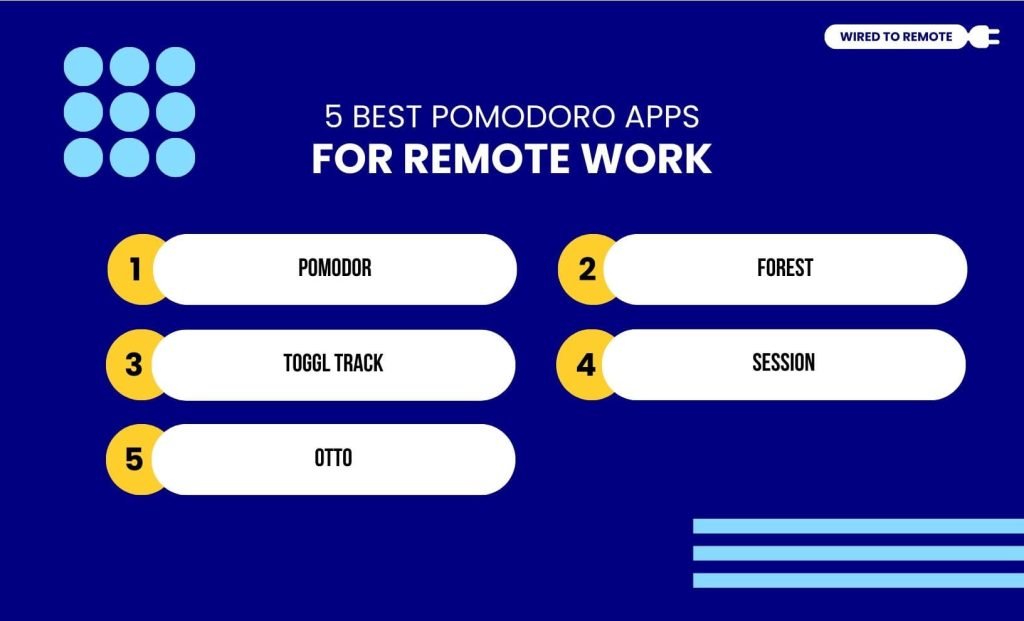
Given that remote work requires a reliable time management app, here are some of the best on the market.
Before we jump onto learning the top 5 Pomodoro apps for the remote work, here is a table that can help you understand what the apps are all about at a quick glance!
| App | Best For | Starting Price | Key Advantage |
|---|---|---|---|
| Pomodor | Minimalists | Free | No installation needed |
| Forest | Gamification | Free ($3.99 Pro) | Plants real trees |
| Toggl Track | Freelancers | Free ($9/mo Pro) | Client invoicing tools |
| Session | Apple Users | Free ($4.99/mo Pro) | Deep data analytics |
| Otto | Chrome Users | Free ($24/yr Pro) | Hard website blocking |
1. Pomodor
First on the list is Pomodor, a simple timer that offers basic task management features.
Now, it easy-to-use web-based app that allows you to focus on your work by preventing distractions from your phone.
Moreover, it offers a customizable timer. So, creating time blocks beyond the 25-minute time block based on the workload is easy.
However, it offers only the Pomodoro technique. So, you won’t be able to explore the other advanced techniques.
2. Forest
If you are a nature lover, the Forest app will be your best buddy. It has a cute tree-based timer, where you grow a little plant digitally by staying productive with your work.
In addition to this, it allows you to customize the timer according to your needs. So, based on the workload, you can set the timer.
Moreover, it offers a Deep Focus Mode that prevents any notification pop-up and screen activity on your phone. So, keeping the distractions at bay and helping with productivity.
3. Toggl Track
Currently dominating the time tracking field is Toggl Track. As a time management app, it is compatible with multiple devices. So, naturally, remote workers are choosing it blindly.
On top of that, it offers some of the most dynamic features— external third-party app integration and invoicing tools. Moreover, it has an intuitive design for task management.
In addition to this, it offers both free and premium plans to the users. Under the free plan, basic time management and calendar scheduling are offered.
And, with the premium plan starting at $9/month, it provides advanced time tracking and project management tools.
4. Session
Compared to the other timers, Session is a top-notch Pomodoro app that offers advanced features across multiple devices.
So, you can sync your iOS and Mac devices with the timer.
Moreover, it has a simple and minimalistic design. Making it easy to use and less distracting. Additionally, it allows you to customise the timer length and get things done.
However, as a timer, it is ridiculously priced. Its premium plan starts from $4.99/month.
Yes, the value might reflect a premium price point for a timer. However, the cost is justified by its seamless integration with the Apple ecosystem and the absence of third-party data tracking.
5. Otto
Unlike the other apps, Otto is a Chrome extension. So, literally anyone can use it. Apart from that, it offers afully featured Pomodoro timer with diverse customizable options.
Additionally, it allows you to block distracting websites from popping up while you are working. Giving you the perfect environment to get your work done.
Moreover, it offers both free and premium plans. Under the free plan, basic features are covered, and under the $24/year or $59/lifetime plans, advanced features are covered.
Things To Keep In Mind While Using A Pomodoro App
Having the best Pomodoro apps can remarkably improve the work efficiency and productivity of remote workers.
With the right app, they can manage their tasks, stay focused, and deliver projects on time. However, there are a few things that you need to consider while using these apps—
- Set a timer based on your task instead of using a generalized timer.
- Do not completely rely on the app for removing distractions.
- Make a realistic timeline for your tasks to meet the project deadline.
So, by keeping these things in mind, you can utilize the complete potential of the Pomodoro apps. Organizing and managing your tasks the right way.
So, go ahead and set the timer to get some work done with the Pomodoro app today!
A Note on Neurodiversity and the Clock
Now, the standard 25-minute block works for many. However, it can trigger anxiety or interrupt the hyperfocus state common in ADHD or neurodivergent professionals.
If the rigid structure stresses you out, you need to look for applications such as Pomodoro or Sessions that let you change the ratio to a 50-minute work block with a 10-minute break.
The goal is to sustainable focus, not rigid rule-following.



Leave A Comment