
Content writing is one of the high-paying remote jobs that you can apply for to kickstart your remote career. It offers you a large pool of employers looking for a variety of content writers — marketing, academic, technical, and more.
But the one quality that most remote recruiters look for in content writers is the ability to create clear, professional, and polished write-ups.
So, writers need to juggle heavy research, formatting, and complex creativity.
That’s where writing tools come into play. With their dynamic features and advanced text-scanning capabilities, they help remote writers to meet the clarity and rigor standards.
But among the countless digital tools, Grammarly and QuillBot have found their spot in the market. And most netizens have already used one of them at least once in their life.
So, if you want to start your remote content writing job, here’s how to choose between the two. In this Grammarly vs QuillBot blog, I will be discussing—
- Key differences between their features,
- Pros and cons of both the tools,
- Tips for improving your content, and more.
So, come dive right in!
Grammarly vs QuillBot: Key Features Comparison
You must have heard about Grammarly and QuillBot. But do you know what they are popular for? Well, here’s what they do best—
- Grammarly
It is an AI-powered writing tool that provides a wide range of features to help writers of all kinds produce clear, concise, and polished content in a jiffy.
Moreover, it comes with language, spelling, and grammar checkers that support writers in proofreading and style enhancement.
- QuillBot
Unlike Grammarly, QuillBot aims to enhance the writing clarity and impact. So, it offers a diverse set of summarizing and paraphrasing features.
Moreover, it best supports academic content writing with proper citations and plagiarism checkers. So, both students, freelancers, and content writers can use the tool to improve its appeal.
Even though both are AI-driven writing tools, they are not the same. That is, they share a striking set of dissimilarities. So, here is a breakdown of their key differences—
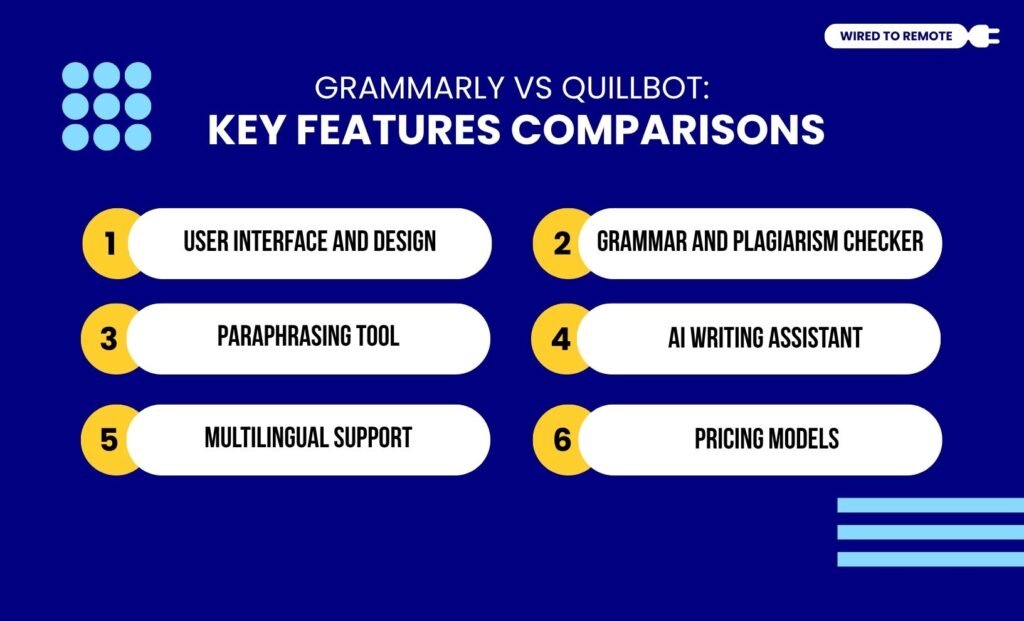
1. User Interface And Design
As writing tools, both Grammarly and QuillBot offer a straightforward and intuitive user interface.
So, whether you are a beginner or an expert, you can navigate through their features and platform without any technical knowledge.
But with Grammarly, users get an integrated version. That is, it readily integrates into other writing platforms — Google Docs and Microsoft Word.
On the contrary, QuillBot has a more centralized platform. So, users get to use its features only while writing in its Co-Writer box.
2. Grammar And Plagiarism Checker
Between the two, Grammarly comes with an advanced AI-powered grammar and plagiarism checker. That is, it scans texts in real-time and provides comprehensive suggestions for tone, vocabulary, clarity, and sentence style.
On the other hand, QuillBot offers a basic grammar checker to use the correct form. But it has no intelligent text-scanning abilities. So, users get only a “fix all errors” message without any clear understanding of the grammar concepts.
In addition to this, it provides a strong plagiarism checker that scans the work against both gated and non-gated content available on the internet. Making it a perfect companion for academic content writing.
3. Paraphrasing Tool
Even though both Grammarly and QuillBot provide a paraphrasing tool, they are of different levels.
For instance, Grammarly’s paraphraser uses AI abilities to make the sentences concise for better clarity and tone.
But QuillBot’s paraphraser is more equipped with multiple modes and a variety of tone options. So, users can modify the paragraphs for a more natural tone.
4. AI Writing Assistant
Although Grammarly and QuillBot both have built-in AI capabilities, one is more advanced than the other.
For instance, Grammarly’s AI writing assistant is designed to identify grammar mistakes, style issues, summarization, and paraphrasing issues. Additionally, it comes with an advanced generative AI model to create and improve content.
On the other hand, QuillBot’s AI capabilities are limited. That is, it is not as extensively proactive as that of Grammarly. So, users get a basic set of writing assistance.
Moreover, QuillBot has no generative AI for brainstorming creative ideas and complex content right from scratch. So, users need to switch to other apps for creating AI-powered content.
5. Multilingual Support
As popular writing tools, they are expected to support multiple languages. But, surprisingly, Grammarly works only for English. That is, it supports different versions of English — American, Indian, and British.
But QuillBot offers paraphrasing and summarizing support for multiple languages. That is, it supports up to 45 different languages. So, users can get writing assistance in many languages.
6. Pricing Models
Finally, both Grammarly and QuillBot are semi-paid platforms. Offering both free and paid plans with a different set of features. So, the pricing model of each of them is listed below—
Grammarly
- Free — $0 per month — Basic grammar checker, plagiarism score, and up to 100 AI prompts monthly.
- Pro Plan — $30 per month — Advanced writing assistance with grammar checker, paraphrasing, tone adjustment, and over 2,000 AI prompts monthly.
- Business Plan — $15 per user — Specially curated features and tools for businesses working with writers and generative AI models.
QuillBot
- Free — $0 per month — Paraphrasing feature for only 125 words, basic writing tools, and up to 50 AI prompts.
- Premium Plan — $19.95 per month — Unlimited access to all kinds of writing tools, paraphrasing, summarization, and unlimited AI prompts.
Grammarly vs QuillBot: Pros And Cons In Remote Content Writing
As writing tools, both Grammarly and QuillBot come with their own set of benefits and challenges. So, here is a breakdown of the pros and cons of each tool.
- Grammarly
| Pros | Cons |
|---|---|
| 1. Has a straightforward and user-friendly interface for easy navigation. | 1. Limited precision for academic content writing. |
| 2. Offers a flexible generative AI assistant for creating different kinds of content. | 2. No multilingual support. |
| 3. Strong and advanced writing features for clear and concise content writing. | |
| 4. Easily integrates with other writing platforms. |
- QuillBot
| Pros | Cons |
|---|---|
| 1. Comes with a user-friendly interface for ease of use. | 1. Lack of seamless integration into other writing platforms. |
| 2. Provides a comprehensive tool with paraphrasing, citation, and plagiarism checker for academic content writing. | 2. Limited AI-powered features and intelligent tools. |
| 3. Comparatively affordable writing assistant for freelancers and students. | |
| 4. Supports over 40 diverse languages for multilingual content writing. |
User Reviews And Expert Opinions

Given that these tools are widely adopted, many users and experts share their opinions on diverse community forums.
One Reddit user comments about the experience with both the tools—
I’m using both QuillBot and Grammarly. I write everything on my own first and later paraphrase in QuillBot to make it strong in English.
According to the report in Paperpal about the various writing tools—
For academic writing, QuillBot might be more suitable if you prioritize a comprehensive writing process with robust research tools and citation management. However, if your focus is on ensuring grammatical accuracy and unlimited plagiarism checks, Grammarly could be the better choice.
In addition to this, the expert report on Demand Sage highlights—
Grammarly is a better option for people who want a grammar checker, plagiarism checker, and an AI-powered content generator in one tool. In comparison, Quillbot is better for paraphrasing and synonyms.
Tips To Improve Your Content Writing

Having the writing tools is not enough to enhance your content writing. Rather, knowing how to use them and following the best practices can actually improve your overall content writing. So, here are some tips—
- Creating content that explains the concept in a concise format and simple language.
- Checking the readability score to make sure the readers can understand what they are reading.
- Ensuring the plagiarism and AI detection score is low in your writing.
- Following the correct grammar syntax and sentence styles to maintain the consistency of tone in your content.
So, irrespective of what kind of content you write — academic, technical, or marketing — both Grammarly and QuillBot can come in handy.
With their unique features and specialties, they can notch up your content. Making it perfect for any kind of audience. So, what are you waiting for? Go ahead and check them out today!
FAQs
Here are some of the common questions around the Grammarly vs QuillBot dilemma.
Out of the two — Grammarly and QuillBot — the latter is a better tool for academic writing. Since QuillBot is especially designed with strong paraphrasing and plagiarism checkers, it supports all kinds of academic content writing effortlessly.
No. Unfortunately, Grammarly supports only the English language. But you can find different versions of English — American, African, Indian, British, and more. So, you can choose the version, and it will suggest writing modifications based on the common tone and context.
Since neither of the tools is dependent on the other, they can be used together. That is, you can use the paraphrasing feature of QuillBot to modify your content. Then, you can run it in Grammarly for the tone, style, and grammar check. This way, both tools can be used together.
Yes. QuillBot can generate over 1,000 different formats of citations. From APA to MLA, Chicago to Harvard, and other such citations, users can choose the format in the Citation Generator tool of QuillBot. Moreover, it can cite different kinds of sources — websites, journal articles, research papers, and company reports.


Leave A Comment