

Today’s topic: Skype vs WhatsApp.
Communication is a concerning aspect of remote work. Since most team members are diversely located, there is a high chance of workplace miscommunication impacting productivity.
So, remote teams are always on the lookout for faster and efficient communication tools.
And, out of the massive library of apps, Skype and WhatsApp have gained quite a popularity for their messaging features. Making communication swift and easy.
Moreover, they are not only simple messaging tools. That is, they offer a complete package for various kinds of communication requirements — instant messages, video calling, and group chats.
But the real question is — “Which one to choose for your remote team’s productivity?”
Well, that’s what I am going to delve into today. In this Skype vs WhatsApp blog, I will be discussing the major aspects of both tools by exploring—
- Key differences in their features,
- Pros and cons of each app,
- Tips to maximize productivity with them, and more.
So, come dive right in!
Skype vs WhatsApp: Key Features Comparison
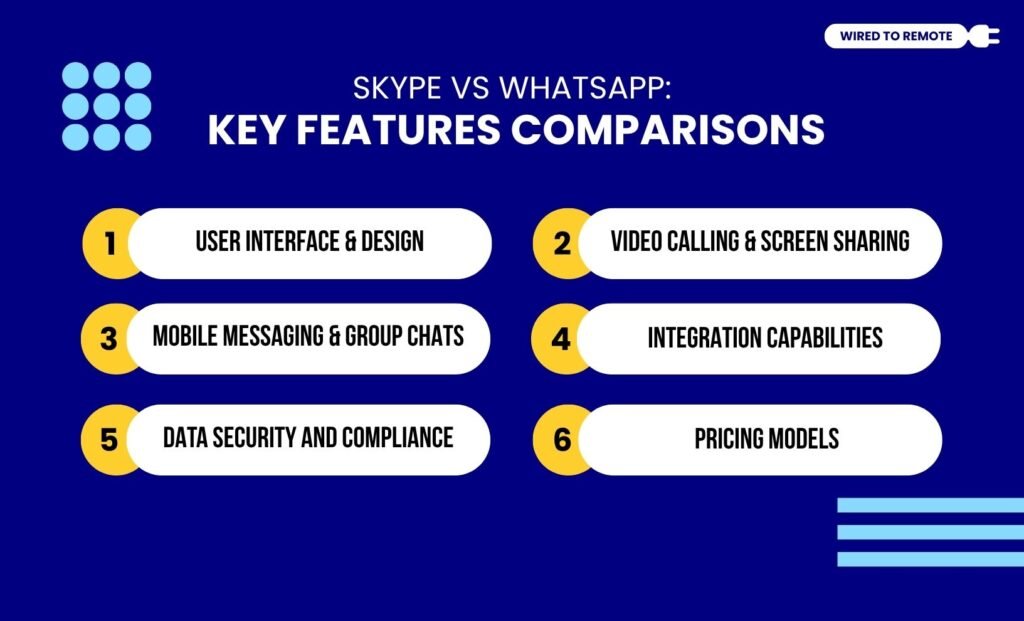
Hold your horses if you are one of those who think Skype and WhatsApp are basically the same. As the report from VoIP Tech clarifies—
WhatsApp was designed for mobile devices, while Skype was primarily a computer-to-computer application that could call other phones as well.
To explain in simple terms, Skype is a Microsoft-designed communication app that allows users to video call and group chat with anyone around the globe.
So, it made international calling easy and simple for both individuals and businesses.
On the other hand, WhatsApp is more of an instant messaging app that connects people globally through their contact numbers.
So, if you have someone’s number, you can call, chat, and create groups with them effortlessly.
Even though they are both messaging apps, they have a lot of dissimilarities. So, here is a clear breakdown of the key differences of their core features.
1. User Interface And Design
In comparison, Skype’s user interface and design is feature-rich and professional. But WhatsApp has a more simple, causal, and minimalistic design.
Moreover, as Skype was primarily designed for businesses to hold video conferences with international clients, it has professional and advanced features on display.
On the contrary, WhatsApp’s purpose is to connect people through their mobile phones. So, it has a casual and user-friendly design that is easy to navigate.
2. Video Calling And Screen Sharing
As a professional app, Skype offers high-quality video and audio calling. Making international communication high definition and easy at the same time.
But WhatsApp offers a comparatively poor quality for video and audio calls. So, users face issues with unstable quality and connectivity.
As the report from VoIP Tech highlights —
While WhatsApp does provide you with decent call quality, many users have complained about echoing and call drops. Skype, on the other hand, is the best on the VoIP market when it comes to call quality. Skype uses its own codec for call encoding that refines this part of the service. The best part is that Skype even offers HD voice calls.
In addition to this, the screen-sharing feature of Skype stands out more than WhatsApp. That is, users can easily choose between sharing full-screen or just a single Tab.
Whereas, in WhatsApp, the screen-sharing feature is available only for mobile devices. Moreover, it has no dual options. So, users can only share their entire screen.
3. Mobile Messaging And Group Chats
Primarily, both are messaging apps. So, they both offer mobile messaging and group chatting features. But there is a striking difference between the quality of these features.
For instance, Skype has professional features for instant personal messages and large-group chats. Moreover, users can conduct group video conferencing and share screens for fulfilling remote communication.
On the other hand, WhatsApp allows users to send instant private messages and create chat rooms for small to medium-scale groups. So, it is better for personal usage and difficult for professional teams.
4. Integration Capabilities
Apart from these, Skype comes with massive integration capabilities. As a Microsoft-designed app, it readily integrates Microsoft tools and helps teams boost their productivity.
Contrarily, WhatsApp lacks the high level of integration capabilities. But it offers built-in integration systems for secure data transfers, payment portals, and integration of the WhatsApp business API.
So, it is difficult for remote teams to use the app with other productivity tools, time management tools, and project management tools for improved workflows.
5. Data Security And Compliance
When evaluating remote security, WhatsApp is often the primary choice for privacy because it applies End-to-End Encryption (E2EE) by default to every message, call, and file. This ensures that only the participants can access the content, making it highly resilient against external data breaches.
In contrast, Skype uses a tiered security model. While standard traffic is encrypted, it is not E2EE by default. However, Skype offers a “Private Conversations” mode that uses the Signal Protocol to provide full E2EE for specific chats.
For Digital Nomads and corporate teams, the distinction is vital:
- WhatsApp provides “always-on” privacy for casual or sensitive comms.
- Skype operates under Microsoft’s enterprise-grade compliance.
This makes Skype better suited for organizations requiring a formal audit trail. On the other hand, WhatsApp remains the leader for total message-level confidentiality.
6. Pricing Models
Finally, one is a free app and another is a semi-paid app. That is, WhatsApp is a completely free app that anyone can install and use.
But Skype offers free and paid plans. Under its free plan, it allows unlimited Skype-to-Skype calling.
And, with its paid plan — starting at $2.99 per month — it includes all its professional features with international calling.
Skype vs WhatsApp: Pros And Cons Of Each App

Even though both Skype and WhatsApp are messaging tools, they have their own set of benefits and challenges. So, here is a simple breakdown of the pros and cons of each tool.
- Skype
| Pros | Cons |
|---|---|
| 1. Offers better quality video calls with HD sound and video. | 1. No end-to-end encryption. |
| 2. Provides collaboration tools like whiteboard, screen sharing, and holding polls. | 2. Issues with reliability and strong connectivity. |
| 3. Allows affordable and budget-friendly international calling. | 3. Works best only on PC. |
| Pros | Cons |
|---|---|
| 1. Offers a strong data privacy and security system with end-to-end encryption. | 1. Need to register with personal information. |
| 2. Works well both on mobile devices and PC or laptops. | 2. Limited collaboration features for businesses. |
| 3. Allows reliable and affordable international calling using the internet. | 3. Lacks advanced messaging features. |
Tips To Maximize Remote Productivity With Skype Or WhatsApp

Just having the tools is not enough. Knowing how to use them to boost your productivity is important. So, here are some tips to use them for maximum work efficiency—
- Using WhatsApp for creating unofficial work groups, where employees can chat and bond with each other. This will build team morale in the long run.
- Creating official communication channels on Skype to hold weekly conferences and risk management meetings.
- Conducting client meetings on Skype for better communication and faster workflow planning.
Now, if you still haven’t used either of these messaging apps, it’s high time to experience them. So, go ahead and choose one to skyrocket your work productivity today!
Skype vs WhatsApp Verdict: Which One Should You Choose?
Choosing between Skype and WhatsApp depends entirely on your team’s structure and the nature of your daily operations. There is no one-size-fits-all answer, but the “best” choice becomes clear once you define your primary communication goals.
Team Skype
Choose Skype if you are part of a structured corporate environment or a large-scale remote team. Its professional toolkit – including the following:
- HD video conferencing for up to 100 people.
- Advanced screen sharing.
- Seamless integration with the Microsoft 365 suite.
All of these together make it the superior choice for formal client presentations and cross-departmental meetings.
It is built for the “desk-first” professional who needs a reliable, feature-rich hub for long-form collaboration.
Team WhatsApp
Choose WhatsApp if you are a Digital Nomad or a small, agile team that prioritizes speed and accessibility.
Its mobile-first design and mandatory end-to-end encryption make it perfect for quick, secure “on-the-go” updates.
Since almost everyone already uses it personally, it has a zero-learning curve and is ideal for maintaining high team morale through informal “watercooler” chats.
Ultimately, many successful remote teams use a hybrid approach: Skype for scheduled, high-stakes professional meetings and WhatsApp for the daily, rapid-fire pulse of the project.
FAQs
Here are some of the common questions that most users look for about Skype and WhatsApp.
Both Skype and WhatsApp store message history. But Skype stores them in its servers for an unspecified time. So, Microsoft can access the data even after the user deletes it from their app. But WhatsApp stores them on the cloud. So, it offers a more decentralized message storage system.
Generally, Skype is a preferred choice for large-scale team communication. As WhatsApp is designed for personal communication, it is suitable for small teams. But, as an extension of Microsoft’s services, Skype offers professional features that help large-scale team communication immensely.
Between the two — Skype and WhatsApp — the latter offers a better mobile app functionality. Moreover, it was primarily designed for mobile device communication. So, it provides better app functionality for mobile phones than Skype.



Leave A Comment