
Work meetings are all about bombarding you with volumes of information within a few minutes. Especially, the information shared in remote meetings is hard to keep track of without a proper memo.
That’s where digital note-taking apps come into play. With their simple design and unique features, they make information organization super easy for remote workers.
So, naturally, they are becoming a go-to buddy for most remote employees.
Among the countless available apps, Notion and Evernote have taken the internet by storm. Making them spiral into the dilemma of choosing one of them.
If you are also confused between them, I have got you covered. In this blog, I have brought you a complete comparison guide on Evernote vs Notion, focusing on—
- Key differences in their features,
- Scalability capabilities,
- How to choose between them, and more.
So, come dive right in!
Evernote vs Notion: Key Features Comparison
Before diving into the comparison, knowing what exactly Evernote and Notion are is the first step.
Technically, both Evernote and Notion are diversely featured note-taking apps. Helping users to organize, manage, and increase work productivity.
As a simple notes app, Evernote is designed to take notes and keep the information organized. But Notion is more like an all-in-one workspace, offering note-taking, project management, collaboration, and many other features.
Now, even though they seem to be the same type of apps, they are not. So, here is a clear breakdown of their core differences.
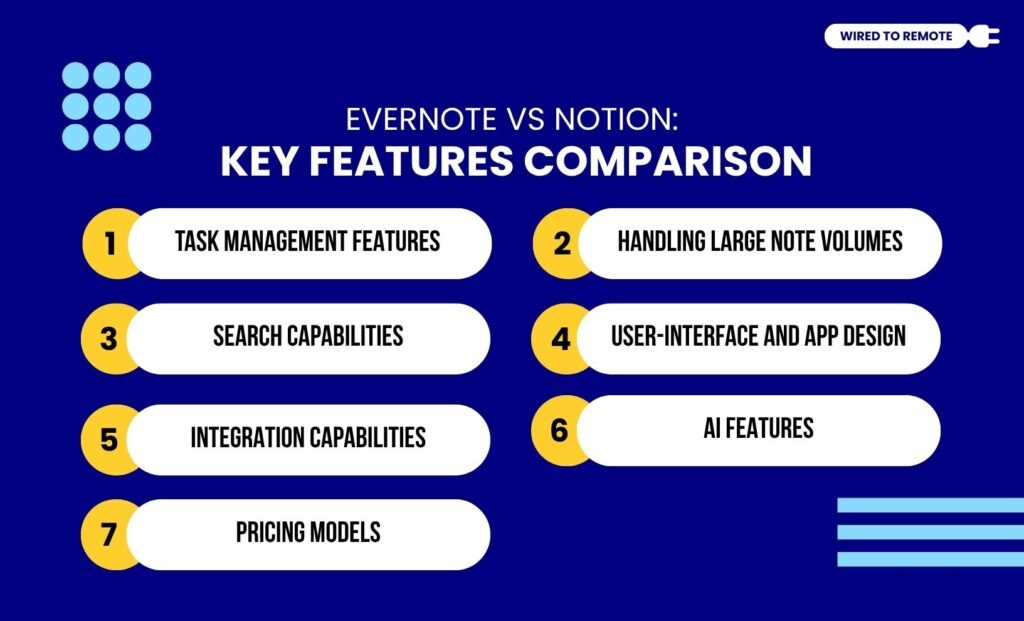
1. Task Management Features
Firstly, both Evernote and Notion come with built-in task management features.
While Evernote’s traditional design offers simple task listing and note-taking, Notion comes with a robust task management system.
That is, it allows users to build and create personalized workflows for various tasks of multiple projects. So, they can customize the timelines and enhance their work efficiency.
2. Handling Large Note Volumes
Although both have task management features, they do not have similar data handling capabilities. That is, one provides better handling features for large note volumes, while the other comes with limited capacity.
Unlike Evernote’s traditional data handling approach, Notion offers a more advanced database, flexible structure, and customizable features. So, it allows users to manage large note volumes effortlessly.
On the contrary, Evernote has limited space for managing large volumes of notes. So, users get access to only a simple note management system.
3. Search Capabilities
Apart from this, the apps differ in their search capabilities — one uses advanced OCR features while the other uses simple search methods.
Evernote’s superior Optical Character Recognition (OCR) feature for searching texts, images, and PDFs gives it an upper hand in the comparison. So, users can literally scan through both digital and handwritten notes to find a specific keyword.
Contrarily, Notion’s search methods are not advanced. It uses simple search options to allow users to look for their queries in the digitally saved documents. Making the process slow and not as efficient as Evernote’s OCR feature.
4. User-Interface And App Design
As a traditional notes-taking app, Evernote has a simple and user-friendly design. Making it easy to navigate and quickly set up for better task management.
But Notion has a more complex user interface design that makes navigation of the app a tad bit difficult. So, users need to have some technical knowledge to use the customization features of the app.
5. Integration Capabilities
Unlike the simple Evernote, Notion allows users to easily integrate diverse third-party tools and software. Making remote teams effortlessly integrate productivity, time management, and project management tools.
Even though Evernote has limited integration capabilities, it seamlessly integrates the common tools — Google Calendar, Gmail, Zapier, and more. So, contradicting the versatility of Notion, it still offers basic integration options.
6. AI Features
Since AI technology is revolutionizing diverse industries, the AI features of Evernote allow users to search and edit notes according to their preferences. So, they can easily modify and use the advanced search options.
On the other hand, Notion has a more robust setup of AI technology. That is, its integrated AI features help generate, edit, search, and even chat with the bots about anything. So, users get access to a wide variety of AI features.
7. Pricing Models
Both Evernote and Notion are semi-paid platforms. That is, they offer both free and paid plans with a comprehensive set of features.
So, here are the pricing models for the paid plans of each of them—
- Evernote — $14.99 per month — Subscription for most advanced features.
- Notion — $10 per month — Provides most of the advanced and critical features.
Evernote vs Notion: Which Is A More Scalable Option?
Compared to Evernote, Notion provides an all-in-one workspace, which is best suited for business teams. So, as the business grows, it is easier to expand the usage of Notion within the firm. Making it a more scalable option for the teams.
But, on the other hand, Evernote has a more straightforward and basic interface, which is perfect for individual use. So, it is difficult to adapt it in a growing business to manage complex workflows. Making it not so great for scalability.
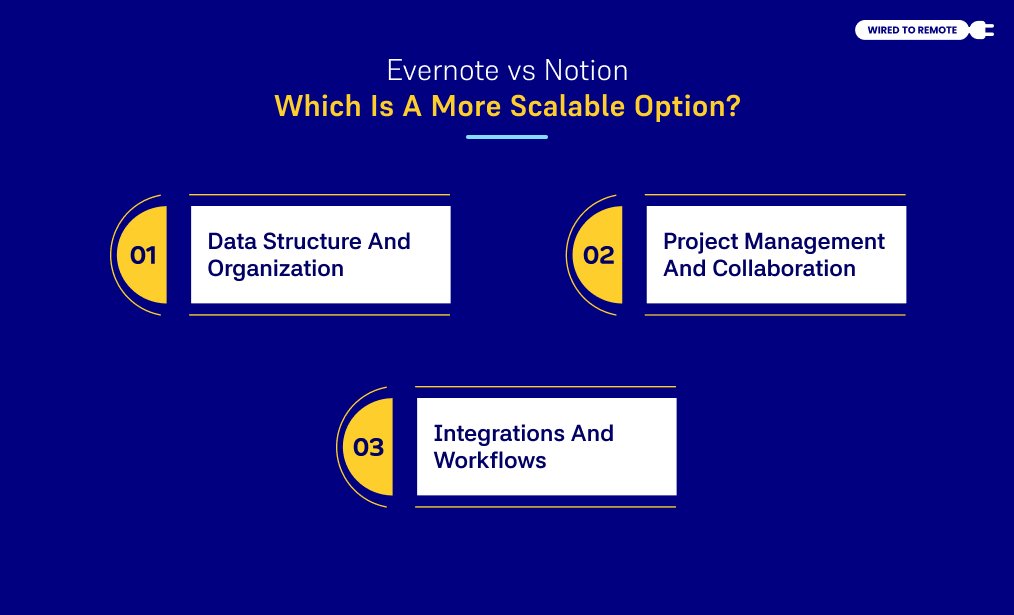
As far as my research goes, it is best to break down the scalable difference between Evernote vs Notion into these three categories:
1. Data Structure And Organization
Firstly, Notion operates as a modular, “Lego-style” workspace. Pages house nested sub-pages, tasks, and highly customizable databases, including tables, Kanban boards, and calendars.
As your workflows expand, you can link databases, calculate rollups, and build an interconnected company wiki or a unified personal operating system.
Conversely, Evernote relies on a rigid, traditional system of notebooks, stacks, and tags. While this linear hierarchy offers an effective digital filing cabinet for basic note retention, it struggles under heavy operational volumes.
Navigating thousands of static notes eventually feels cluttered, flat, and difficult to manage as a growing information hub.
2. Project Management And Collaboration
Notion scales effortlessly from an individual scratchpad to a centralized hub for cross-functional corporate teams. The platform features:
- Robust, real-time, simultaneous editing.
- Granular sharing permissions.
- Contextual task assignments.
These database-driven capabilities allow organizations to coordinate sprints, manage complex product roadmaps, and track multi-stage team workflows inside a single ecosystem.
Evernote remains primarily optimized for solo note-taking, research collection, and document storage.
Because its team collaboration features are basic – limited mostly to shared notebooks and note link forwarding – it lacks the structural capability to serve as a primary project management engine for expanding professional groups.
3. Integrations And Workflows
Notion boasts an open, extensible API alongside native automation triggers. It integrates deeply with development and communication platforms like:
- GitHub.
- Slack.
- Jira.
- Zapier.
This flexibility allows businesses to construct bespoke, automated pipelines that seamlessly evolve alongside shifting academic or corporate requirements.
Evernote connects with foundational tools like:
- Google Workspace.
- Slack.
- Microsoft Teams.
However, these connections are transactional. Therefore, it focuses on attaching files or clipping web references.
As a result, it lacks the advanced computational logic that you would need to build deeply automated, multi-app workflows. Therefore, restricting its utility to standalone documentation rather than scalable operations.
User Reviews And Expert Opinions

Since both Evernote and Notion are popular note management tools, Reddit users give detailed reviews about which one performs better.
For instance, according to this Reddit user’s comment on switching from Evernote to Notion—
I did a lot of research before switching away from Evernote, and Notion’s ability to import my Evernote notebooks was a big factor in my choice. Notion is a very different app from Evernote, with different strengths and weaknesses, but at least it offers continuity. I fiddled with some other export-import solutions for other apps, but Notion’s was officially supported and appeared to do a good job when I spot-checked some notes.
Additionally, the expert report from Zapier points out—
When it comes down to it, Evernote and Notion have different objectives: Evernote is built for note-taking and organizing those notes, whereas Notion is an all-in-one workspace tool meant to organize knowledge, manage tasks, and enable collaboration.
Another Reddit user discusses their experience with both the apps—
Notion is awful, it is not an Evernote replacement in my view, any more than Apple Music is. There are a few products worth looking at; the two that seem to be worth looking at are Obsidian or Amplenote, but both have steep learning curves and are not much cheaper in the end. Evernote for me covers all the bases, and I need about four apps to cover what it does.
Moreover, this Reddit user highlights how you can choose between the two—
Evernote is a really good tool if you’re going to use the advanced features. Notion is a really good tool if you want all the database functionality.
Evernote vs Notion: How To Choose The Right App?

Having just the knowledge about both apps is not enough. You should know when to use which one. So, here is a simple guide on how to choose the right one—
- If you are looking for a simple note-taking app for managing personal projects, then Evernote is a great choice.
- But if you are looking for a comprehensive note-taking app for managing the information in your team, switching to Notion is a better idea.
- Now, if you want a free solution, then Notion offers a generous free plan with most of its customization and integration features.
So, based on your needs and funds, you can choose the specific note-taking app — Evernote vs Notion. Moreover, this comparison guide will make it easier to make the final decision.
So, if you haven’t tried Evernote or Notion, it’s high time to test them out. Choose one and get your remote clutter organized within seconds!


Leave A Comment