
Video conferencing is the core aspect of remote teams. With team members located at diverse locations, video conferencing is the only way they can come together.
So, having a proper tool for that is not a luxury. Rather a necessity.
Now, out of the countless software, Zoom and Google Meet are by far the most widely adopted video conferencing tools. Especially in remote teams, they are adopted readily.
As video conferencing tools, both are often thought to have the same features. But that’s not the case — Zoom offers variety, while Google Meet offers speed.
So, knowing their key differences is vital in choosing the right platform for your team.
This data-driven comparison guide looks past marketing claims to evaluate both platforms on real-world performance, security compliance, and actual business costs. In this Zoom vs Google Meet blog, I am going to discuss the diverse aspects of the dilemma by exploring—
- Key differences in their features,
- Pros and cons of each tool,
- Tips to maximize team productivity, and more.
So, come dive right in!
The Quick 3-Question Decision Framework
Before we dig into the deep technical stuff, let’s save you some time. You can actually stop reading right now if you can answer these three simple questions:
- Is your company already using Google Workspace for your business email, Calendar, and Google Docs?
Choose Google Meet, since it is already free and fully built into your account. - Do you frequently host calls with external clients, students, or partners who hate installing new software?
Choose Google Meet, because they can join instantly from any web browser tab with one click. - Do you need advanced digital whiteboards, remote computer control for IT support, or massive 300+ person training sessions?
Choose Zoom, because its advanced, heavy-duty engine is built for complex collaboration.
Zoom vs Google Meet: Key Differences In Their Features
Zoom and Google Meet — both are video conferencing tools, but they share a lot of dissimilarities.
For instance, Zoom is a comprehensive tool. Allowing users to arrange video meetings, webinars, and online events within its cloud-based platform.
Moreover, it offers a variety of features. Making it a powerhouse in video conferencing, designed to handle complex workplace communications in remote teams.
On the other hand, Google Meet is a web-based video conferencing service that is more integrated into the Google suite. So, users can arrange online meetings or share screens effortlessly.
In addition to this, it offers a faster, leaner, and browser-based platform. So, Google users can simply get started while working with other Google tools.
Now, with this overview of their differences, here’s a breakdown of their feature-wise dissimilarities.
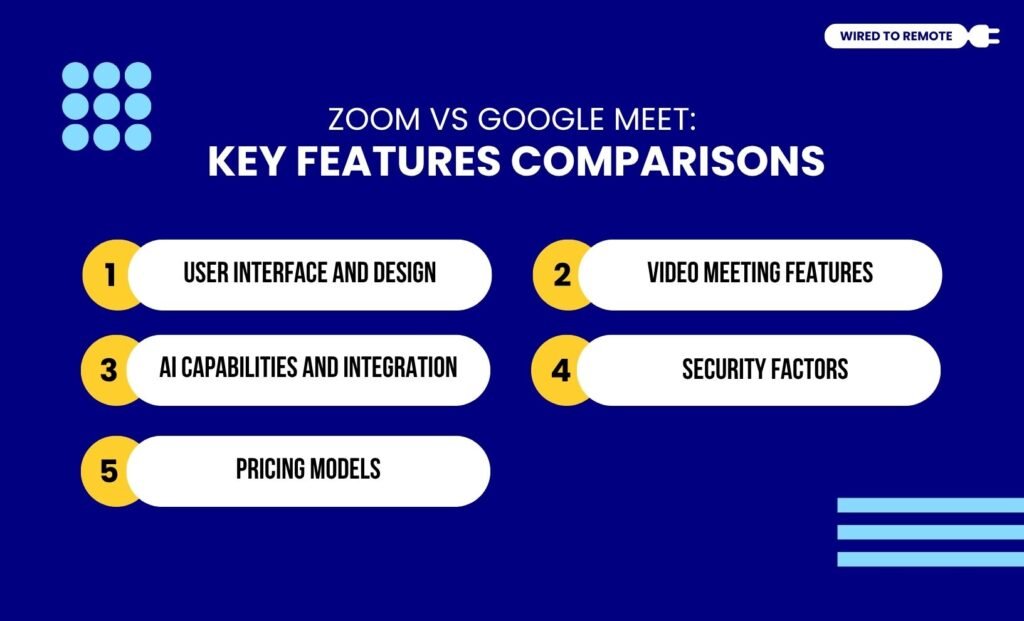
1. User Interface
There is a massive difference between the user interfaces of Google Meet and Zoom. One is straightforward, while the other is complex.
As built within the Google ecosystem, Google Meet provides a more minimalistic user interface. So, understanding the exact needs of most users, Google Meet is designed as a simple web-based conferencing tool.
But, contrarily, Zoom has a complex user interface, stuffed with diverse features and advanced settings. Moreover, it includes both an app and a web-based version. Making navigation difficult for beginners.
From a hardware perspective, Google Meet’s web-native build runs seamlessly on lower-spec laptops and unstable Wi-Fi networks.
Zoom’s desktop client is more resource-heavy and requires a stable, high-bandwidth connection to maintain its advanced HD video quality.
2. Video Meeting Features
Contrary to the most common perception about these tools, they actually have different features. So, you cannot understand them without comparing them.
· Allotted Meeting Time
Comparatively, Google Meet comes with a generous meeting time under its free plan. That is, users get up to 60 minutes of group calls and unlimited one-on-one meetings.
But Zoom offers only 40 minutes of free video calls for both kinds of meetings. So, users might need to end and restart another meeting if they need more time.
According to the report from MeetGeek on Meet vs Zoom—
If you’re just hopping on a call with 3 people, Zoom’s feature set might be overkill. Google Meet gets the job done without all the clutter, even for free meetings
· Number Of Participants Allowed
Now, both tools allow a different number of participants for different subscription plans.
So, for Google Meet, the Free and Business Starter plans allow around 100 participants can join a call.
And, with the Business Standard and Plus models, 150 to 500 participants can join.
Google Meet allows 100 participants on the Starter plan and 150 on the Standard plan. Zoom allows 100 on the Pro plan and scales up to 300 on the Business plan, offering higher capacity at the mid-tier level.
· Video Call Backgrounds
Both tools provide HD video backgrounds with customization options. But Zoom’s customization settings stand out more than Google Meet’s features.
Moreover, Zoom offers customizations like blur background, lighting enhancements, and even touch-up filters. So, against these advanced settings, Meet’s customization seems basic.
· Chat Features
In addition to this, the chat features for meetings differ between the tools. That is, Meet’s chat box can be used only during the meeting duration, and it is recorded along with the meeting.
But, contrarily, Zoom has advanced chat features. It literally allows users to send private texts to other participants in the meeting.
Also, the chatting feature works before, during, and after the meetings smoothly. So, naturally, Zoom is preferred for large-scale webinars and online events over Google Meet.
According to the Reddit user’s comment on the chat system of Zoom—
A chat system that lets you share files instantly. File sharing during a session would otherwise require emails (which often filter out certain file types) or a Google Drive, which students may not know how to use.
· Screen Sharing
Even with screen sharing, both tools have different sets of features. For instance, Google Meet has basic screen sharing settings with the option to switch between Tab sharing and Window sharing.
But Zoom’s screen sharing comes with anadvanced set of settings and customization capabilities. That is, it allows users to use a second camera, share other apps, use whiteboards, and more.
As the Reddit comment highlights the best part of Zoom’s screen sharing—
The two features I prefer for Zoom are recording of sessions locally and the ability to annotate on a student’s shared screen. I do not know of another program which allows the latter.
Zoom’s live annotation feature is an essential tool for remote IT troubleshooting and design collaboration. This allows one team member to virtually draw on another’s screen to resolve issues faster.
3. AI Capabilities And Integration
As a simple platform, it is harder for Google Meet to integrate diverse apps and software. But it allows over 200 integrations with third-party and native Google tools.
On the other hand, Zoom offers massive integration capabilities. Within its advanced interface, users can integrate around 3,000 third-party apps — productivity tools, time management software, and project management tools.
In addition to this, both come with built-in AI assistants. For Google, it’s Gemini, and for Zoom, it’s AI Companion. And, these AI models offer different kinds of features.
For instance, Gemini helps with automation of the meeting recaps, generates images, enhances audio and video quality, and over 60 languages meeting translations.
While Google forces you to buy an add-on subscription for Gemini, Zoom includes its AI Companion at no extra cost in all paid tiers, saving businesses significant software spend.
But AI Companion is designed with more advanced capabilities. That is, it single-handedly offers—
- Meeting recap automation
- Whiteboard idea brainstorming
- Email and chat composition
- Task extraction
- Multi-speaker view.
So, naturally, Zoom’s meeting features top those of Google Meet’s. And that’s one of the reasons it is preferred for large-scale meetings.
According to MeetGeek’s report on the AI features of both the tools—
Google’s Gemini AI sounds impressive on paper: meeting notes, summaries, translations. But it costs $19.99/month and still lacks Zoom’s built-in functionality. Zoom’s AI Companion gives you recaps, action items, and smart prompts, all included in paid plans. No contest.
4. Security Factors
Generally, both tools take security very seriously. Offering strong security models to encrypt the meetings and secure data transfers.
Mostly, Google Meet offers the default security system of Google with two-factor authentication and end-to-end encryption. Making meetings secure and safe.
But Zoom’s end-to-end encryption is completely optional. So, users need to opt for it to use it for specific meetings.
Moreover, after the incidents of Zoom Bombing, it has addressed the security gaps with efficient systems. Now, both tools offer more or less similar security for meetings.
For industries handling sensitive data, Google Meet is inherently compliant with GDPR and HIPAA straight out of the box.
Zoom can be made HIPAA compliant, but it requires an administrator to manually enable End-to-End Encryption (E2EE), which disables cloud recording
5. Pricing Models
As semi-paid platforms, Google Meet and Zoom have their own set of pricing models offering different features. So, here is a breakdown of their pricing options.
- Zoom
| Pricing Plan | Monthly Price | Features |
|---|---|---|
| Free | $0 | Basic features and 100 participants. |
| Workspace Pro | $15.99 | Advanced features and 100 participants. |
| Business | $21.99 | Advanced features and 300 participants. |
| Business Plus | $26.99 | Advanced features, AI assistance, and 300 participants. |
| Enterprise | Custom | Customized features and 1,000 participants. |
- Google Meet
| Pricing Plan | Monthly Price | Features |
|---|---|---|
| Free | $0 | Basic features and 100 participants. |
| Business Starter | $6 | Advanced features and 100 participants. |
| Business Standard | $12 | Advanced features, Google Workspaces, and 150 participants. |
| Plus | $18 | Advanced features, AI assistance, and 500 participants. |
| Enterprise | Custom | Customized features and 1,000 participants. |
Zoom vs Google Meet: Pros And Cons Of Each Tool
Even though both Zoom and Google Meet dissolve the communication concerns among teams located at diverse locations, they both have their own set of challenges.
So, here is a comprehensive breakdown of the pros and cons of each.
- Zoom
| Pros | Cons |
|---|---|
| 1. Offers advanced video meeting features with AI-driven summaries. | 1. Free plans have a short meeting duration. |
| 2. Has high scalability potential with a diverse range of features. | 2. Requires an app download for holding the meeting. |
| 3. Allows users to integrate complex apps and tools seamlessly. | 3. Issues with the security of calls. |
- Google Meet
| Pros | Cons |
|---|---|
| 1. Comes with a simple and intuitive user interface for easy navigation. | 1. Lack of advanced features. |
| 2. Provides strong security for conducting calls with sensitive information. | 2. Limited integration capabilities with third-party apps and tools. |
| 3. Offers a generous amount of call duration time under the free plan. | 3. Limitations with meeting recordings under the free plan. |
Tips To Maximize Remote Productivity With Video Meet Tools
Having the tools is not enough. Rather, you need to know when and how to use them to maximize your remote team’s productivity. So, here are some tips—
- Personalizing Zoom’s AI Companion to automate the meeting recaps, tasks, and summaries for efficiency.
- Using Google Meet’s accurate meeting recordings and real-time captioning for diverse-membered team meetings.
- Integrating both the tools to use them for their specific specialty.
So, if you are still caught up in the dilemma of Zoom vs Google Meet, you can easily choose the right one based on MeetGeek’s suggestion—
Google Meet is fast, clean, and perfect for people who just want to meet and move on. Zoom gives you control, but it’s bloated for small teams. Here’s how to pick the right one: Choose Google Meet if you’re already using Google Workspace. Pick Zoom for large meetings, webinars, and deep customization options.
So, what’s the wait for? Get started with one of these video conferencing tools and watch the work productivity skyrocket today!
The Final Verdict: When To Choose Which?
Choose Google Meet if: Your company is already paying for Google Workspace, you frequently invite external clients who hate downloading apps, or you are on a tight budget.
Choose Zoom if: You regularly host large-scale webinars, need your team to control screens remotely for technical work, or want a robust AI meeting summarizer included for free.



Leave A Comment