
Even though remote work is flexible, the workload is not small. And handling multiple projects in a remote setup means missing important deadlines and forgetting priority tasks.
That is why most remote employees rely on some sort of task management app to sort out their day-to-day work. Keeping their workload organized and meeting deadlines effortlessly.
But not all task management app gets the job done. Either some are slow or lack essential features to manage remote tasks.
So, out of the many software, Todoist and Microsoft To-Do are constantly striving for the top 1 position. But the real question is— “Which one to choose between them?”
As a remote worker who has spent four years working in different time zones, I spent six months managing daily team sprints exclusively in Todoist.
Another full year of handling cross-departmental tasks in Microsoft To-Do.
So, here I am, ready to share my firsthand breakdown of how they actually perform when your workload piles up.
Well, no need to worry, your remote buddy has got your back.
In this article, I am going to delve into the Todoist vs Microsoft To-Do dilemma by explicating—
- Difference in their core functionalities,
- User reviews and expert opinions,
- How to choose between them, and more.
So, come dive right in!
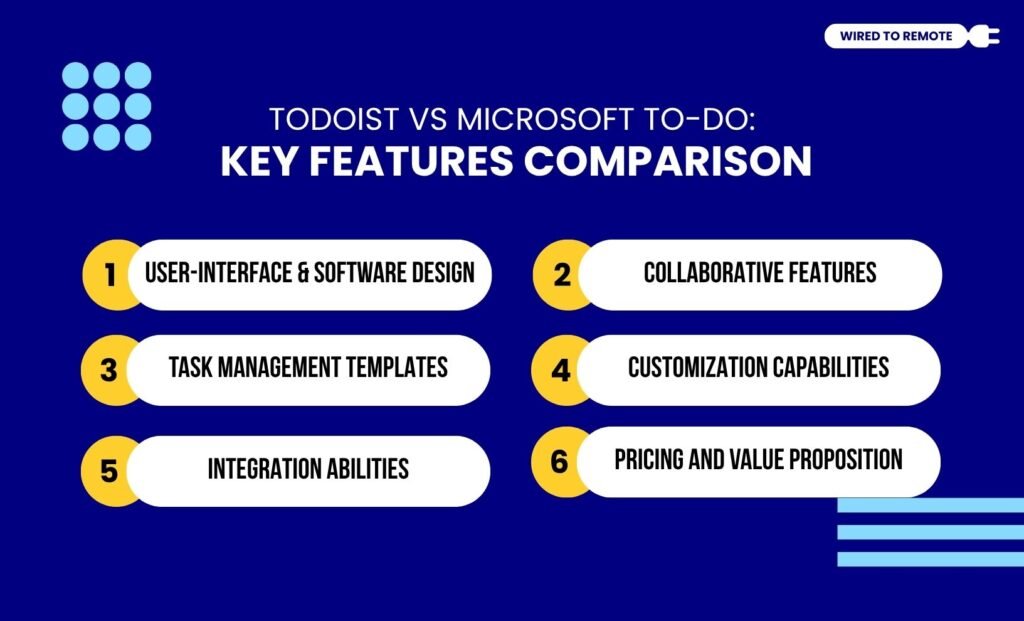
Todoist vs Microsoft To-Do: Key Features Comparison
Before diving into the core comparison between these two, it is vital to know what exactly these tools are used for.
First things first, both Todoist and Microsoft To-do are powerful task management apps that offer dynamic features to organize work, meet deadlines, and set priorities.
Moreover, both tools provide a comprehensive set of unique features for handling complex projects in a remote work culture. So, naturally, they are hyped in the corporate world.
Although they belong to the same category of apps, they are not the same. So, here is a clear breakdown of the differences in their key features.
1. User-Interface And Software Design
Todoist comes with a feature-rich and highly customizable interface. That is, it offers filters, Kanban board themes, and intricate template layouts.
So users can easily modify its features to meet the project’s needs.
Unlike Todoist, Microsoft To-Do has a simpler, more intuitive design. This makes users navigate the platform without feeling cluttered by options.
So they can choose minimalist designs to manage tasks effortlessly.
The real interface killer feature for Todoist is its smart text recognition.
If you type ‘Review marketing pitch every Tuesday at 4 PM #Urgent’, Todoist automatically creates a recurring task and schedules it for the correct time.
It further files it under your Urgent project folder without you clicking a single sub-menu.
Why Do Remote Teams Need A To-Do App?
Unlike on-site teams, remote teams find it harder to manage tasks and meet multiple project deadlines.
So, having a To-Do app can help them organize tasks, set priorities, and meet important project deadlines on time.
2. Collaborative Features
Given that collaboration is a major aspect of remote work, both apps offer robust collaboration features.
For instance, Todoist offers advanced, flexible features for smooth collaboration—file sharing, productivity tracking, customizable views, and task sharing. So employees can easily manage complex team workflows.
Conversely, Microsoft To-Do provides a simpler task- or project-sharing feature for collaboration.
Moreover, it is strongly integrated within the Microsoft 365 ecosystem. So, users outside the ecosystem cannot collaborate on the task management.
Specifically, you cannot share Microsoft To-Do lists with users holding personal Outlook accounts if you are on a corporate Microsoft 365 business tier.
This creates a hard wall if you frequently collaborate with external freelancers or clients who operate outside your organization’s tenant.
3. Task Management Templates
As an advanced platform, Todoist offers a wide variety of Kanban boards for task management.
So, users can choose their list boards from a diverse range of customizable templates.
But Microsoft To-Do comes with simple task listing templates. That is, it provides employees with a digital planner to list tasks. So, they do not get various creative templates.
4. Customization Capabilities
One of the core features of Todoist is its high level of customization. That is, users can use filters, labels, themes, and even gestures on each Kanban board to meet the diverse requirements of multiple projects.
On the other hand, Microsoft To-do offers limited customization capabilities. So users can customize their task lists with basic personalization features, custom backgrounds, themes, and list types.
5. Integration Abilities
Todoist offers a built-in gamification engine called Todoist Karma. It further tracks your daily and weekly activities, such as:
- task-completion streaks,
- awards points,
- visualizes your productivity trends with clean charts.
Microsoft To-Do offers no reporting or analytics tools whatsoever.
Once a task is checked off in Microsoft, it simply disappears from your completed list without providing any data-driven feedback on your work habits.
6. Pricing And Value Proposition
Since Todoist isn’t part of an ecosystem like Microsoft To-Do, it allows users to seamlessly integrate with major productivity, time management, and project management tools.
So, they can easily integrate third-party tools to improve efficiency.
For example, Todoist features native, two-way syncing with Google Calendar, Slack, and Toggl Track.
So, this means checking a task off inside a Slack channel instantly archives it in your central project dashboard without manual switching.
Unlike Todoist, Microsoft To-Do is part of the Microsoft 365 ecosystem. So, it naturally allows the integration of the native tools within the ecosystem.
But users face difficulties integrating third-party tools with Microsoft To-Do.
Can I Use Todoist Or Microsoft To Do Offline?
Yes. Both Todoist and Microsoft To-Do can be used even when you are offline. But only the basic features of the apps can be used offline. So users can add, view, and edit tasks on them without an internet connection.
7. Automation And AI Ecosystem
When it comes to advanced automation, Todoist integrates easily with platforms like Zapier and Make.
This allows you to automatically trigger actions across 80+ external apps. Whereas, Microsoft To-Do relies heavily on Microsoft Power Automate.
While Power Automate is incredibly powerful for moving data between Teams and Outlook, it features very limited out-of-the-box automation triggers for non-Microsoft software.
8. Pricing And Value Proposition
Microsoft To-Do offers a completely free platform to all Microsoft users. So, there is no requirement for any premium plan or subscription payment to access the app.
But Todoist is a semi-paid platform. That is, it offers both free and paid plans—
- Free — $0 per month — Limited features and up to 5 active task management boards. Limited to 5 active projects and lacks automated task reminders (a major drawback for forgetful remote workers).
- Pro Plan — $4 per month — Access to advanced features and basic customization capabilities for individual use.
- Business Plan — $6 per month — Comprehensive features and advanced elements for team collaboration, centralized billing, and task management.
What Are The Alternatives To Todoist?
Some of the major alternatives to Todoist include—
- Tick Tick
- Amplenote
- Any.do
- Trello
- Asana
- Monday
- Notion.
Todoist vs Microsoft To-Do: Which Is A Scalable Option?
Even though both Todoist and Microsoft To-Do are scalable options, one has a superior hand over the other. That is, Todoist comes with advanced features and high customization capabilities, so it is a more scalable tool than Microsoft To-Do.
Moreover, Todoist helps in managing multiple projects with customized Kanban boards. So, as the remote firms grow, they can expand their project management and task organization within the same platform.
Since there is a growing dilemma between the two tools, users give their honest feedback and reviews on Reddit.
According to the Reddit user’s comment—
I keep rotating between them, but my preference is Todoist. The natural language and recurring tasks options are the big pull.
Another Reddit user compares these two tools—
MS To Do is easier to use but lacks a lot of features. I think it’s good enough for most users, but it’s no competitor to Todoist (the paid version).
In addition to this, Tool Finder reports—
While Microsoft To-Do is a solid choice for essential task management, especially if you’re within the Microsoft ecosystem, Todoist’s broader and deeper feature set makes it a more powerful tool for those who need more flexibility and advanced task management options.
Moreover, one of the Reddit users compares both the tools and comments—
I wished to switch to Microsoft To Do because it’s free, but unfortunately for me, it’s not as handy as Todoist. Returned to my Todoist, it’s much faster to add new tasks here and my workflow is better.
Todoist vs Microsoft To-Do: How To Choose Between Them?
Todoist and Microsoft To-Do are both efficient tools. But using the wrong tool can adversely affect your work efficiency. So, here’s how to choose the right one—
- If you are already using the Microsoft 365 cosysyem, then using the Microsoft To-Do is a cost-effective option.
- But if you need a more advanced, feature-rich tool for task management, then Todoist is a better choice.
So, based on your needs, you can choose between the two tools. Now, with this comprehensive comparison guide, you can decide which one better fits your needs.
- Choose Microsoft To-Do if you work solo, use Outlook, and Excel daily. You can also use it if you want a simple “My Day” digital planner and refuse to pay a monthly subscription.
- Choose Todoist if you manage complex multi-step workflows and collaborate heavily with external freelancers. Moreover, it requires automated reminders and advanced calendar syncing.
So, go ahead and get organized in your remote setup by picking the right tool — Todoist or Microsoft To-Do — today!
The Catch: Both Tools Expect You to Be a Robot
Whether you pick Todoist’s complex filtering or Microsoft’s simple daily planner, both tools can share the same exact flaw.
Yes, they only track deadlines, not human capability. They expect you to manage your own focus and manage energy levels manually.
If you frequently find yourself staring at an overwhelming list of high-priority tasks when you are completely exhausted, you may start to feel like the standard to-do lists are not enough.
That is where a smart system like Focuzed.io changes the game.
It uses energy-aware scheduling to plan your workday around your actual cognitive capacity, instead of just listing tasks.
This is what matches deep creative tasks to your peak hours and administrative chores to your low-energy slumps.
Moreover, it also provides a distraction-free Focus Mode and built-in Pomodoro timers so you don’t have to string together three different third-party apps just to get work done.



Leave A Comment