
As soon as OpenAI launched ChatGPT in 2022, the entire world delved into the paradigm of artificial intelligence. Testing out the capabilities of an AI assistant.
But the actual kick-off battle began with the launch of Anthropic’s Claude. Now, users have begun to compare both AI tools to find the best one.
So, the focus has shifted from singularly testing each tool to the head-to-head task comparison.
This has led to confusion among remote workers, making them spiral down the question — “Which AI assistant is more suitable for remote work?”
Well, no need to look any further, your remote buddy’s got you covered.
In this ChatGPT vs Claude blog, I am going to delve into the diverse aspects of both the AI tools by exploring their—
- Need in a remote setup,
- Key features comparison,
- Pros and cons, and more.
So, come dive right in!
ChatGPT vs Claude: Why Remote Teams Need AI Assistants?
First things first, both ChatGPT and Claude are generative AI chatbots that are designed to follow the prompts and generate results instantly from countless internet resources.
Now, OpenAI’s ChatGPT is developed to handle specialized requests from users. That is, it can provide mostly accurate answers to user queries in a conversational tone.
So, remote workers can easily resolve issues and gather information from millions of internet resources in a jiffy.
But Claude is designed with consideration of the human intent and sophisticated storytelling capabilities. That is, it provides answers to prompts and user queries in a natural tone, sounding more human-like than other AI models.
So, remote employees can use Claude to get insightful reports from complex data analysis, critical thinking, and simplified tech interactions.
ChatGPT vs Claude: Key Features Comparison
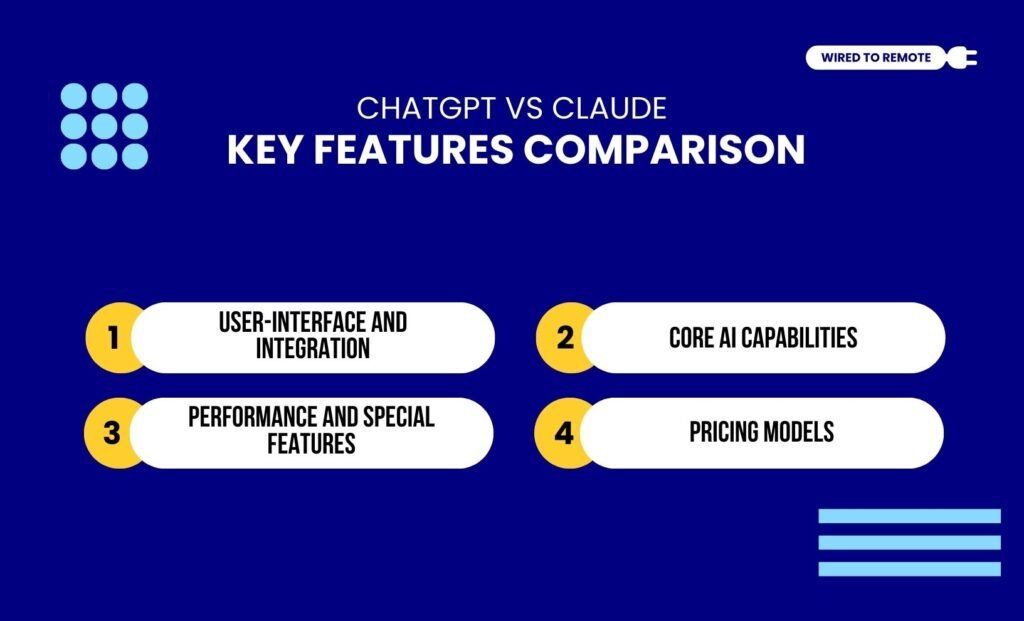
Even though both are AI assistants, they are not the same. That is, they share countless dissimilarities, making them different from each other. So, here are the key differences between the two.
1. User-Interface And Integration
Firstly, not everyone is tech-savvy enough to comprehend the complexities of artificial technology. So, both tools offer a simple and user-friendly interface.
For instance, ChatGPT’s design allows users to seamlessly integrate it within other tools and cross-platform devices.
Moreover, it offers access to the entire GPT ecosystem. Allowing users to utilize the diverse multi-modal features from any device.
On the other hand, Claude’s interface is simple but detailed at the same time. That is, it allows users to indulge in deep, structured, and logically reasoned prompt processing.
As the report from Zapier highlights— “Since Claude has a relatively focused set of features, its interface is especially minimalist: a prompt box, dropdowns to select your AI model and writing style, and the option to attach files and images. ChatGPT’s experience isn’t much different, though with its larger selection of features, there’s a bit more to navigate through.”
2. Core AI Capabilities
As AI assistants, both tools offer advanced AI-powered features to generate results from simple text-based prompts.
That is, ChatGPT allows users to generate texts, images, videos, and other forms of media with its multi-modal features. So, users can create diverse media from simple prompts.
But Claude’s AI capabilities are a little bit different compared to ChatGPT. That is, it is more suited for generating natural-tone writings and complex coding projects.
As the report from Zapier highlights— “Claude Sonnet 4 sounds more natural than GPT-4o, which—while it’s an improvement over GPT-4—still tends to feel more generic.”
Moreover, it lacks the multi-modal features. So, it cannot generate images or videos from the prompts.
In addition to this, Claude has access to a large context window. Making it suitable for contextualising the complex coding and debugging the issues.
As the report from Zapier highlights— “Claude comes with a feature that intrigued me enough to try coding as a beginner. It’s called Artifacts, and it brings up a preview window so you can see the results of your code in real time. You can also use Artifacts for things besides code, like diagrams, documents, and interactive charts. Based on reviews from programmers, the consensus is that GPT-4o—while powerful—still lags behind Claude Sonnet 4.”
3. Performance And Special Features
In comparison, Claude is more focused on providing safe and accurate responses for prompts.
Moreover, it provides the source links for the information gathered. So, users can check the reliability and credibility of it before completely trusting it.
But, on the other hand, ChatGPT allows users to build their own AI chatbots by personalizing the tool with instructions. So, users can tweak the settings to custom-build their own models.
In addition to this, it offers advanced voice search options for users to relay their instructions in voice notes. That is, it can also follow voice-based prompts.
Moreover, what makes ChatGPT truly remarkable is its ability to act like a human assistant. That is, it provides an advanced voice assistant for users to answer queries instantly, set reminders, and streamline their workflow.
4. Pricing Models
Finally, both Claude and ChatGPT are semi-paid models. That is, they offer both free and paid plans in diverse tiers. So, their pricing models include—
- ChatGPT
| Plan | Pricing | Features |
|---|---|---|
| Free | $0 | Basic AI generative features for handling simple prompts. |
| Plus | $20 per month | Allows users to generate diverse results from various kinds of creative prompts. |
| Pro | $200 per month | Provides access to the entire GPT ecosystem with a vast array of AI-powered features. |
| Team | $30 per month per user | Allows the team members to collaborate and manage the workflow with shared custom GPTs. |
| API Integration | $0.15 – $0.60 (GPT-4o mini)$2.50 – $10 (GPT-4o)$3 – $12 (GPT-o1 mini)$15 – $60 (GPT-o1) | 1M tokens input and 1M tokens output. |
- Claude
| Plan | Pricing | Features |
|---|---|---|
| Free | $0 | Basic AI generative features for handling common prompts. |
| Pro | $20 per month | Allows users to generate complex responses and coding projects. |
| Team | $30 per month | Provides team members to collaboratively use the AI features. |
| API Integration | $0.80 – $4 (Claude 3.5 Haiku)$3 – $15 (Claude Sonnet 4)$15 – $75 (Claude Opus 4) | 1M token input and 1M token output for each type of model. |
ChatGPT vs Claude: Pros And Cons Of Each Tool
Although both ChatGPT and Claude are AI assistants, they share different sets of benefits and challenges. So, here is a clear breakdown of the pros and cons of each tool—
- ChatGPT
| Pros | Cons |
|---|---|
| 1. Offers a versatile AI assistant for handling all kinds of creative generative projects. | 1. Less suitable for sophisticated large projects. |
| 2. Provides quick results for prompts in a structured and versatile style. | 2. Has a limited context window. |
| 3. Supports the entire GPT ecosystem, allowing users to find other specialized tools. | 3. Cannot perform deep analytical tasks. |
- Claude
| Pros | Cons |
|---|---|
| 1. Handles complex and large codebases due to access to large context windows. | 1. Slow generating process. |
| 2. Offers a sophisticated and natural tone to the generated tasks with nuanced reasoning and human-like resonance. | 2. Lacks the built-in multi-modal features for image or video generation. |
| 3. Provides accurate and detailed analysis of in-depth data structures. | 3. Less flexible for quick tasks. |
Tips To Choose The Right AI Assistant For Remote Teams
Having the AI assistants is not enough. Rather, knowing which one is suitable for which remote team is the key to employing them. So, here are some tips to choose the right one for your remote team—
- If you are working in the creative marketing industry, Claude can help in brainstorming and creating natural-tone content.
- Moreover, if you are working with graphic design, ChatGPT’s image and video generation can be your best assistant.
- But if your team is in the IT industry, handling complex coding projects, it is better to employ Claude in the workspace.
- Finally, if you are part of an enterprise or large organization, investing in the GPT ecosystem is more beneficial to manage the entire workflow.
Now, choosing between the two AI models completely depends on your needs. So, just set one up and watch the AI manage the complexities to simplify your remote work management easily.
FAQs
Here are some of the common questions around the debate ChatGPT vs Claude that most users look for.
Even though both are AI assistants, they come with different strengths and weaknesses. Moreover, their core capabilities differ based on the task they are performing. So, it is nearly impossible for each tool to replace the other entirely. Additionally, ChatGPT is designed as a generative tool for creating diverse tasks, whereas Claude excels in processing data for analysis and safety tasks.
As AI assistants, both Claude and ChatGPT generate write-ups on diverse topics. But they do not offer the same type of writing. That is, ChatGPT offers versatile and quick writing on creative prompts. But Claude offers more natural-sounding write-ups in long-form writing with detailed topic exploration. So, based on your needs, you can choose either the versatile one or the detailed exploring one.
Between the two, Claude is more suited to handle complex coding and understanding the large codebases. Since Claude has access to a large context window, it can provide insightful context-based analysis, preview complex codes, and directly run the program in chat. But ChatGPT is suited for quick coding due to its IDE integrations. So, if you are handling complex or large coding projects, Claude is a more suitable option.
Given that ChatGPT is designed as an AI-powered generative tool, it is more suited for handling image or video generation. Moreover, it has natively integrated DALL-E or the GPT-4o model that effortlessly generates images from prompts. But Claude is not designed with image or video generation models. So, it cannot generate accurate images or videos based on the prompts from users.


Leave A Comment