
Since remote work primarily operates in the digital space, securing access to sensitive data files is vital. And, a strong password following the standards is not really enough.
That’s where two-factor authentication (2FA) comes into play.
It basically provides the second layer of protection to the users’ account access. So, even if the hackers crack the password, they will need the authentication code to access the sensitive information on the file.
That is, 2FA tools provide a unique string of codes that acts as a key to unlock the data or files. Making it impossible for hackers to instantly access the information.
Now, among the countless digital authenticator tools available on the market, Google Authenticator and Authy are bagging the spotlight.
With their immense compatibility with diverse OS and secure unique codes, they help protect the user accounts from digital threats.
But the real question is — “Which one is better for remote workers?” Well, no need to look any further, your remote buddy’s here to save the day.
In this Google Authenticator vs Authy blog, I am going to delve into the diverse aspects of both tools, focusing on—
- Their key features comparison,
- Pros and cons of each tool,
- Tips to choose the right one for remote teams, and more.
So, come dive right in!
Google Authenticator vs Authy: Platform Positioning
To explain simply, both Google Authenticator and Authy are two-factor authenticator apps that protect the user accounts with a unique set of codes.
That is, instead of sending the access codes via SMS, the app generates them. So, the users with the phone are the only ones who can access the codes.
Now, Google Authenticator is primarily preferred for its simple interface and HOTP/ TOTP codes that are not bound to specific timeframes.
That is, it generates OTPs that are either event-based or time-based.
Contrarily, Authy is preferred for its multi-device sync features and backup options. That is, it allows users to keep a backup of the codes generated by syncing with multiple devices.
So, even if one device stops, users can access the codes through another one.
Google Authenticator vs Authy: Key Features Comparison
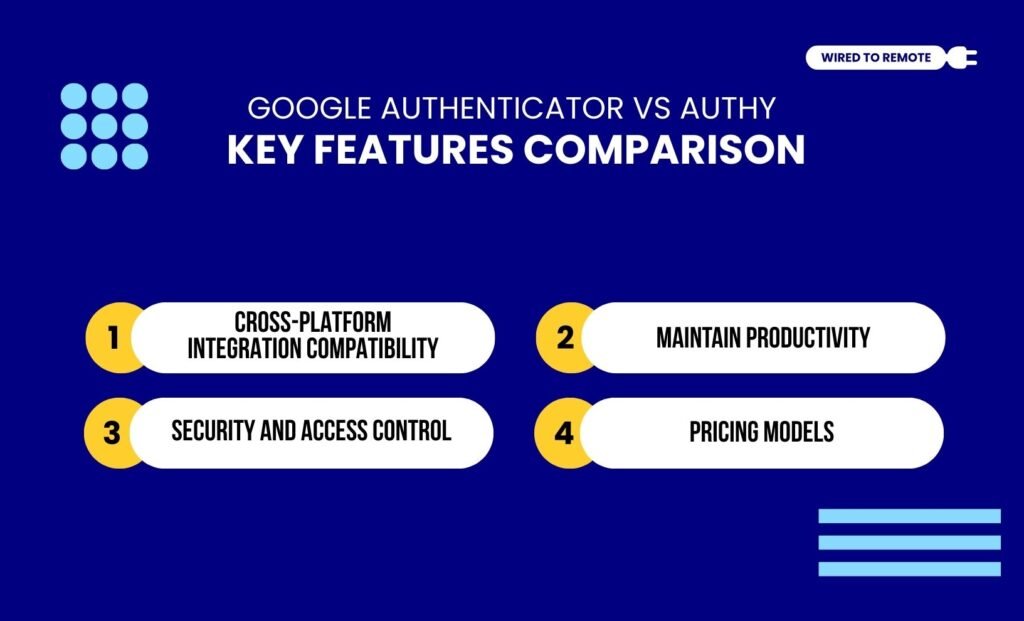
Even though both tools provide 2FA codes, they share many dissimilarities. So, here are the key differences between the two platforms.
1. Cross-Platform Integration Compatibility
Firstly, Google Authenticator is a top choice for remote workers for its broad compatibility with cross-platform OS. That is, it readily functions with Android, iOS, macOS, and Linux.
Moreover, it comes with a simple interface and a user-friendly design. So, users don’t necessarily need to be tech-savvy to use the tool for a second layer of protection.
On the other hand, Authy is compatible with most device OS. In addition to this, it allows users to sync the app across multiple devices. So, it can automatically sync the data for the users.
2. Backup And Multi-Device Sync
In comparison, Authy provides better backup options and multi-device syncs. That is, it offers data encryption for securing backups, so only the users can access their data.
Moreover, it allows users to sync the tool across diverse devices. So, they can access the data even when one of the devices fails.
As the report from TechRepublic highlights— “Authy allows you to back up data and syncs your two-factor authentication account tokens across numerous devices. The backup feature of the app, which is one of its most important features, supports the encryption and recovery of backed-up accounts from their server. As long as you enable the multi-device feature in the Authy authenticator app, there is no fear about getting back your Authy tokens, even when you lose your device.”
But, on the other hand, Google Authenticator doesn’t allow multi-device syncs or cloud backups. So, users need to manually transfer the data from one device to another.
3. Security And Access Control
Unlike tech-savvy tools, Google Authenticator is a simpler 2FA tool. Enabling all kinds of users to use an extra layer of protection for their account access.
So, it offers limited security and app-lock features to users. Generally, it provides authentication codes with no backups or other security measures.
But Authy is different. That is, it comes with a PIN or biometric app lock system. So, users can limit access to their accounts from unauthorized access.
According to the TechRepublic report— “This ensures that anyone without your Authy password or pin will not have access to the tokens generated from the app. Authy also encrypts all backups, ensuring your data is safe from hackers.”
4. Pricing Models
Finally, both Google Authenticator and Authy offer free app models for individual use. But Authy, being a part of Twilio, provides API services for businesses.
And, for the API model, it charges custom pricing based on the needs of the business or developers. So, based on their needs, users can choose between the free and paid versions of Authy.
Google Authenticator vs Authy: Pros And Cons Of Each Tool
Since both tools are two-factor authenticators, they come with their own sets of benefits and challenges. So, here is a clear breakdown of the pros and cons of each tool.
- Google Authenticator
| Pros | Cons |
|---|---|
| 1. Offers a simple and user-friendly interface design. | 1. Lack of advanced security features. |
| 2. Supports offline working without an internet connection. | 2. No backup or multi-device sync options. |
| 3. Provides wide adoption with the Google suite apps and devices. | 3. Requires manual transfer of data. |
| 4. Only offers TOTP with no push notification access. |
- Authy
| Pros | Cons |
|---|---|
| 1. Offers backup options and multi-device syncs to restore data from any device. | 1. Desktop version is discontinued. |
| 2. Supports most leading device OS. | 2. Might be complex for beginners. |
| 3. Provides immense security with PIN and biometric app access to reduce unauthorized access. | |
| 4. Allows users to both generate OTPs and push notifications for access controls. |
Tips To Choose The Right Authenticator Between Google Authenticator And Authy
Now, simply having either Google Authenticator or Authy is not enough. Rather, knowing which one is more beneficial for your remote team is the key.
So, here are some tips to choose the right authenticator between the two—
- If you need a basic 2FA tool for managing individual accounts, then choosing Google Authenticator is a better option.
- Moreover, if you are working with a small remote team, using Authy’s free service can provide more security at no cost.
- But if you are working with a large organization, where syncing data can be problematic, Google Authenticator is your best buddy.
Now, based on your needs and team requirements, you can choose the right 2FA tool for your remote teams. Securing access to accounts with an extra layer of protection.
So, if you haven’t really tried these tools, it’s your sign to choose one and protect your account access the right way.
FAQs
Here are some questions around the two-factor authenticators — Google Authenticator and Authy — that most users look for.
Yes, absolutely. Since neither Google Authenticator nor Authy depends on the other tool, switching between the two is quite easy. That is, the users just need to disable the two-factor authentication (2FA) on the existing tool and re-enable it on the new tool. So, by simply aligning the account’s security settings, users can switch from one to the other effortlessly.
Neither Google Authenticator nor Authy is designed for desktop. So, it might not work well on desktop devices. Even though previously, they had desktop apps for Windows, macOS, and Linux, they have been discontinued since March 19, 2024. So, now it offers apps for both Android and iOS mobile devices.
If you lose your phone with Google Authenticator or Authy installed, you might lose access to the 2FA codes for your accounts. Now, if you have kept a backup prepared, you can manually transfer the codes or use alternative 2FA methods to restore those accounts. That is, if you have Google Authenticator, you need to recover your account to regain access. But if you have Authy, it is better to enable multi-device code generation. So, when you lose your phone, you can still access it from the other devices.



Leave A Comment