
Working remotely means storing and accessing data online. And, for that, a cloud data storage system is absolutely vital.
That is, with its multi-device accessibility, massive storage space, and dynamic collaborative capabilities, remote teams can store, organize, and share files without breaking a sweat.
Moreover, it comes with a data syncing feature. That is, users can access the synced data from all devices, irrespective of their local storage. Making a centralized system for data management.
Among the countless tools available online, Google Drive and Dropbox are the most popular choices of internet users.
Be it an individual or a remote team, these tools can help them securely store and share their files without breaking a sweat. But the real question is — “Which one is a better remote-fit?”
Well, that’s what I am going to debunk today. In this Dropbox vs Google Drive blog, I am going to discuss the various aspects of both tools by comparing their—
- Speed and sync performance,
- Data security and storage capacity,
- Pros and cons of each tool, and more.
So, come dive right in!
Dropbox vs Google Drive: Key Features Comparison
First things first, both Google Drive and Dropbox are cloud-based data storage systems. That is, they provide data storage, organizing, and sharing features within a single platform.
For instance, Dropbox is a major file-hosting platform. So, it primarily focuses on syncing all data files across multiple devices and enabling collaboration.
On the other hand, Google Drive is a file-storage system. So, its priority is to securely store the data and allow users to access it from other devices.
Although both have similar purposes, they share many dissimilarities. So, some of these differences include—
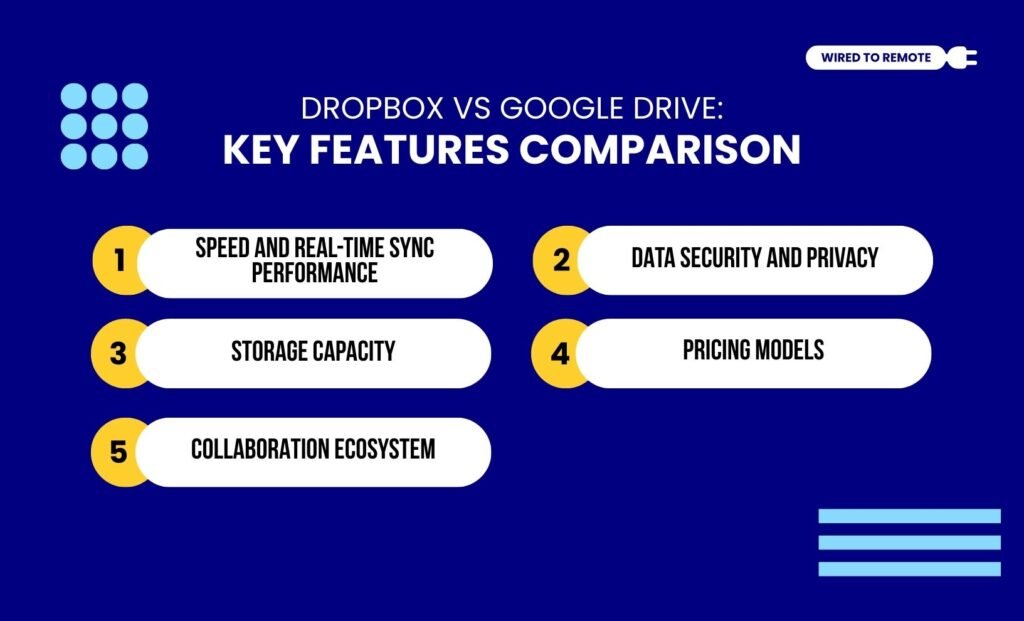
1. Speed And Real-Time Sync Performance
In comparison, Dropbox provides a faster and better syncing performance with large data files. That is, with its unique block-based syncs, it allows users to upload a chunk of data all at once.
On the other hand, Google Drive has a slow syncing capability. Moreover, sometimes, due to glitches, users might need to re-upload large files.
So, naturally, for real-time syncing performance and large file uploads, Dropbox offers a better platform.
As the report from Zapier highlights—
“The lack of block-level file sync and LAN sync makes Google Drive slower, but whether this matters or not for you depends heavily on what you use file storage for.”
2. Data Security And Privacy
Since data privacy and security are one of the major concerns with any online file sharing tools, Google Drive and Dropbox both provide high security models.
For instance, Google Drive employs TLS for secure data transits and AES-256-bit encryption for storing large sets of data files. Moreover, it has multi-factor authentication for securing the accessibility of the data.
On the other hand, Dropbox also uses AES-256 encryption for data storage and data transit.
In addition to this, it creates expirable sharing links and password-protected data sharing to manage accessibility. So, users can safely and securely store or share their data on the online platform.
As the report from Zapier highlights—
“This is another reason why Google takes a slight lead over Dropbox in security: your data is encrypted using two keys instead of one, so an attacker would have to steal both to read your information. This makes it very hard to reveal your data, even if someone had access to it.”
3. Storage Capacity
As a cloud storage, Google Drive offers up to 15 GB of storage space for storing emails, photos, videos, and all kinds of data files. Moreover, this space can be expanded up to 1 TB with its paid plans.
Contrarily, Dropbox has a limited space of 2 GB for storing diverse data files. But the paid plans can extend the space up to 2 TB. Moreover, it easily shares 100 GB of data without losing its syncing speed.
So, naturally, Dropbox is a preferred tool for sharing large files, and Google Drive for storage capacity.
4. Pricing Models
Since both tools are semi-paid in nature, they offer both free and paid plans. So, here are the pricing models of these tools—
- Dropbox
| Plan | Pricing | Features |
|---|---|---|
| Free | $0 | Up to 2 GB of storage and basic sharing features. |
| Individual | $11.99 per month | Around 2 TB of storage and advanced sharing features. |
| Team | $18 per month | Up to 5 TB of storage and advanced sharing features. |
- Google Drive
| Plan | Pricing | Features |
|---|---|---|
| Free | $0 | Up to 15 GB of storage and basic sharing features. |
| Individual | $1.99 per month | Around 100 GB of storage and advanced sharing features. |
| Team | $14 per month | Up to 2 TB of storage and advanced sharing features. |
5. Collaboration Ecosystem
Finally, Google Drive is integrated within the Google ecosystem. So, it massively helps with collaboration through any native Google tools or cross-functional apps.
In addition to this, it allows users to manage access to files and data and allows external collaborators to edit them in real-time. Making collaboration easy peasy.
On the other hand, Dropbox is a flexible model that can be integrated within other ecosystems. So, users can choose a third-party app to integrate and use it for collaboration.
Dropbox vs Google Drive: Pros And Cons Of Each Tool
Even though both Google Drive and Dropbox belong to the same family of cloud storage tools, they have their own set of benefits and challenges.
So, here is a breakdown of each one’s pros and cons—
- Dropbox
| Pros | Cons |
|---|---|
| 1. Offers faster device syncing with block-based data syncs. | 1. Limited features under the free plan. |
| 2. Allows users to securely share files through password-protected access. | 2. Expensive premium plans. |
| 3. Provides strong team collaboration tools and large file-sharing options. | 3. Lacks native integration capabilities. |
- Google Drive
| Pros | Cons |
|---|---|
| 1. Offers a robust cloud storage system under its free plan, covering files shared through Photos, Gmail, and other apps. | 1. Slow syncing for multiple device access. |
| 2. Provides an affordable cloud storage system for both individuals and teams. | 2. Lack of organization in the interface. |
| 3. Allows users to seamlessly integrate into various tools and native apps. | 3. Issues with data privacy. |
Tips To Choose The Right Tool Between Dropbox And Google Drive
Simply having these cloud-based tools is not enough. Knowing which one to use for which data management purpose is the key. So, here are some tips to help you choose the right tool—
- If you need to share large files and sync your data faster, choosing Dropbox is the logical option.
- But if you need to store data and manage it through a collaborative ecosystem, then it’s better to use Google Drive.
- Moreover, for small teams that work on data together, Google Drive can help with its real-time editing feature.
Now, based on your needs, you can choose the right tool. But if you haven’t tried either of these popular storage tools, you need to get them asap! Just upload your files and access them from anywhere, anytime!
FAQs
Here are some of the common questions around the Google Drive and Dropbox dilemma that most users look for.
Yes, absolutely. Migrating from Dropbox to Google Drive and vice versa is quite easy. That is, you can simply drag and drop the small files from one platform to the other to transfer the storage.
Moreover, you can integrate a third-party cloud storage management system to transfer the files from one tool to another smoothly. But if you want to manually transfer the files, you can also download them and then re-upload them to the other platform.
Generally, Dropbox comes with faster syncing and higher storage spaces. Making it a better choice for large video files.
Moreover, it offers up to 100 GB of file transferring system. So, it is much better than Google Drive for managing and sharing large video files efficiently.
If the storage is full for the cloud-based data storage platforms, the key functions and features are suspended.
Moreover, in the case of Google Drive, with full storage, your Google Photos and Gmail are also impacted. So, you might have to pay the premium price to extend the storage space.
Contrarily, in Dropbox, the multi-device syncing is suspended. So, you can no longer access the files from any of your devices. And, paying the premium price will restore the features and storage space.



Leave A Comment