
With each new tool and trendy content idea in the digital landscape, the door to creative remote work opens up.
Making creators and designers start employing their creative ideas and editing skills to create eye-catching images. Now, for this, a high-end image editor is a non-negotiable tool.
And, whenever the image editor word comes up, Photoshop pops up in most users’ minds. But that is not the only trending tool in the market offering advanced editing features.
That is, GIMP is also growing as a hyped image editor. Moreover, it offers an affordable alternative to Photoshop with its feature-rich platform.
So, the real question becomes — “Which one is better for creative remote teams?” Well, that’s what your remote buddy has brought you here today.
In this Photoshop vs GIMP blog, I am going to delve into the diverse aspects of image editing tools by focusing on—
- What each tool offers,
- Key differences between the tools,
- Pros and cons of each tool, and more.
So, come dive right in!
Photoshop vs GIMP — Understanding These Image-Editors
First things first, both Photoshop and GIMP are photo editing tools. That is, they allow users to retouch a photo, alter the image composition, and adjust the visuals on the image.
For instance, Photoshop is a leading image editor launched by Adobe. Offering a wide array of features and editing tools used for photo editing, graphic design, and creating digital art.
Moreover, much of its popularity lies in its advanced set of features — layering, masks, blending modes, CMYK color modes, and pre-edited filters.
On the other hand, GIMP is a free and open-source image editor that offers a broad set of features for photo retouching or adjusting the image composition.
In addition to this, it comes with a stand-out feature — creating transparent backgrounds. Making it an affordable alternative to Photoshop with similar editing features.
Photoshop vs GIMP: Key Features Comparison
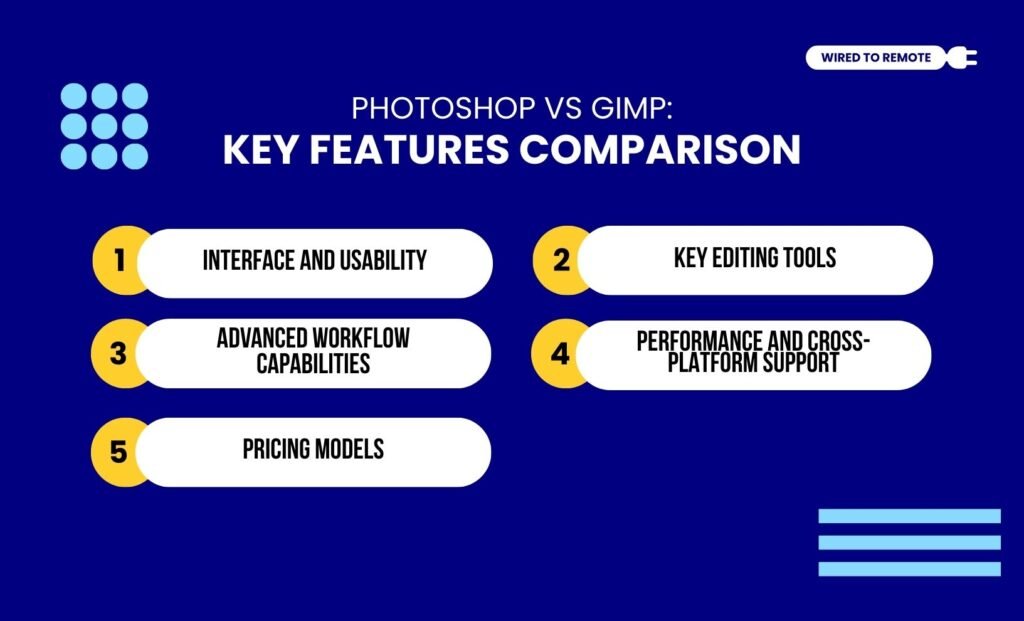
Even though both tools offer similar editing features, they come with some major dissimilarities. So, some of these differences between them include—
1. Interface And Usability
Firstly, Photoshop provides a professional and technically complex image editor with a massive set of advanced features. So, its user interface can feel complicated for beginners.
But, on the other hand, GIMP is a simple tool with a user-friendly interface. Making it easier for users to navigate through its features to use them.
Moreover, it allows users to simultaneously edit a single window or multiple windows with different images. So, speeding up the editing process.
2. Key Editing Tools
Between the two, Photoshop comes with a more polished set of image editing features. That is, it offers layering, automated area selection tools, and vector paths for editing high-quality images.
So, users get an all-in-one tool for editing complex and commercialized images.
Comparatively, GIMP offers a less advanced set of editing features — layering, masking, manual selection tools, and more.
But its main highlighting features include customized brushes and transparent background creations. So, users can utilize the basic features for editing commercial images.
3. Advanced Workflow Capabilities
In comparison, Photoshop tops in providing massive integration capabilities for streamlined workflow, along with offering advanced editing features.
That is, users can edit RAW images in Photoshop using its built-in RAW editing features. Moreover, it supports CMYK color modes to ensure high-end prints of edited images.
On the other hand, GIMP is designed with a more basic image editing paradigm. So, it requires third-party integrations and plugins to edit RAW image files.
In addition to this, it also doesn’t support CMYK color mode. So, there might be a striking color difference between the edited images and the printed ones.
4. Performance And Cross-Platform Support
Unlike Photoshop, GIMP is a lightweight, free, and open-source editor. So, it readily supports cross-platform OS. That is, users with a low-spec device can incorporate the GIMP to run image editing.
Contrarily, Photoshop is a heavy software. So, it might fail to seamlessly adapt within a legacy system.
Moreover, its high-end features and technicalities require advanced devices and a powerful OS to run the tool properly. So, users might need a high-tech device for editing images.
5. Pricing Models
Finally, the two editors have different pricing plans. That is, one is a completely free tool, while the other is a subscription-based paid model.
For instance, GIMP offers all of its key features and editing tools completely free of cost. So, users can employ it to start image editing without investing a lump sum amount.
But Photoshop has a subscription-based pricing model, where the paid plans are—
| Plan | Features | |
|---|---|---|
| Individual | $9.99 per month | Basic editing features with access to Photoshop and Lightroom. |
| Creative Cloud | $37.99 per month | Access to an advanced set of features in Photoshop, Express, and generative AI tools of Firefly. |
| All Tools | $59.99 per month | Access to all Adobe suite tools with up to 100 GB of cloud storage space and advanced AI-powered editing features. |
| Student Plan | $19.99 per month | A moderate set of editing features with up to 25 GB of cloud storage space. |
| Mobile Version | $20.99 per month | Access to 25 GB cloud storage with an advanced set of features for image editing. |
Photoshop vs GIMP: Pros And Cons Of Each Tool
Even though both are image editors, they come with different sets of benefits and challenges. So, here is a clear breakdown of the pros and cons of each tool.
- Photoshop
| Pros | Cons |
|---|---|
| 1. Offers a professional and advanced image editor with complex tools and features. | 1. Paid plans are expensive. |
| 2. Provides extensive resources for learning and growing in the image editing community. | 2. Might be complex for beginners. |
| 3. Supports frequent updates and cross-platform compatibility. | 3. Requires a high-end desktop device. |
- GIMP
| Pros | Cons |
|---|---|
| 1. Offers a simple and user-friendly interface for users to get started easily. | 1. Lack of AI-powered tools and features. |
| 2. Supports working on low-spec hardware and major OS. | 2. Limited resources to learn image editing. |
| 3. Provides free software for beginners to learn and edit images based on industry standards. | 3. Slower updates for the features. |
Tips To Choose Between Photoshop And GIMP
Just having the image editors is not gonna cut the chase. Rather, knowing exactly which one to choose for which work is the key. So, here are some tips to make a better choice for your creative remote team—
- If you are editing images as a hobby, investing in a paid tool can be expensive, so GIMP is a better option.
- Moreover, if you are working as a freelancer or in a small marketing team, you need better print quality. So, choosing the low-tier Photoshop plan is a good idea.
- But if you are a professional graphic designer or photographer, then investing in a high-end image editor like Photoshop is a better choice.
So, based on your needs, you can choose between GIMP and Photoshop. But if you are one of those people who haven’t tried image editors yet, this is your cue to get started in creating eye-catching designs right from home.
FAQs
Here are some of the common questions around the creative image-editing tools — Photoshop and GIMP — that most users look for.
Yes, absolutely. GIMP can be used as a budget-friendly replacement for Photoshop. That is, if you are looking for affordable image editing tools that offer similar features and handle complex editing like Photoshop, GIMP is a good alternative. But it might lack some advanced functionalities of Photoshop. So, GIMP is more like an intermediate image editing tool.
Unlike GIMP, Photoshop allows users to use the CMYK color modes, advanced AI-powered features, and Generative Fill. Moreover, it offers non-destructive editing that works with large files and superior integration with other Adobe tools. So, users get access to an all-in-one tool for editing images and photos.
Yes, both tools — Photoshop and GIMP — do not offer the same picture quality. So, the printing quality of the edited image can differ. Moreover, Photoshop natively uses CMYK color modes, which is the standard for commercial printing quality. But GIMP only works with the RGB color mode. So, using a third-party integration can offer the CMYK color mode. Making zero difference in the printing quality.
Yes, absolutely. Both Photoshop and GIMP support plugins with industry-grade tools and advanced third-party developers. Moreover, these tools also offer custom brushes for specialized editing features for complex images. So, users can create a complete commercialized ecosystem for editing images or photos.
Unlike the advanced features and complexity of Photoshop, GIMP offers a simple and user-friendly design. Making it easier for beginners to start image editing without having any technical knowledge. Moreover, it comes with a free and open-source platform. So, beginners can learn editing for commercial purposes before investing in a high-tech tool like Photoshop.
More Resources:


Leave A Comment