
Remote work can feel messy if your home office setup or your virtual workspace is completely cluttered. That is, before you even know it, vital tasks and deadlines will slip through your mind like sand in a fist.
Moreover, most remote workers struggle to keep their ideas, tasks, and important notes secure in one space. That is both accessible and useful.
So, organizing the virtual space is the only way to stop this struggle.
But keeping things organized while boosting productivity simultaneously is not an easy-peasy job. Especially in a remote work culture, streamlining tasks within a single workspace can be daunting.
That’s where a multi-functional productivity tool comes into play.
And, amidst the countless options available, Taskade and Notion are battling to take the top spot. Making workers confused about — “Which one is a better remote-fit tool?”
Well, rest assured, your remote buddy’s here to save the day.
In this Taskade vs Notion blog, I am going to explore the diverse aspects of both the tools to highlight—
- Why remote workers need them,
- Their key differences in features,
- Pros and cons of each tool, and more.
So, come dive right in!
Taskade vs Notion: Why Do Remote Workers Need Task Managers?
First things first, task management tools are the best companions for remote teams to streamline their workflows.
That is, these tools provide the perfect platform to organize tasks, enhance collaboration with diverse teams, and manage accountability.
Making remote workers swift, efficient, and productive.
Now, before employing either of these two task managers, Taskade and Notion, it is vital to know what they are and the services they offer. So, teams can make an informed choice.
For instance, Taskade is designed as a unified workspace that helps remote workers to manage tasks, create timelines, prioritize tasks, and keep notes all in a single database.
But, on the other hand, Notion is an AI-powered task management tool that users can simply incorporate within their remote workspace.
Moreover, it offers a feature-rich interface that organizes and manages everything from notes, wikis, tasks, and projects. Giving an all-in-one solution for remote teams.
Taskade vs Notion: Key Features Comparison
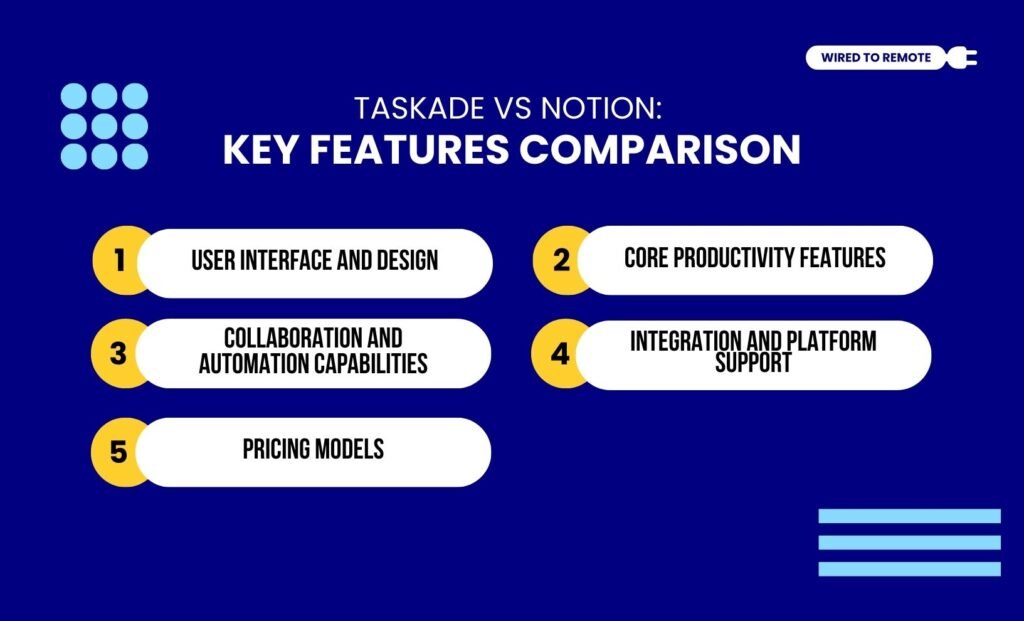
Even though both Taskade and Notion are efficient task managers, they offer different features and services. So, here are the key differences in their features—
1. User Interface And Design
Firstly, Taskade offers a more intuitive interface that makes task organization and knowledge management super simple for remote workers.
That is, it provides simple layouts for delegating tasks to manage and track their progress efficiently.
Moreover, it has diverse options for viewing the tasks — lists, dashboards, mind maps, and calendars. Making it a simple but efficient task management tool for remote teams.
Contrarily, Notion is designed with a robust set of features, making it a complex tool for beginners.
That is, it is stuffed with high functionalities, rich knowledge management tools, and customization options.
But this feature-rich design doesn’t impact its interface. So, it offers a simple and minimalistic user interface that works with a block system that is highly customizable.
As the report from Business Drive highlights— “When working in Notion, you will quickly realize that it uses a block system that works like Lego. It transforms all the content into movable, customizable pieces, which gives you the flexibility to move these blocks around.”
2. Core Productivity Features
In comparison, Taskade’s task management system is lightweight. That is, it offers basic project management tools that help users to delegate, track, and set reminders for task completion.
In addition to this, it allows users to personalize the design of the workspace.
So, they can tailor the organization and management of tasks — with lists, kanban boards, mind maps, and real-time collaboration tools.
But, on the other hand, Notion offers an all-in-one tool to manage tasks and productivity of remote teams.
Since Notion is primarily designed as a note-taking app, it provides a robust knowledge management platform. So, workers can get access to information on time.
Moreover, this comprehensive project management tool allows users to customize the task views, project tracking options, and visualize the planning through dashboards, charts, and maps.
According to the report of Business Drive— “Team members often struggle to find the information they need. Using Notion, you can create your own knowledge library. These hubs can help your team members find and understand the information they need to do their jobs”.
3. Collaboration And Automation Capabilities
Now, within the collaborative aspect of remote work, Taskade offers a real-time communicative tool.
Making it easier for remotely located employees to chat, video meet, and edit tasks in real-time.
One of the striking features of Taskade is its built-in AI agent that allows users to automate tasks, streamline workflows, and boost productivity.
Moreover, users can personalize these agents to meet the specific needs of the tasks.
Alternatively, Notion’s collaboration prioritizes text-based communication over video calls or real-time chats.
So, employees can comment, mention others, and collaborate with cross-departmentsthrough text-based communication.
In addition to this, it comes with a built-in AI-powered writing assistant that automates the routine writing tasks. Leaving space for workers to manage important projects.
Also, it utilizes AI technology to summarize information from countless databases, knowledge documents, and task details.
Making it easier for remote teams to stay organized and efficient at the same time.
4. Integration And Platform Support
Since task management tools are vital for handling multiple projects at the same time, remote teams need a highly integratable platform.
Now, Taskade readily integrates with most third-party tools, which simplifies workflows.
On the other hand, Notion offers high third-party integration capabilities with major productivity, communication, and data management tools.
So, users can easily build complex workflows by simply integrating it with other tools.
Now, both the tools support major OS for easy incorporation into the work system. That is, both Taskade and Notion are compatible with Windows, macOS, iOS, and Android.
So, diverse teams using diverse platforms can easily integrate them.
As the report from Fahim AI points out— “Notion can be a central hub, as it integrates with Google Docs, Google Calendar, and Google Drive. A Notion instance can also be connected to other tools and other apps. Taskade integrates with a range of favorite tools like Google Drive, Google Sheets, and Google Calendar to enhance productivity. It has excellent cross-platform compatibility for web links and is a great alternative to other software.”
5. Pricing Models
Finally, both Taskade and Notion are semi-paid platforms. That is, they offer both free and paid plans for different kinds of remote teams. So, the pricing models of each tool are listed below—
- Taskade
| Plan | Pricing | Features |
|---|---|---|
| Free | $0 | Basic task management features, AI project studio access, and unlimited lists, projects, and customized views. |
| Pro | $10 per month | Moderate features with unlimited custom AI agents, automation, and task management for 10 workspaces. |
| Team | $50 per month | Advanced task managing tools and unlimited AI agents, automation, customization options, and data security for unlimited workspaces. |
| Enterprise | Custom pricing | Customized features and high-functioning tools based on the needs of the enterprise. |
- Notion
| Plan | Pricing | Features |
|---|---|---|
| Free | $0 | Basic task management tools and high-functioning databases for users. |
| Plus | $10 per month | Provides users with unlimited collaborative blocks, database management, views, and customized integration options. |
| Business | $20 per month | Complete plan with advanced tools, AI features, and unlimited private teamspaces, domain verification, and other data security options. |
| Enterprise | Custom prising | Customized features and high-functioning tools based on enterprise needs. |
Taskade vs Notion: Pros And Cons Of Each Tool
Although both Taskade and Notion are productivity tools, they have their own set of benefits and challenges. So, here is a clear breakdown of the pros and cons of each tool.
- Taskade
| Pros | Cons |
|---|---|
| 1. Offers a simple, intuitive, and user-friendly interface. | 1. Less flexible in creating notes or wikis. |
| 2. Provides AI-powered automation and built-in collaboration tools. | 2. Limited customization options for taking notes. |
| 3. Allows users to customize project views through mind maps and dashboards. | 3. AI responses can be repetitive. |
- Notion
| Pros | Cons |
|---|---|
| 1. Offers a highly flexible and customizable platform for managing all kinds of remote workflows. | 1. The extensive features can be overwhelming for beginners. |
| 2. Best suited for note-taking in meetings and managing organizational information. | 2. Not suitable for basic tasks. |
| 3. Provides a robust project viewing system with timelines and Gantt charts, along with an AI writing assistant. | 3. Lacks native tabs in its interface. |
Tips To Choose The Right Task Manager For Remote Teams
Having a task management tool is not enough. Rather, knowing which one to use for managing your remote team workflows is the key. So, here are some tips for choosing the right one for your remote workspace—
- If you are a freelancer or working in the creative field that needs planning, tracking, and adjusting tasks, Notion is the best choice.
- Moreover, if you have a small team that requires timely updates, shared tasks, and intuitive visual boards, then Notion can be the perfect companion.
- But if you need rapid task management features within a lightweight project management setup, Taskade can be quite helpful.
- Finally, if collaboration and real-time communication for task management is what you are looking for, choosing Taskade is the right option.
Now, both Taskade and Notion are great task management tools. It’s just that one is beneficial for a specific role, while the other is perfect for something else.
So, choose the one that serves your team and watch your productivity skyrocket.
FAQS
Here are some common questions on task management tools like Taskade and Notion that most users ask about.
Since both Taskade and Notion offer different features, they cannot replace each other entirely. That is, if you are using the highly advanced features and customizable database functions of Notion, it might be difficult to replace it with the simple features and real-time collaboration of Taskade.
Unlike other productivity tools, Notion offers advanced features, which can be complex for beginners. So, implementing it within a small team or by freelancers can be a tad bit difficult. Moreover, its learning curve is quite steep. So, users might need to have some technical knowledge to set it up and use it properly.
Yes, absolutely. Switching between Taskade and Notion is actually quite easy. But the smoothness of this transition entirely depends on the integration process. So, if you want to switch from one task manager to another, you need to install the new tool, migrate the data, and automate various processes. Then, you can seamlessly change the productivity tool.
Given that Taskade offers real-time project-based collaboration, built-in chats, and AI automation, it is more suitable for remote collaboration. But if the remote team needs deep customization features and internal wikis, then choosing Notion is a better option. However, in comparison, Taskade provides a more versatile and simple task or project management tool for remote team management.


Leave A Comment