
Since remote work completely takes place within the digital landscape, workers create multiple digital accounts across diverse websites.
But keeping in mind all the unique passwords is not that easy. And writing them in a notebook is just too risky and inconvenient.
That’s why password managers help in keeping a log of your account details with their respective passwords. Moreover, they auto-fill the usernames and passwords for the specific sites for faster access.
Now, among the countless tools, Dashlane and Bitwarden are the fan favorites of remote workers.
But the real debate starts with the question — “Which password manager is more suitable for remote work?”
And that’s exactly what I am going to delve into today. In this Dashlane vs Bitwarden blog, I am going to explore the diverse nuances of both the tools by focusing on their—
- Need in a remote work setup,
- Key differences in features,
- Pros and cons of each tool, and more.
So, come dive right in!
Dashlane vs Bitwarden: Why Do Remote Workers Need Password Managers?
To explain in simple terms, both Dashlane and Bitwarden are password managers. That is, they allow users to store and manage their passwords for diverse accounts on multiple websites.
Now, Dashlane offers a more polished and advanced tool with unique password management features. Making it easier for users to store and auto-fill their passwords.
Contrarily, Bitwarden offers an open-source tool with a robust data privacy and security system to store and protect passwords. So, users can independently audit its security before using it.
As the report from TechRepublic highlights— “Bitwarden’s open-source software and wide platform support are perfect for more advanced users. On the other hand, Dashlane’s polished user interface makes it an appealing choice for less tech-savvy users.”
Dashlane vs Bitwarden: Key Features Comparison
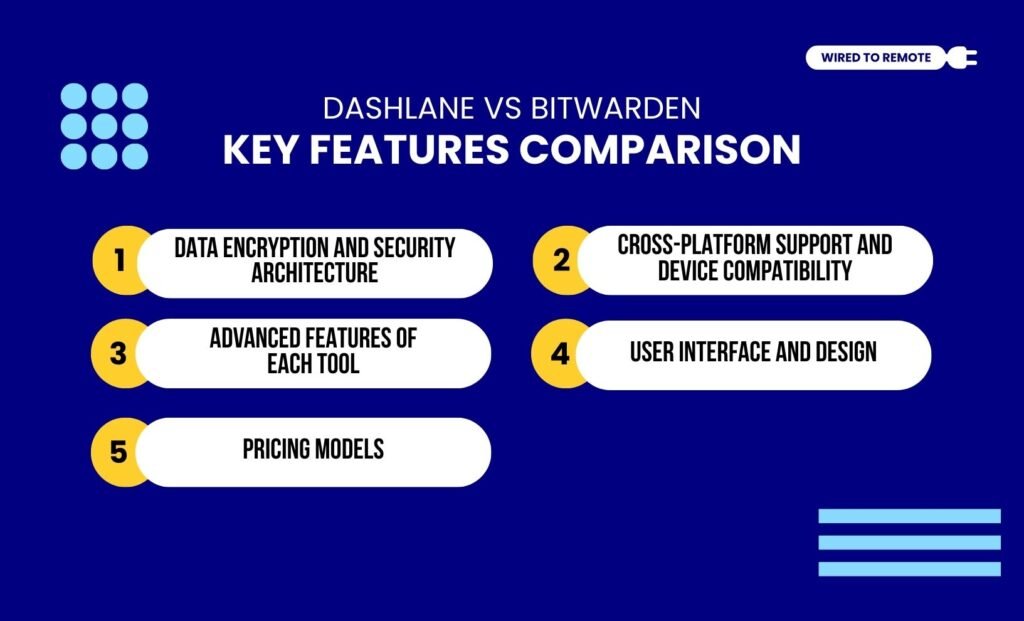
Even though both are password managers, they are not the same tool. That is, they share certain dissimilarities in their core functionalities. So, here is their key features comparison.
1. Data Encryption And Security Architecture
It’s no news that data security and privacy are vital for password management. So, both tools employ high-end security and privacy protocols to protect user data.
That is, both Dashlane and Bitwarden use AES 256-bit data encryption for securely storing passwords.
Moreover, they have a zero-knowledge architecture. That is, all the user data is stored locally, with no data disclosed to the company’s storage.
2. Cross-Platform Support And Device Compatibility
Given that diverse users have different types of devices with diverse OS, password managers need to be cross-device compatible. So, both tools showcase massive compatibility capabilities.
But, in comparison, Dashlane is not supported on Linux OS. That is, it offers limited support for diverse OS on multiple devices.
Whereas, Bitwarden supports all leading OS on diverse devices. Making it a broadly compatible option.
In addition to this, Bitwarden allows users to sync the stored data. So, they can access the passwords across multiple devices.
3. Advanced Features Of Each Tool
Apart from the core features, both tools come with certain specialized features that make them stand out in the crowd.
For instance, Dashlane offers unique features like dark web monitoring and a built-in VPN service. That is, users can get alerts for potential data breaches in dark web portals.
Moreover, they can employ the VPN service to further secure their network connection. So, its advanced features help users to get an all-in-one security in the digital space.
But, on the other hand, Bitwarden offers an open-source system with self-hosting options. So, users can independently check the security level of the system from the community.
Also, it allows third-party integration to audit its safety and security measures. Making it easier for users to choose a transparent password manager for managing their data.
4. User Interface And Design
In comparison, Dashlane’s user interface is simple and suitable for non-tech users.
Whereas Bitwarden has a more complex and technical interface, which can mostly be handled by tech-savvy people.
But it has excellent security measures and flexibility. So, it is often preferred for its superior security quality over the simplicity of Dashlane.
5. Pricing Models
Finally, both Dashlane and Bitwarden are semi-paid tools. That is, both offer free and paid plans. So, their pricing breakdown includes—
- Dashlane
| Plan | Pricing | Features |
|---|---|---|
| Free | $0 | Allows users to store 25 passwords with only 1 device. |
| Premium | $4.99 per month | Unlimited passwords and unlimited devices for 1 account. |
| Family | $7.49 per month | Unlimited passwords in unlimited devices for up to 10 accounts. |
| Business | $8 per month | Advanced password management features, unlimited accounts, activity logs, and adherence to SSO and business policies. |
| Enterprise | Custom pricing | Customized features based on the needs and requirements. |
- Bitwarden
| Plan | Pricing | Features |
|---|---|---|
| Free | $0 | Allows users to store unlimited passwords with only 1 device. |
| Premium | $0.83 per month | Unlimited passwords and unlimited devices for 1 account. |
| Family | $3.33 per month | Unlimited passwords in unlimited devices for up to 6 accounts. |
| Teams | $4 per month | Password directory integration and event log monitoring with basic password management features. |
| Enterprise | $6 per month | Advanced password management features adhering to SSO and enterprise policies. |
| Personal Quote | Custom pricing | Customized features based on the needs and requirements. |
Dashlane vs Bitwarden: Pros And Cons Of Each Tool
Although both Dashlane and Bitwarden are password managers, they come with different sets of benefits and limitations. So, here are the pros and cons of each tool.
- Dashlane
| Pros | Cons |
|---|---|
| 1. Offers a polished and user-friendly interface with unique dark web monitoring and built-in VPN service. | 1. Free plan comes with limited features. |
| 2. Allows users to recover their accounts with biometric and MFA codes. | 2. Limited support for diverse OS. |
| 3. Auto-fills passwords and usernames on sites with utmost accuracy. | 3. Premium plans are expensive. |
- Bitwarden
| Pros | Cons |
|---|---|
| 1. Offers affordable paid plans with strong password management features. | 1. No built-in VPN or dark web monitoring features. |
| 2. Provides an open-source platform that allows third-party auditing and compliance with the security standards of the industry. | 2. Messy or cluttered user interface. |
| 3. Supports diverse OS in multiple devices and provides multiple options for MFA codes. | 3. Basic paid plans offer limited features. |
Tips To Choose The Right Password Manager For Remote Teams
Since both password managers are unique in their own way, choosing between them can be quite difficult. So, here are some tips to keep in mind while making the choice for your remote team.
- If you are a freelancer or individual worker, then choosing a budget-friendly option like Bitwarden is better.
- Moreover, if you need a shared vault with your family or teammates, it is better to choose Bitwarden for its affordable plans.
- But if you need something for your remote team or business, then Dashlane can be a better option with advanced features and a simple interface.
Now, keeping your passwords organized and safe has become quite easy with password managers. So, choose either Dashlane or Bitwarden to safely store your passwords with a strong digital lock.
FAQs
Here are some common questions about the debate between Dashlane and Bitwarden that most remote users look for.
Yes, absolutely. Since Bitwarden is an open-source platform, it offers transparency and community-driven security checks that ensure the platform’s features comply with industry standards for safety and security. Moreover, its open platform allows users to conduct independent auditing. Making it a safer option than other password managers.
Yes, absolutely. Dashlane’s unique features, like dark web monitoring or the built-in VPN, offer an extra layer of security than Bitwarden. But Bitwarden also provides an open-source security architecture and third-party auditing. That is, users can independently check the safety and security features by auditing its open-source code.
Yes, absolutely. Since neither Dashlane nor Bitwarden is dependent on the other, switching between the tools is quite easy. But switching from one tool to another requires manual transfer of data. So, you cannot transfer the saved passwords for specific sites automatically from one to the other.
Given that Bitwarden comes with open-source security and robust administrative controls, it is more suitable for managing teams or businesses. Moreover, it offers simple pricing models with massive data privacy modules. On the other hand, individual users look for a cost-effective tool, and Bitwarden offers affordable options for single users. So, they can choose it over Dashlane’s expensive plans.
If you forget the master password of the password manager, then it might be difficult to access your account and the stored data. So, you will need to use the “Forgot Password?” option to recover your account. Now, both Dashlane and Bitwarden provide a unique code to access your account data. This will help you to verify the authorization of your access. So, helping you to recover the account and saved data easily.



Leave A Comment