
Whether you are an on-site employee or a remote worker, staying organized in this ever-evolving work environment is the need of the hour.
That is, you need to effortlessly juggle multiple projects, deadlines, and tasks without setting your last nerve on fire.
And, task management is by far the best way to organize them. Moreover, with a streamlined task workflow, you can easily optimize work productivity.
That’s why task management tools are becoming the talk of the corporate world.
Especially for remote teams, the task management tools offer countless benefits. Helping them to collaborate, prioritize tasks, plan and execute the work, and allocate the resources efficiently.
But among the countless tools, Google Tasks and TickTick are fighting for the number one position. Making users confused about which one to choose.
So, if you are also one of them, look no further. Your remote buddy is here to save the day with the perfect Google Tasks vs TickTick blog!
In this comparison article, I will be discussing the diverse aspects of both the tools, exploring their differences in—
- Key features,
- Scalability capabilities,
- Tips to choose between them, and more.
So, come dive right in!
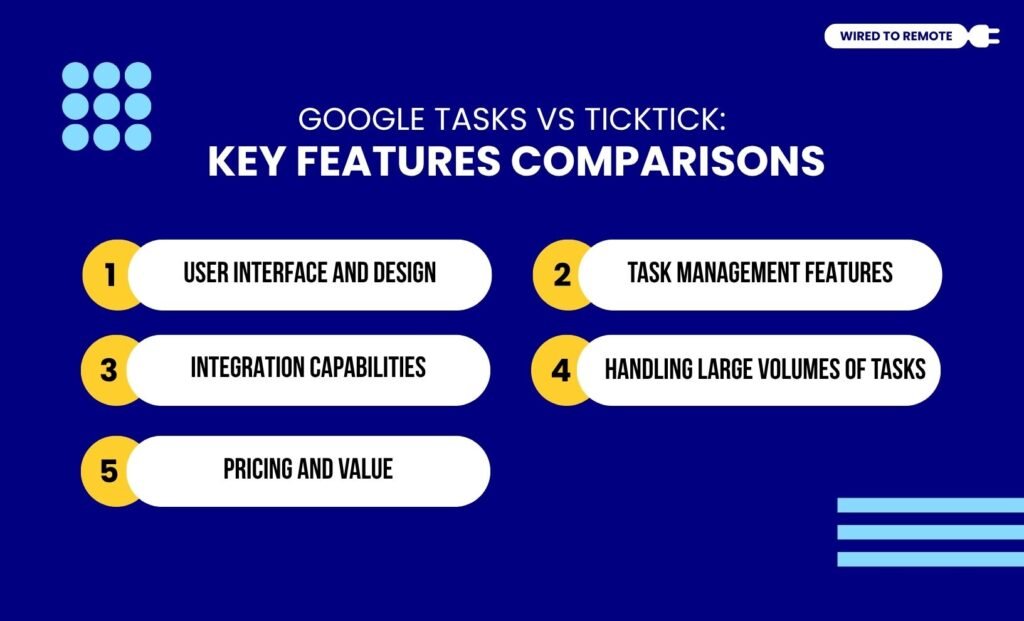
Google Tasks vs TickTick: Key Features Comparisons
First things first, before diving into their comparison, a little idea about what Google Tasks and TickTick are used for is vital.
Unlike other tools, Google Tasks is an integrated task manager in the Google suite. It offers a simple task management platform to effortlessly add, modify, and organize tasks without any complex features.
On the other hand, TickTick is more of a versatile task management tool. So, it allows users to use its robust range of features to tackle diverse kinds of projects.
Although both tools offer basic task management features, they share a lot of dissimilarities. So, here is a clear breakdown of their core differences—
1. User Interface And Design
Firstly, the user interface of Google Tasks comes with a minimalist design. So, users can easily navigate the platform without delving into complex technical knowledge.
And, TickTick has a highly customizable and feature-rich user interface, which can feel daunting for beginners. But once the users get the hang of its advanced design, they can easily use its smart features.
2. Task Management Features
Since both are task managers, they provide a comprehensive set of features for managing multiple tasks.
For instance, Google Tasks’ unique features include — lists and subtasks, Google Workspace integration, and customizable task views. So, users can use it along with the other Google tools.
On the other hand, TickTick’s dynamic features include — custom task lists, Pomodoro timer, task sharing, and customizable filters. So, users get an advanced, feature-rich platform.
On comparison, Google Tasks has basic task management features, whereas TickTick stands out for its advanced features. Making task management easy and varied at the same time.
3. Integration Capabilities
As a part of the Google suite, Google Tasks readily integrates the native Google tools in the workspace. But it has limited integration capabilities for third-party apps — Zapier and ClickUp.
Contrarily, TickTick does not belong to any digital ecosystem. So, it allows users to seamlessly integrate various third-party productivity, time management, and automation tools for improved efficiency.
In addition to this, TickTick also enables syncing Google Calendar with task management features. So, it provides a complete package for effortless project management.
4. Handling Large Volumes Of Tasks
Even though Google Tasks comes with basic task management features, it has limited options. So, users can only use its simple task creation, listing, and basic customization features.
But on the contrary, TickTick offers a significantly better set of task management features. Moreover, its advanced filtering, sorting, and structuring options make handling large volumes of tasks easy-peasy.
In addition to this, Google Tasks has limited search capabilities. Making it difficult to search for specific items from a large volume of tasks. But TickTick has a robust search system, locating tasks and information in a jiffy.
So, naturally, TickTick is comparatively a better tool for handling a massive volume of tasks efficiently.
5. Pricing And Value
There is a drastic difference in the pricing models of Google Tasks and TickTick. One is a free tool, while the other is a semi-paid platform, offering both free and paid plans.
As a part of the Google suite, Google Tasks offers all its task management features without collecting a single dime. So, users can use it for absolutely free!
But TickTick is more of a semi-paid platform. Under its free plan, it offers a comprehensive set of features with limited customizing capabilities.
And, with its annual plan starting at $35.99, it offers the complete package, including — basic task management features, advanced filters, customizing capabilities, and integration features.
Google Tasks vs TickTick: Which One Has Better Scalability?
Based on the comparison of their features, Google Tasks seems more suitable for individual project management, while TickTick is perfect for businesses and remote teams.
In addition to this, TickTick has built-in collaborative features that allow users to share, tag, and list tasks. But Google Tasks’ collaborative options are limited within the Google Workspace.
Moreover, TickTick’s range of advanced customization and integration capabilities holds the potential to expand along with the growth of the firm. Showing more scalability capabilities as a task manager.
User Reviews And Expert Opinions
Since both Google Tasks and TickTick are widely adopted tools, users review and share their honest experiences with them on online community forums.
For instance, this Reddit user comments about the two tools—
I liked TickTick, but ran into the issue where the free option didn’t let me port all my lists into it. Todoist is a great, full-featured app if you’re willing to pay. Google Tasks is a little limited for my needs, but if you create a lot of to-do items from your email, it’s handy. It’s a bummer Google doesn’t have a standalone web version of tasks.
Another Reddit user highlights their experience with them—
If you’re looking for a more feature-rich free version, TickTick might be a good choice. But if you’re heavily invested in the Google ecosystem, Google Tasks may be the best option for you.
Apart from the user reviews, the expert report on Zapier points out—
TickTick is a fast-growing task list app that offers a wide array of features on just about every platform you can imagine… If you live in Gmail and Google Calendar, Google Tasks is an obvious free to-do list app to try out. That’s because it lives right in the sidebar of those two apps and offers more than a few integrations. Plus, there’s a dedicated mobile app.
Similarly, according to the expert’s report on Focuzed on comparing them both—
If you just want the basics, Google Tasks is the easiest choice. It’s free, built into Gmail and Calendar, and does exactly what you need without extra fluff. I use it when I need something quick and light. Personally, my pick is TickTick. It gives me enough features to manage both my work and habits, without feeling overwhelming or expensive. It’s the one I keep coming back to.
Google Tasks vs TickTick: Choosing The Right Tool
Just knowing about the two major task managers is not enough. You need to know how to choose the right one to boost your productivity. So, here are some tips—
- If you are looking for a simple task manager for handling your individual projects as a freelancer or student, then Google Tasks can be your go-to buddy.
- But if you need something with robust capabilities and advanced efficiency, then TickTick can be the perfect choice.
- Moreover, if you are looking for a budget-friendly option, then Google Tasks is the best as it is completely free.
So, based on what you need and your budget, you can choose between the two. Moreover, this guide can further help you in making the final decision.
Now, if you haven’t tried either of the tools, it is high time to experience them. So, go ahead and choose one to organize your tasks better than ever!
FAQs
Here are some common questions focused on the Google Tasks and TickTick apps that users often ask.
One of the simplest methods to migrate your tasks from Google Tasks to TickTick is by manually converting them into PDFs and pasting them on the app’s dashboard. So, here are the steps to do this—
• Open Google Tasks and list out your tasks.
• Then, next to each task, click on the 3-dot menu and select the Print list option.
• Once the print preview opens, save the file as a PDF. And, do this for all the tasks you want to migrate.
• Then, open the TickTick app and paste the files directly.
• Alternatively, import the PDF files from the device folder using the Import option.
• Finally, check the dashboard of TickTick to see whether all your tasks have migrated properly.
Yes. Since Google Tasks and TickTick are not dependent on each other in any way, you can use both of them simultaneously. Moreover, you can use Tasks for simple task listing and TickTick for handling multiple projects.
With Google Tasks, you can access the tasks offline through your app or web portal. Moreover, if you modify any tasks, they will be automatically synced to the online version once there is an internet connection. But TickTick offers offline access to tasks only with its premium plan. So, you need to take its annual subscription plan to use the offline function.
Out of the two — Google Tasks and TickTick — the latter allows better integration with other productivity tools. Moreover, TickTick provides a wide range of integration capabilities for all kinds of third-party tools and software. But if you only need native Google tool integration, Google Tasks is better.



Leave A Comment